#  How-To 


 ##  

  expand\_more  


 Students Delegates 

## Students

(**Delegates** should follow instructions in the tab to the right)

### Making Payments

[Create a Payment Profile](#createpaymentprofile)

[Make a Payment](#MakePayment)

[Enroll in Monthly Payment Plan](#PaymentPlan)

### Invoice/Account Details

[Review Your Amount Due and Due Date](#amountdue)

[Review Your Account Activity](#AccountDetails)

[Download Your Account Statement](#print)

[Review Third-Party Sponsorship Details](#3rdpartysponsordetails)

[View Your Communication History](#receipts)

### Direct Deposit

[Enroll in Direct Deposit for Student Account Refunds](#directdeposit)

### Tax Forms

[Enroll in Paperless 1098-T](#1098-T)

[View 1098-T](#1098-Tview)

### Sharing Access

[Share Information with a Delegate](#delegate)

[Amend Delegate Access](#EditDelegateAccess)

[Remove a Delegate](#removedelegate)

### Tax IDs

[Submit SSN or ITIN at Any Time](#SSNanytime)

### Other

[Create or Update a Physical Location Address in my.harvard](#physical_location_address)


## Delegates

[Create a Payment Profile](#DPaymentProfile)

[Make a Payment](#DPayment)

[Enroll in Monthly Payment Plan](#DPaymentPlan)

[Review Amount Due and Due Date](#DAmountDue)

[Review Account Activity](#DAccountDetails)

[Download Account Statement](#DAccountStatement)

[View 1098-T](#delegate_view1098T)


## **Student How-To:**

### **Create a Payment Profile**

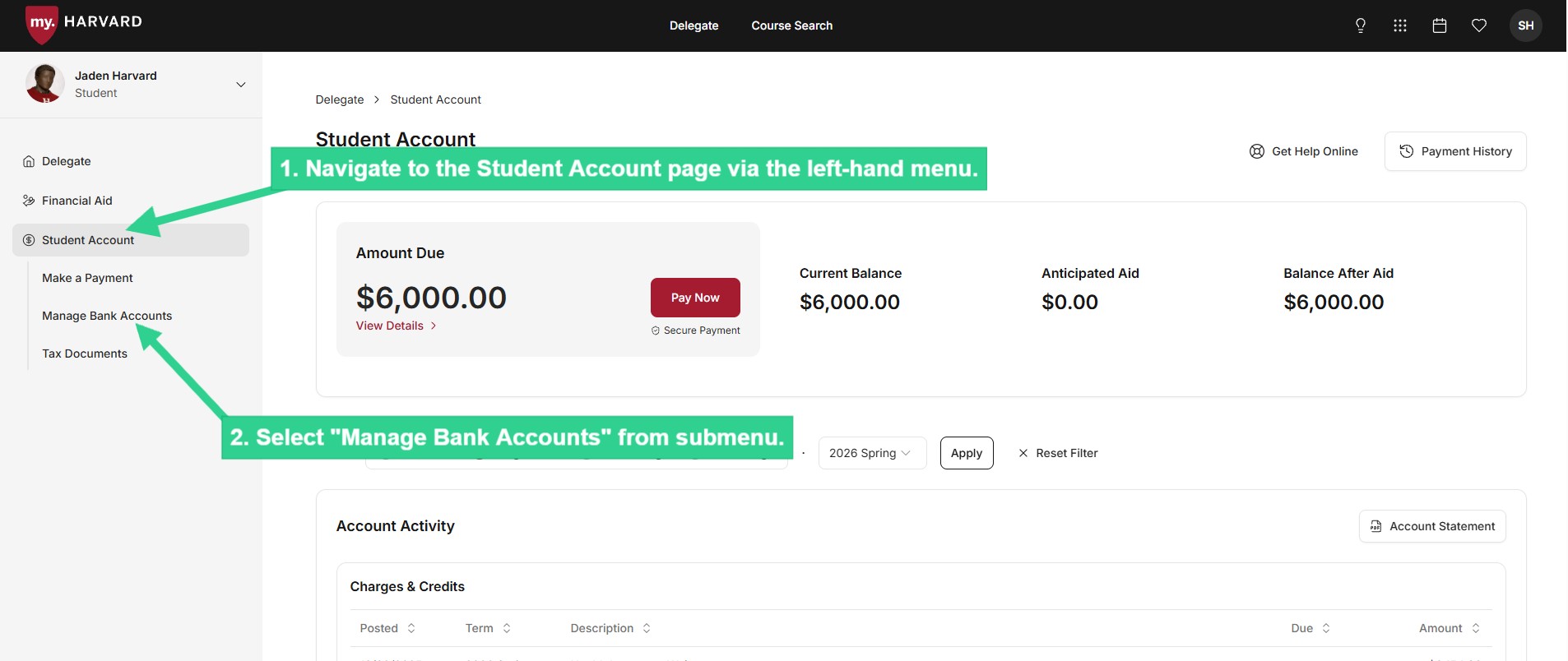
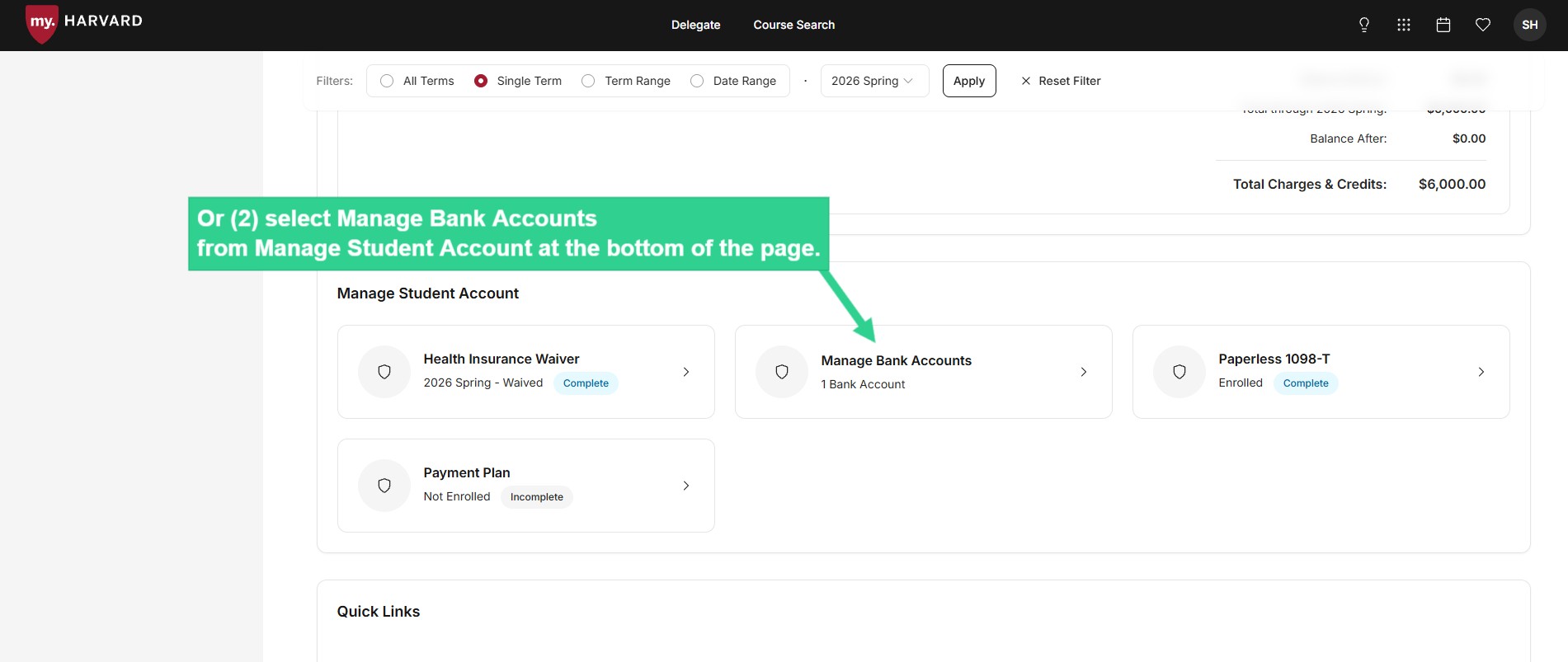
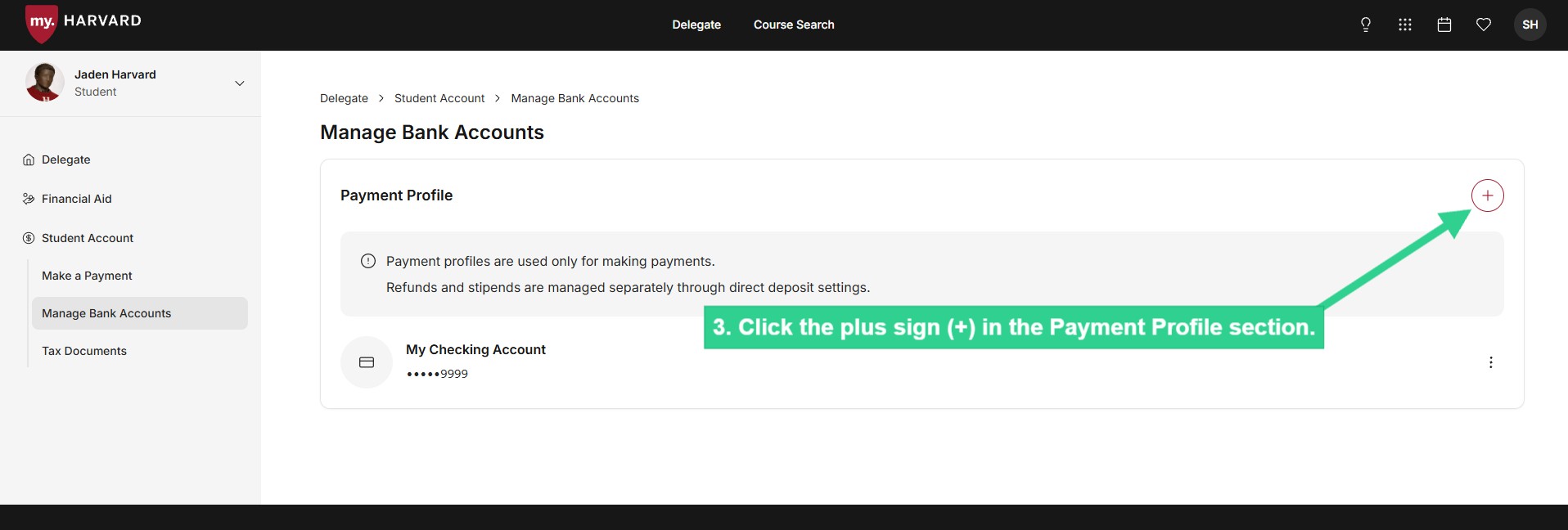
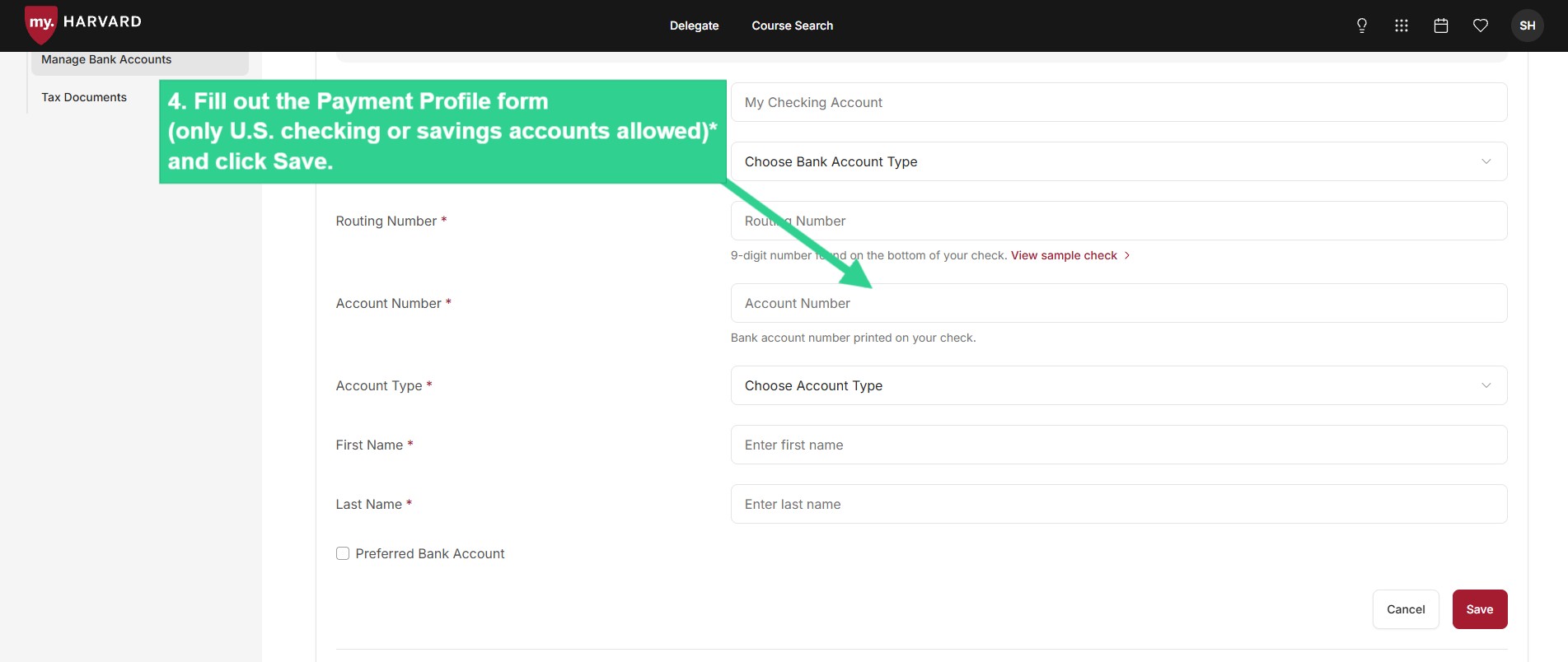
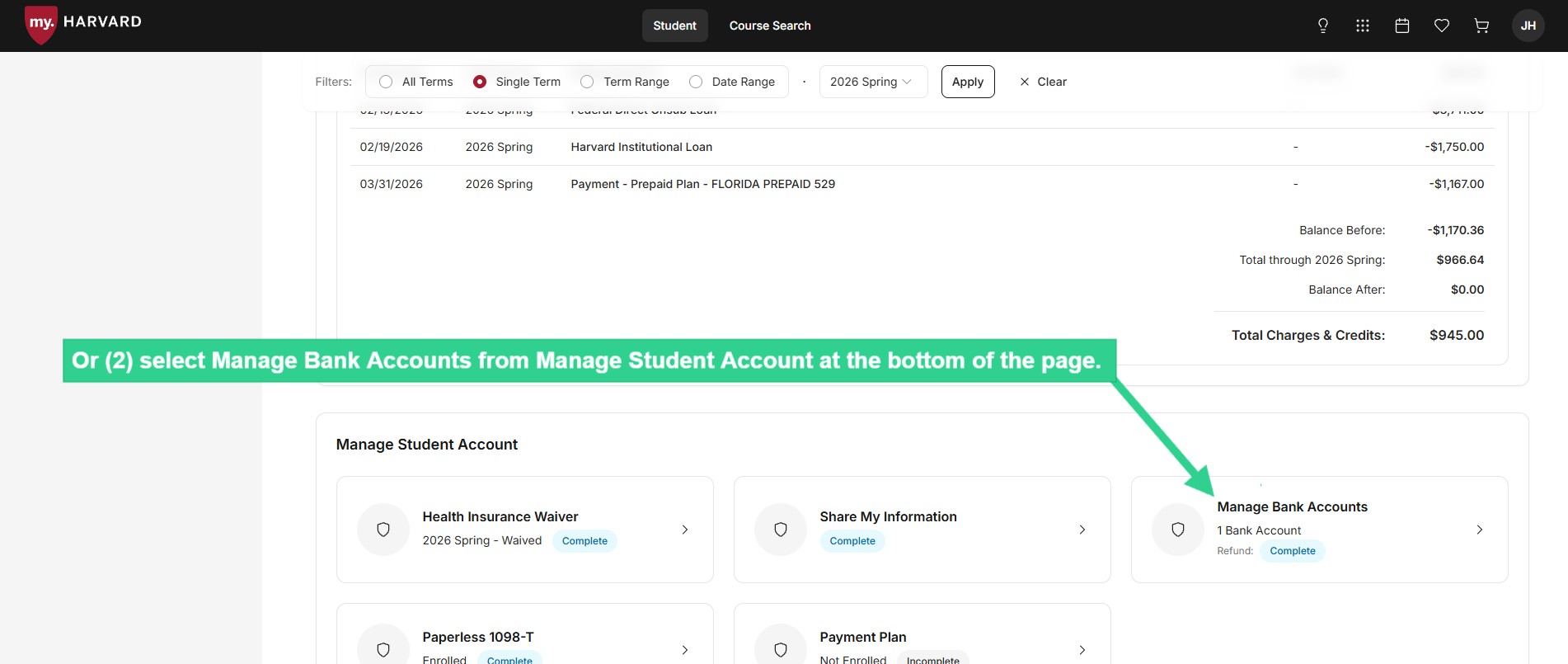
Creating a Payment Profile allows you to securely enter your U.S. checking or savings account information and save it to use whenever you need to make a payment. You can create a separate payment profile for each of your bank accounts.
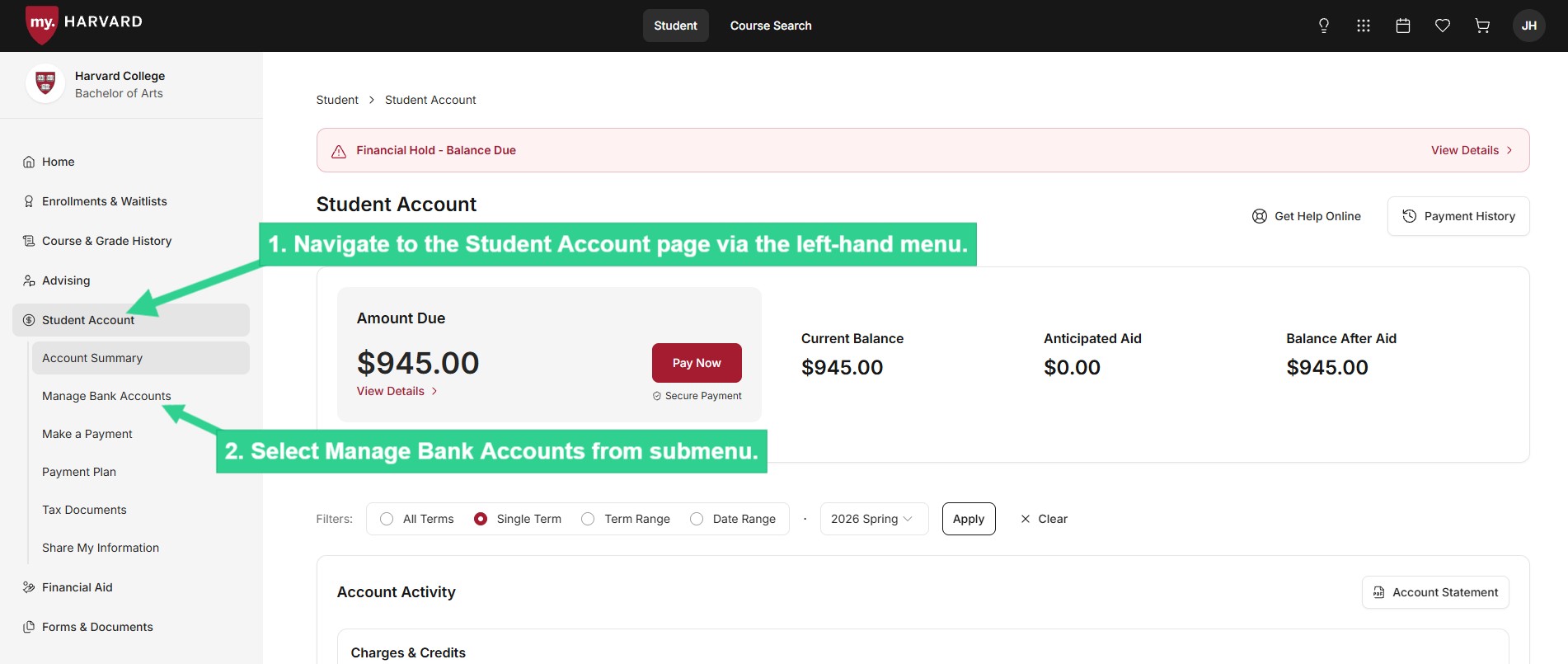
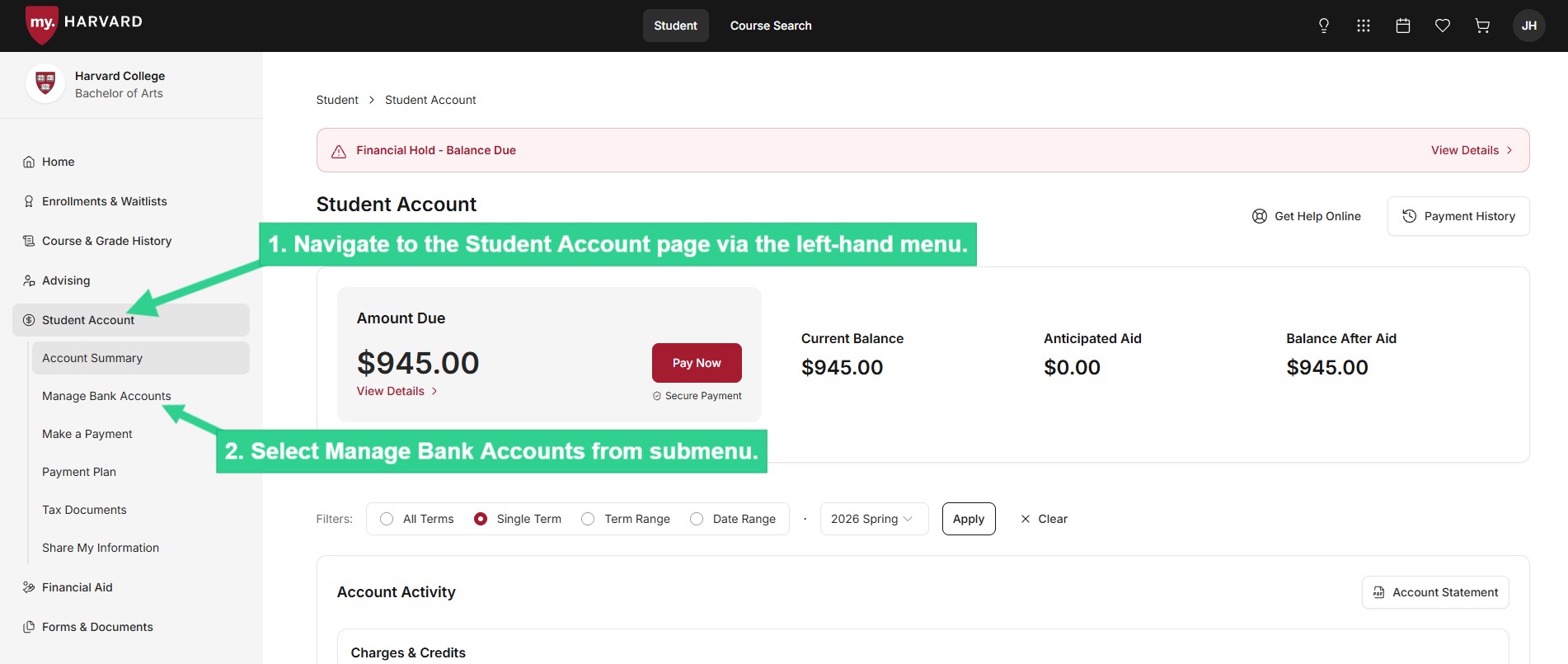
 ![Select Manage Bank Accounts from submenu](/sites/g/files/omnuum10921/files/2026-04/Student_create%20payment%20profile_1.jpg)


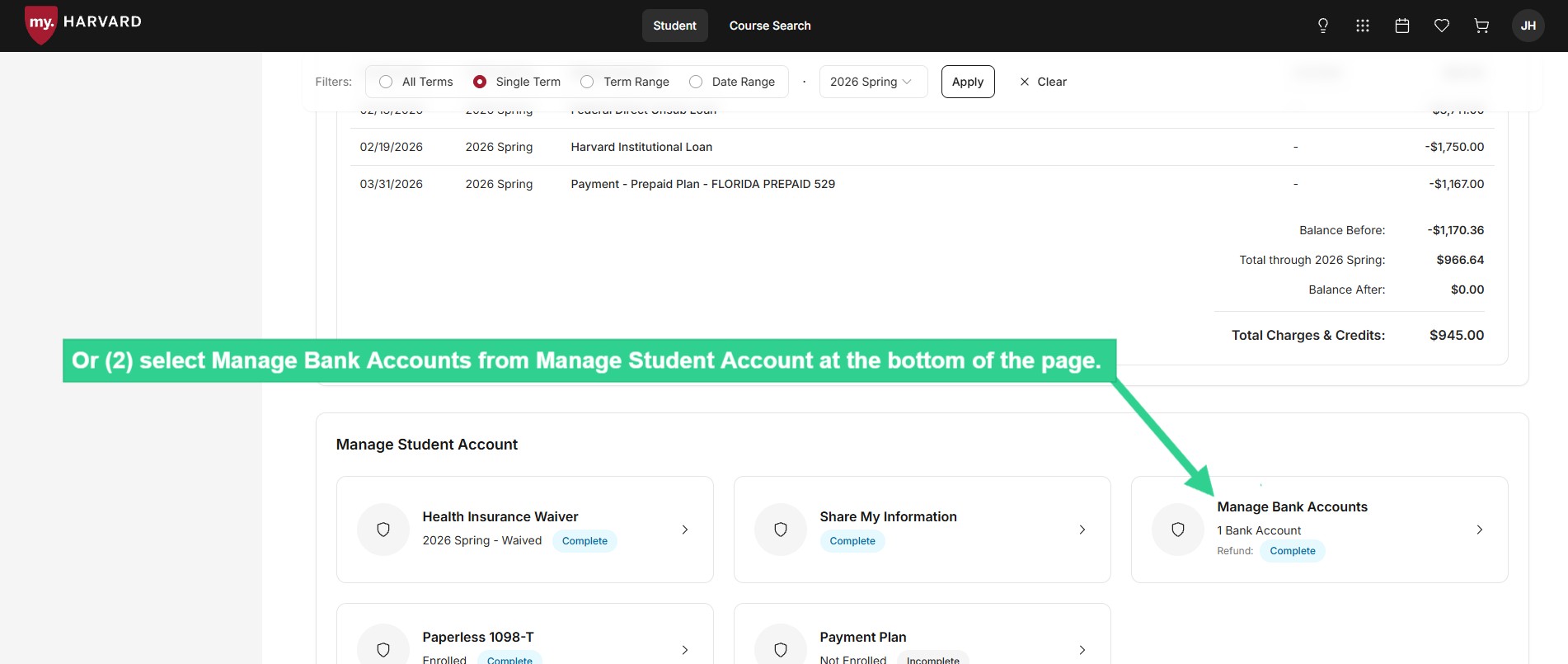
 ![Select Manage Bank Accounts from Manage Student Account at bottom of page](/sites/g/files/omnuum10921/files/2026-04/Student_create%20payment%20profile_2.jpg)


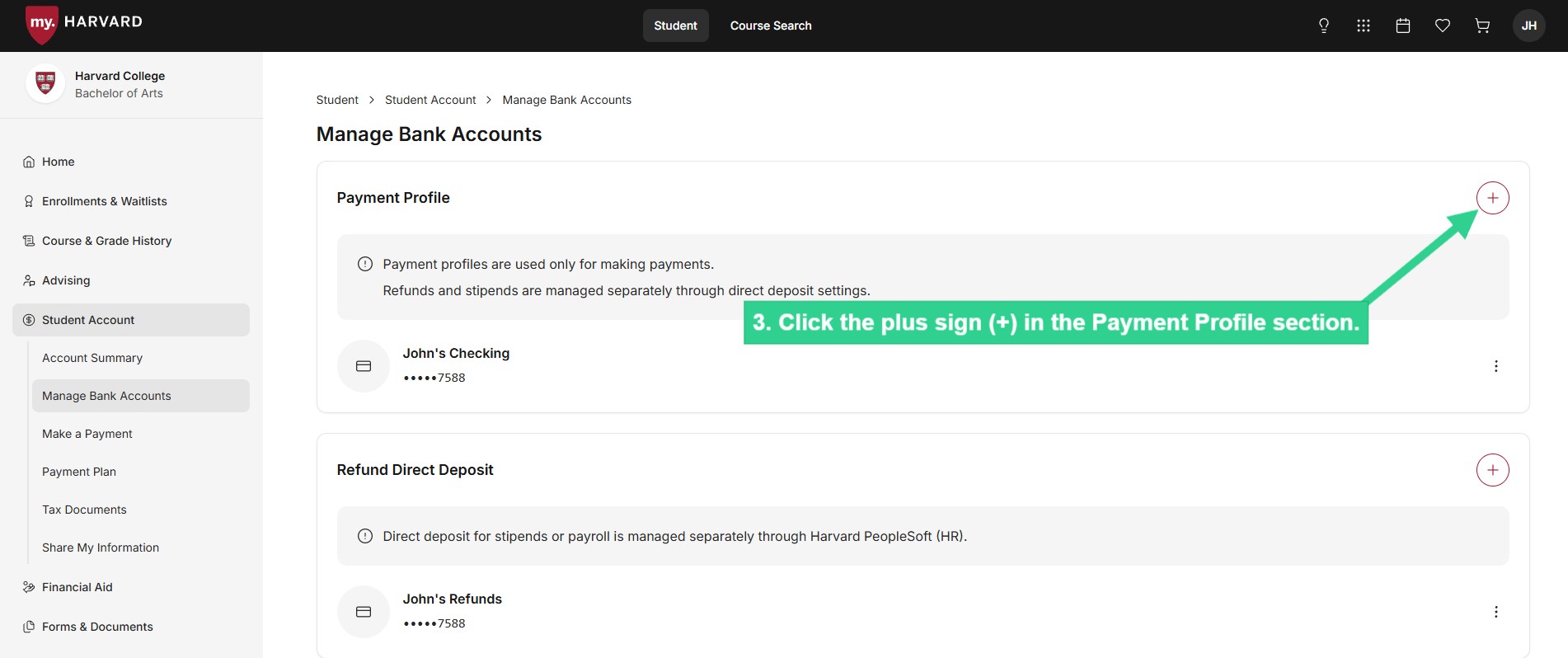
 ![Click on plus sign in Payment Profile section](/sites/g/files/omnuum10921/files/2026-04/Student_create%20payment%20profile_3.jpg)


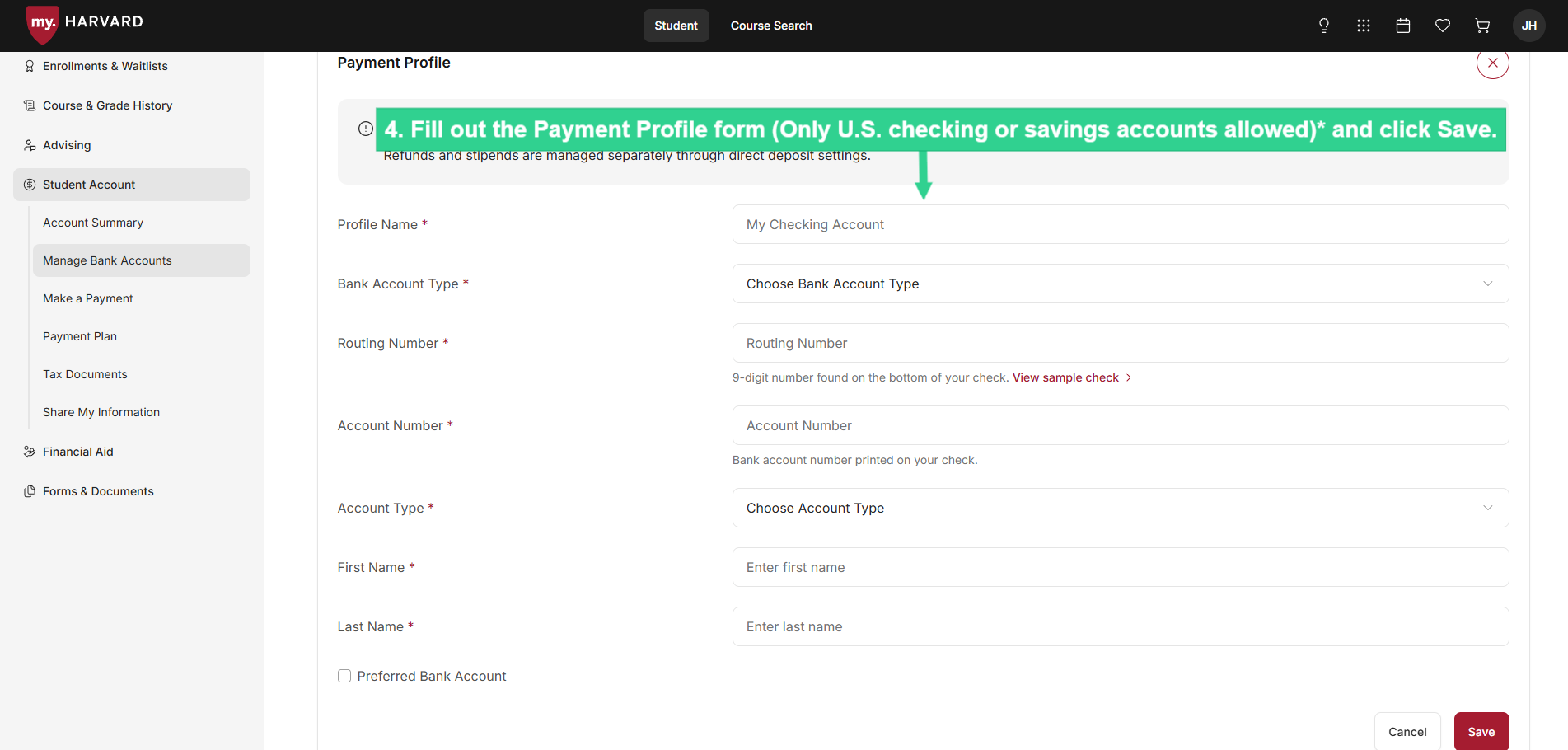
 ![Fill out Payment Profile form and click Save](/sites/g/files/omnuum10921/files/2026-04/Student_create%20payment%20profile_4.jpg)


\*Unfortunately, no brokerage, investment, or money market accounts can be used. If you are not sure whether your account can be debited via ACH, please contact your financial institution before making the payment.

### **Make a Payment**

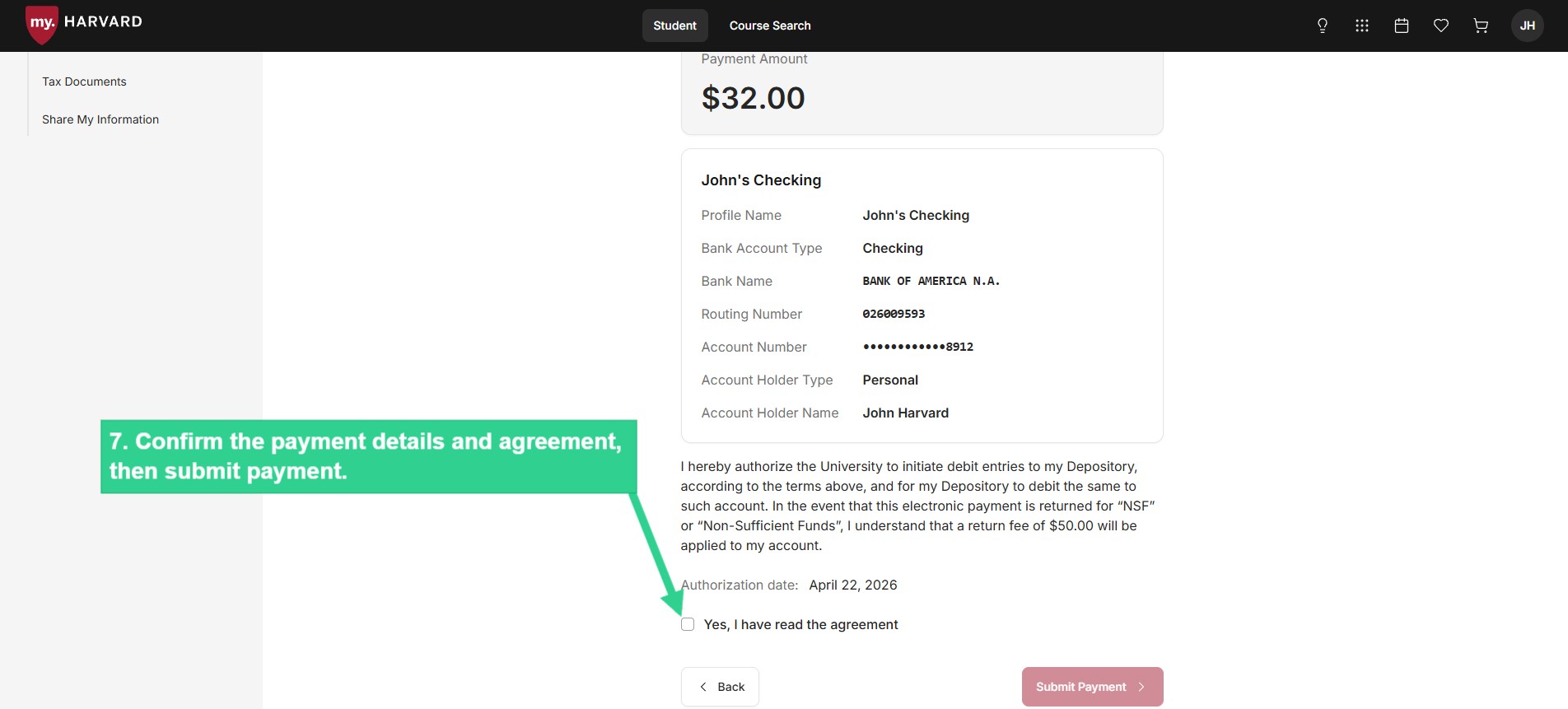
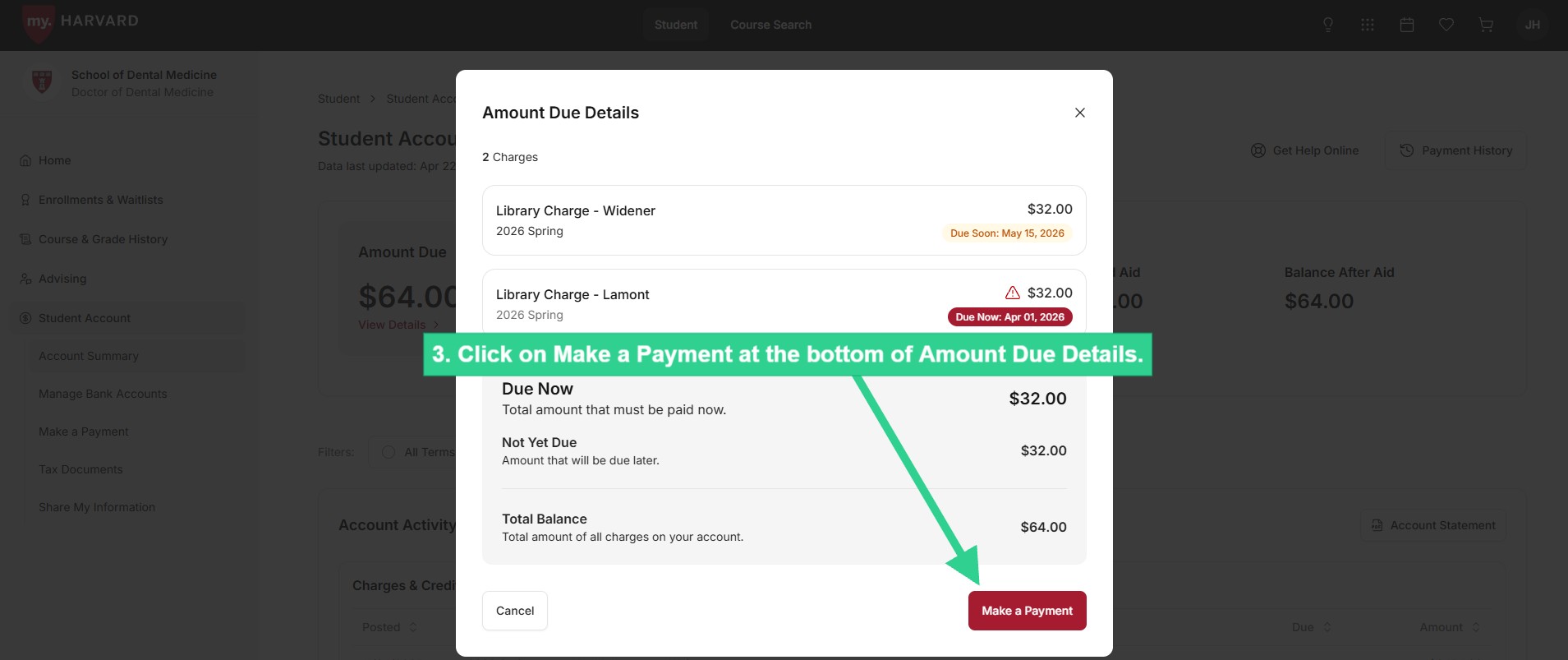
Process an electronic transfer of funds (ACH) from your U.S. checking or savings account to immediately cover charges due on your student account. You can also initiate a wire transfer through a third party or mail a check, although these options will take longer.
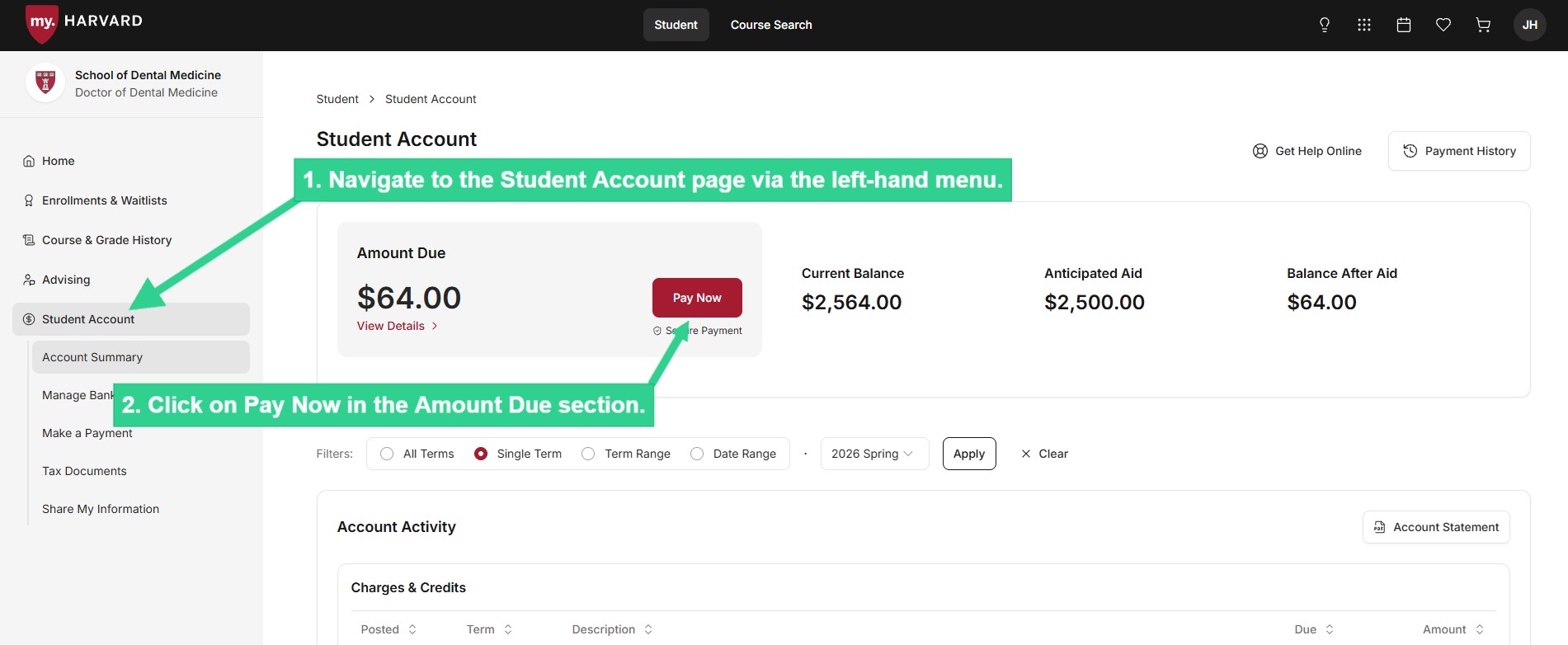
 ![Click on Pay Now](/sites/g/files/omnuum10921/files/2026-04/Student_make%20a%20payment_1_0.jpg)


 ![Click on Make a Payment](/sites/g/files/omnuum10921/files/2026-04/Student_make%20a%20payment_2_0.jpg)


 ![Select a payment method](/sites/g/files/omnuum10921/files/2026-04/Student_make%20a%20payment_3_5.jpg)


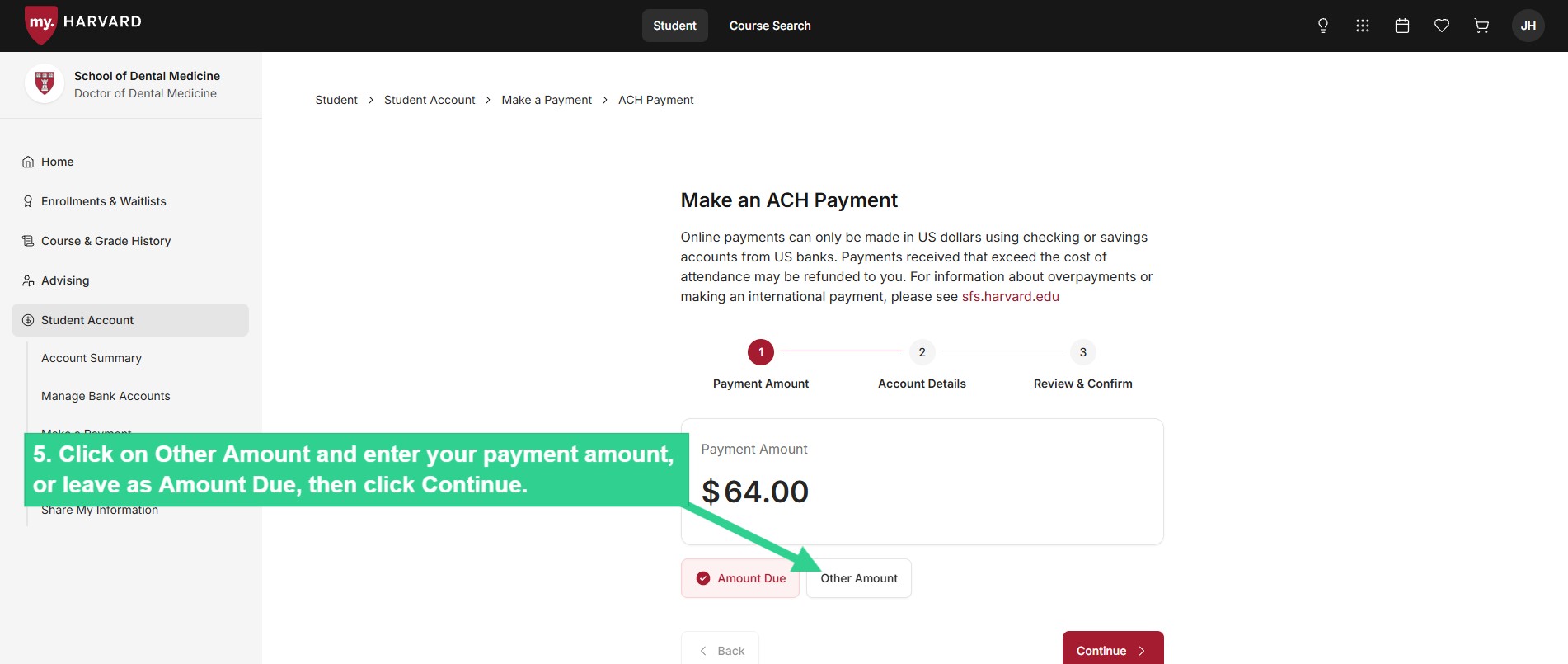
 ![Click on Other Amount and enter your payment amount, or leave as Amount Due, then click Continue](/sites/g/files/omnuum10921/files/2026-04/Student_make%20a%20payment_4_0.jpg)


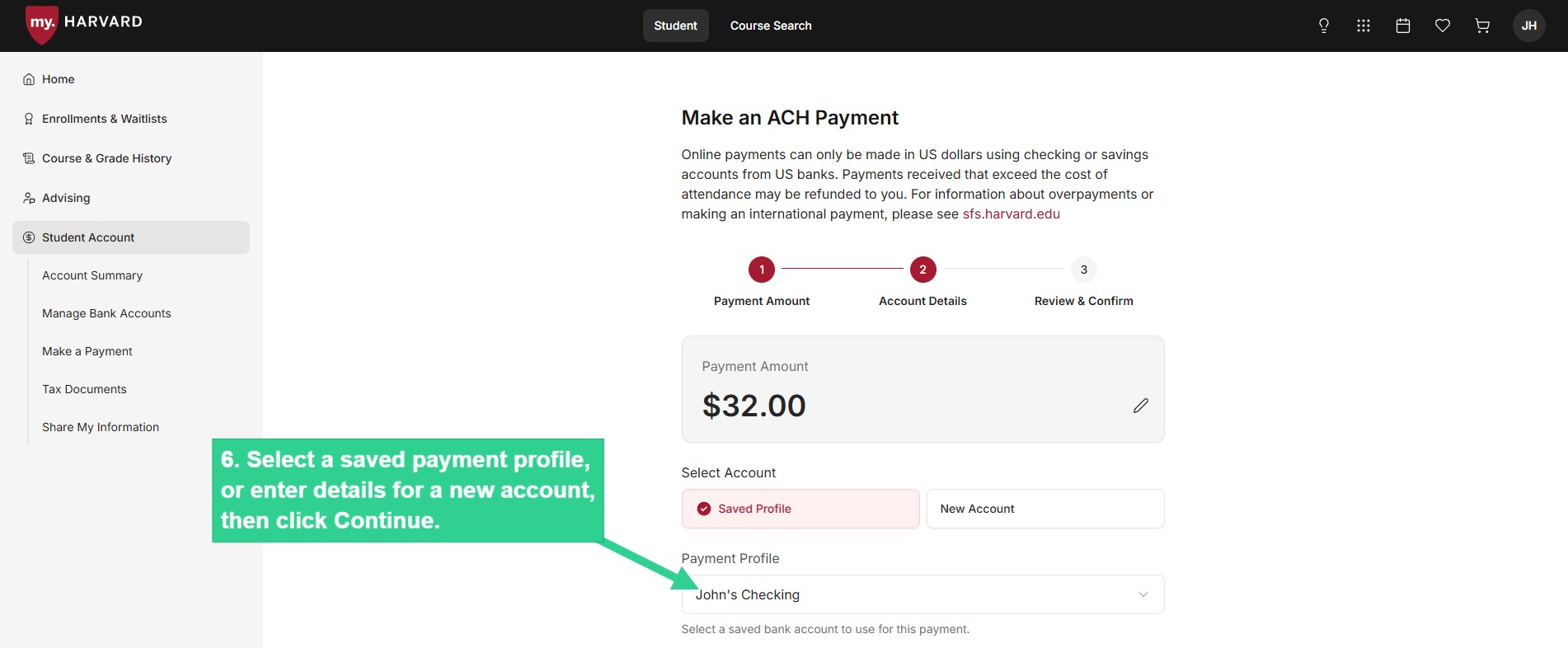
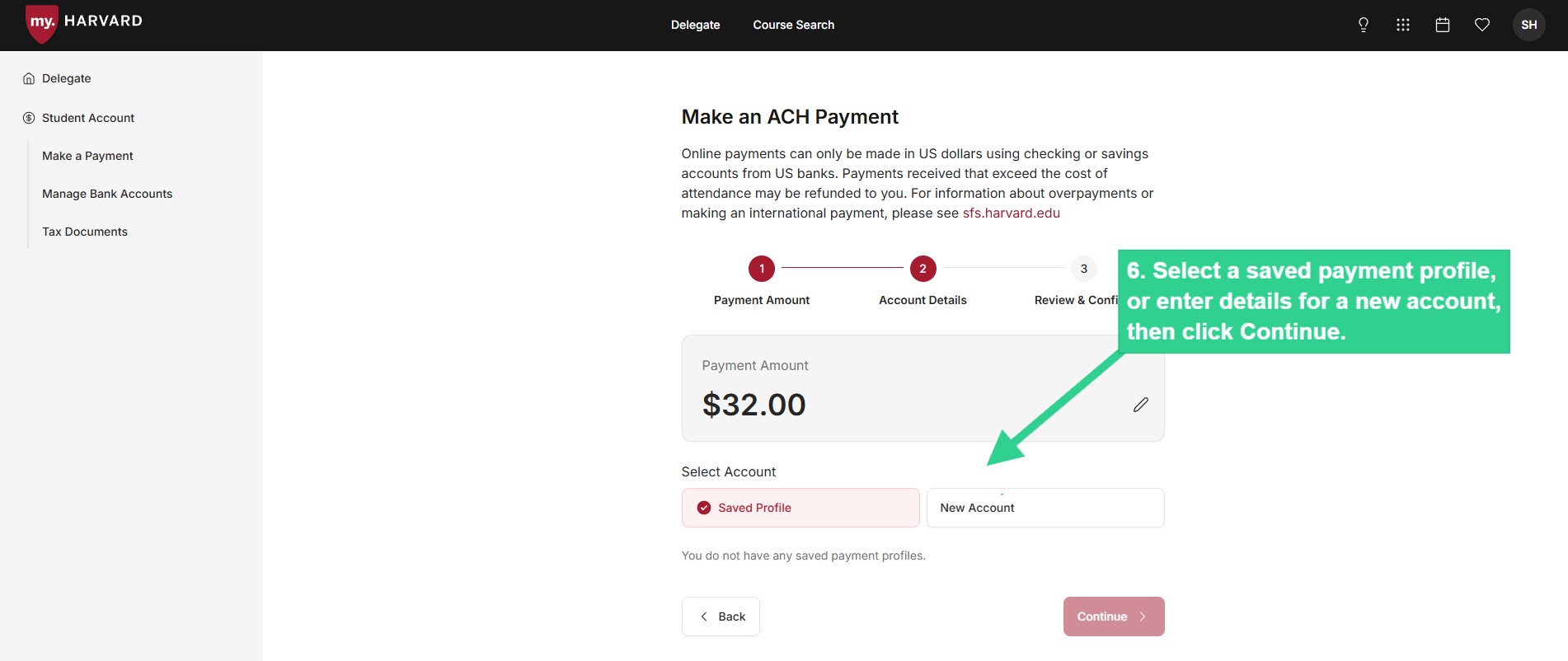
 ![Select a saved payment profile or enter details for a new account, then click Continue](/sites/g/files/omnuum10921/files/2026-04/Student_make%20a%20payment_5_0.jpg)


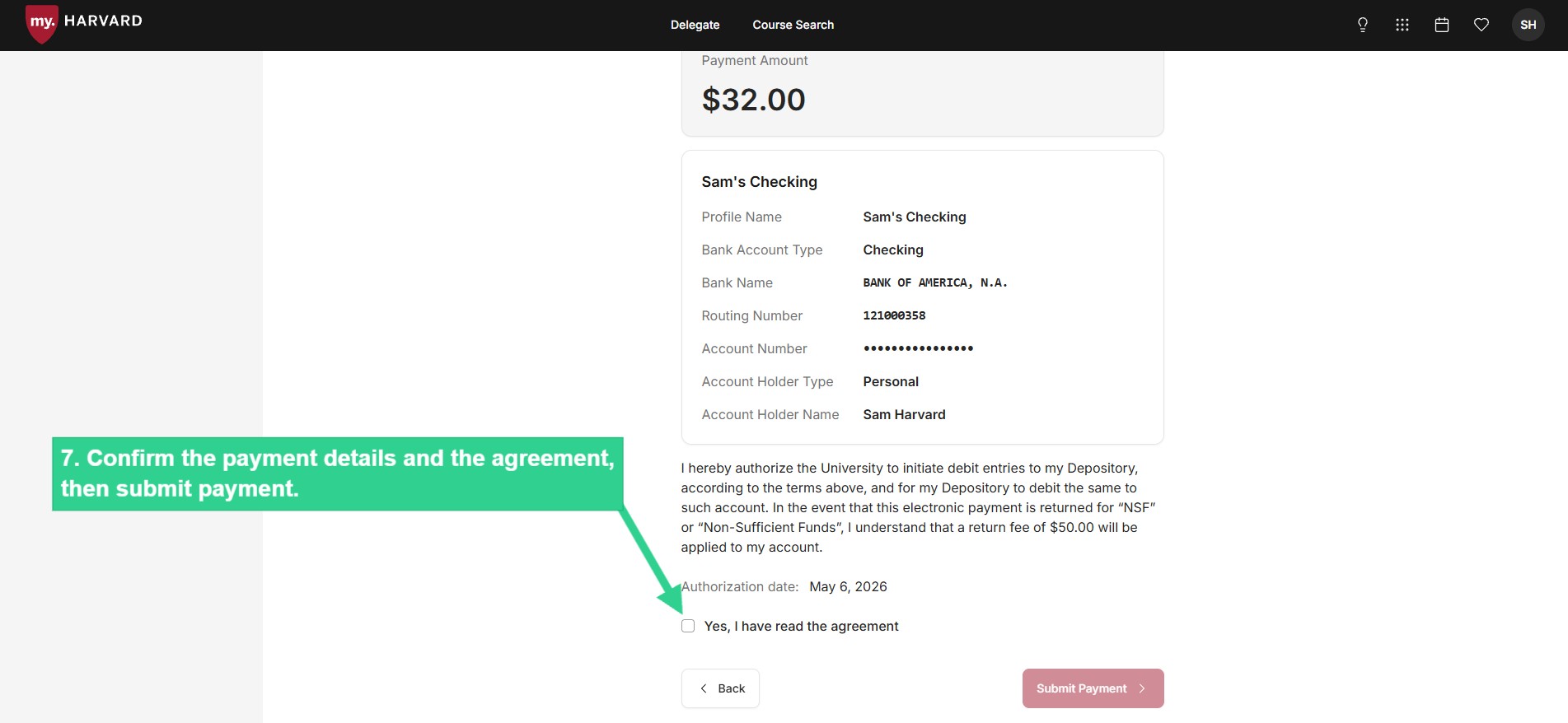
 ![Confirm payment details and agreement then submit payment](/sites/g/files/omnuum10921/files/2026-04/Student_make%20a%20payment_6_1.jpg)


### **Enroll in Monthly Payment Plan**

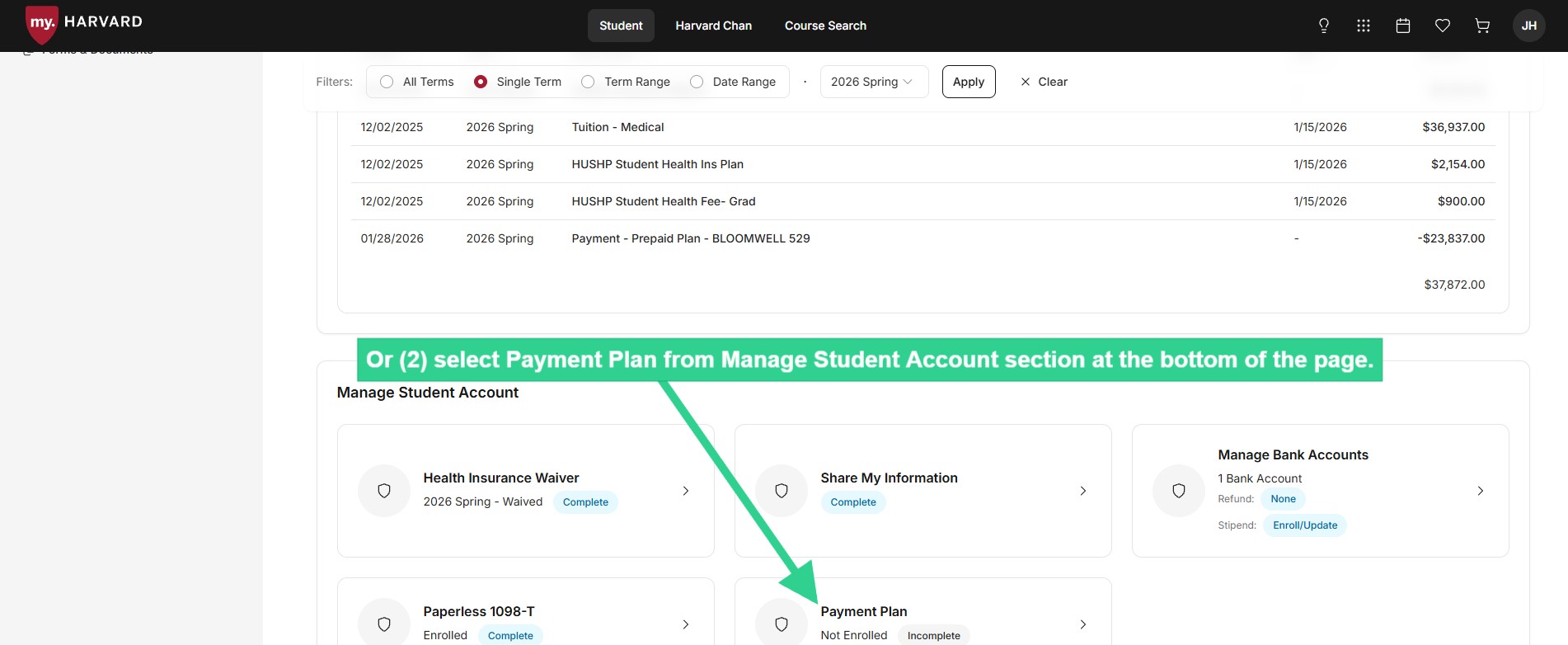
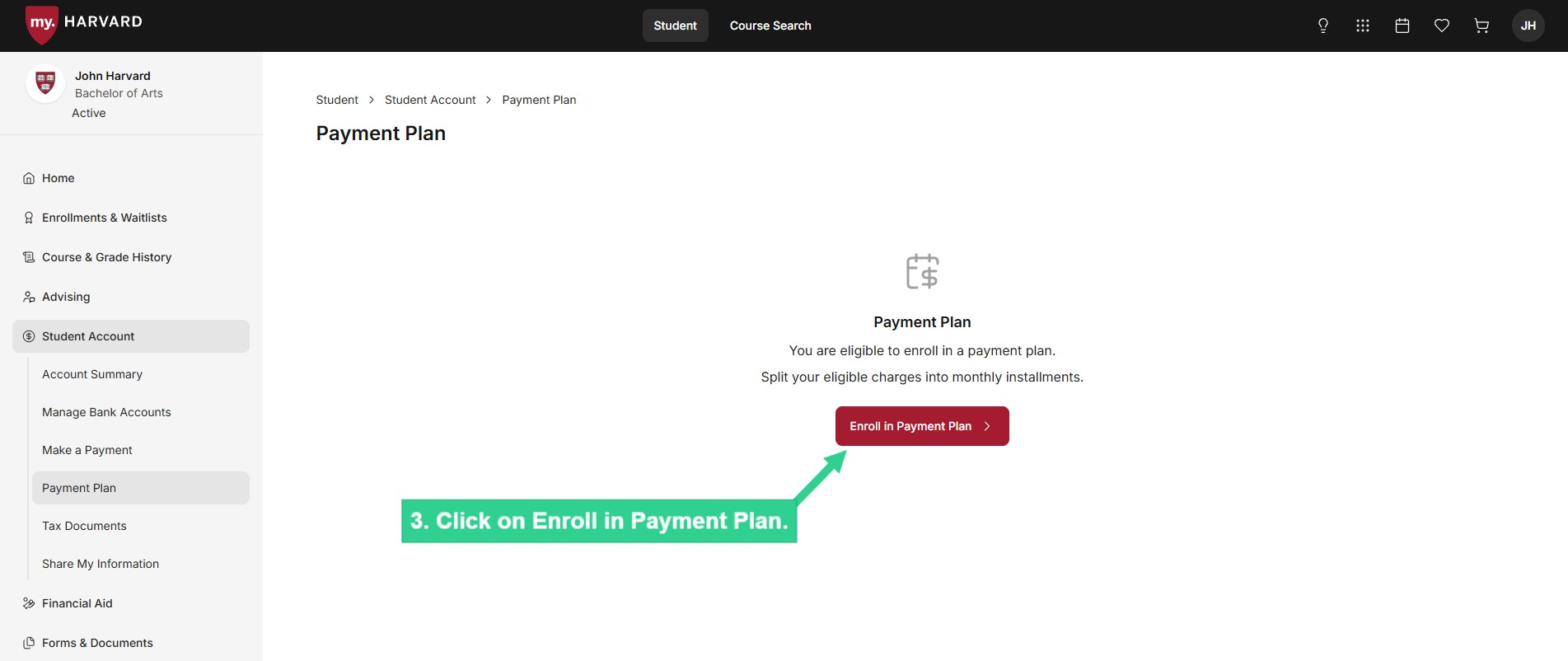
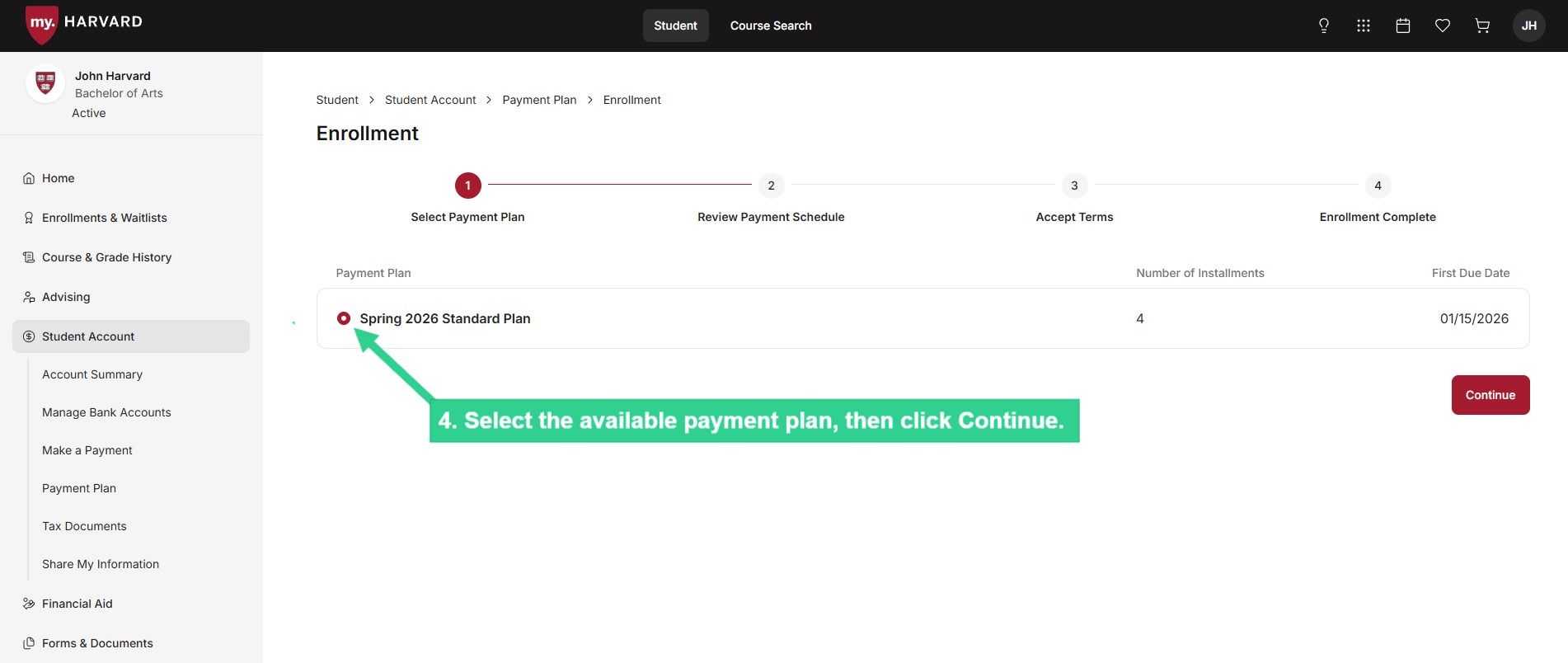
Details about eligibility for the Monthly Payment Plan are available [here](/monthly-payment-plan).

 ![Select Payment Plan from submenu](/sites/g/files/omnuum10921/files/2026-04/Student_payment%20plan_1_2.jpg)


 ![Or select Payment Plan from Manage Student Account section at bottom of page](/sites/g/files/omnuum10921/files/2026-04/Student_payment%20plan_2_1.jpg)


 ![Click on Enroll in Payment Plan](/sites/g/files/omnuum10921/files/2026-04/Student_payment%20plan_3.jpg)


 ![Select available payment plan then click Continue](/sites/g/files/omnuum10921/files/2026-04/Student_payment%20plan_4.jpg)


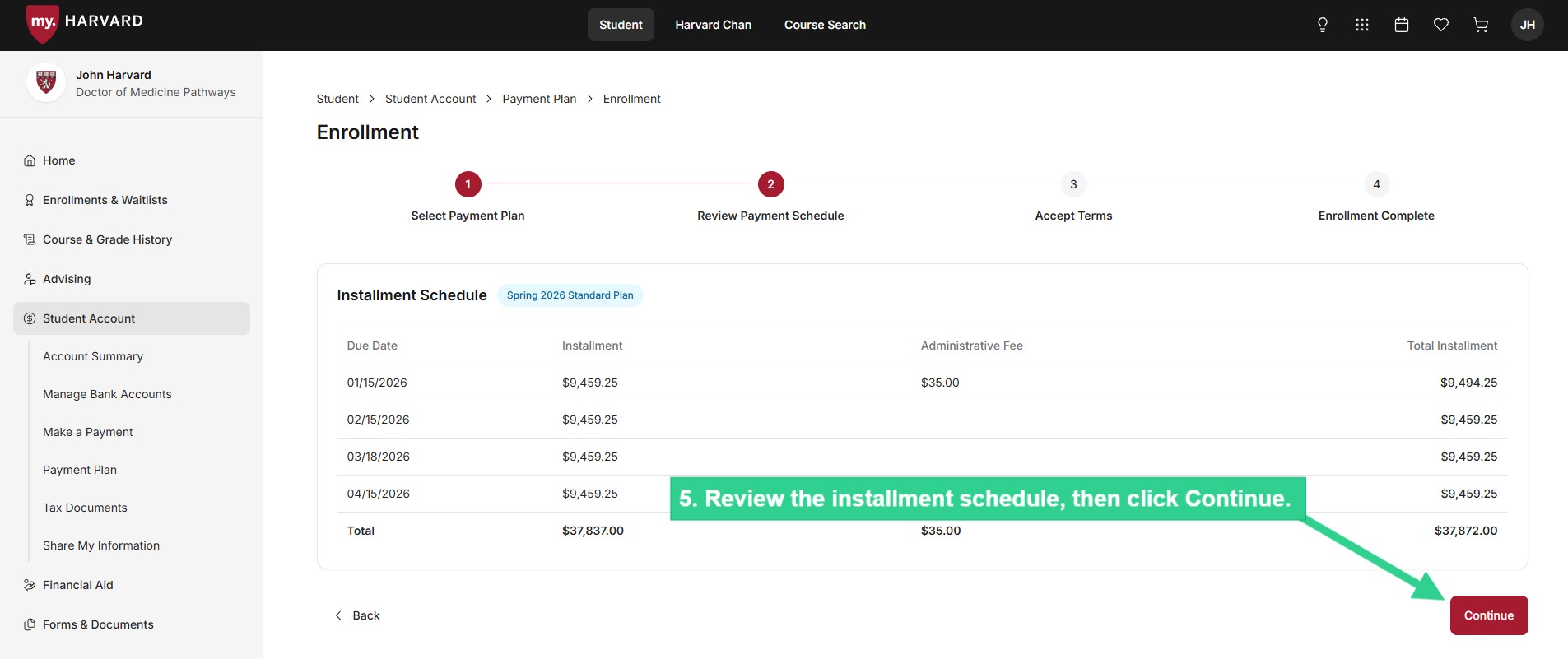
 ![Review installment schedule then click Continue](/sites/g/files/omnuum10921/files/2026-04/Student_payment%20plan_5.jpg)


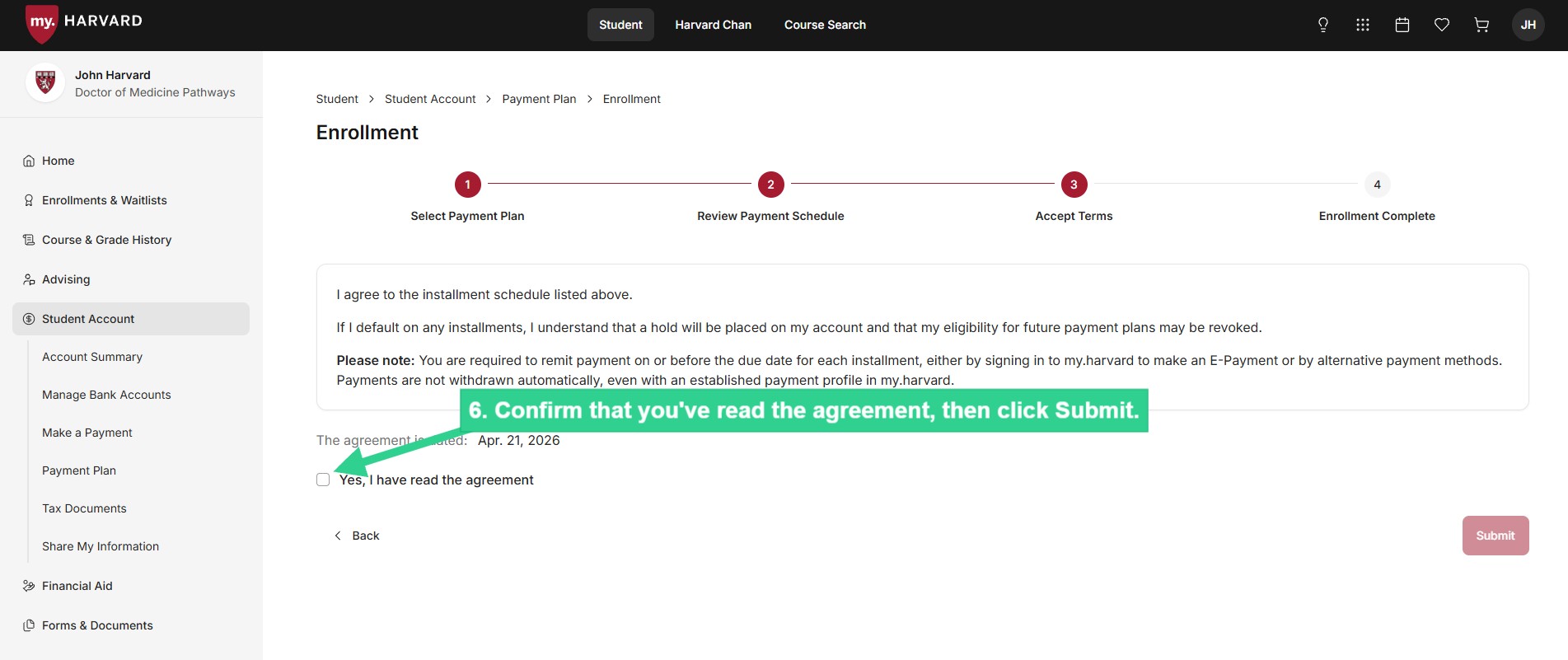
 ![Confirm that you've read the agreement then click Submit](/sites/g/files/omnuum10921/files/2026-04/Student_payment%20plan_6.jpg)


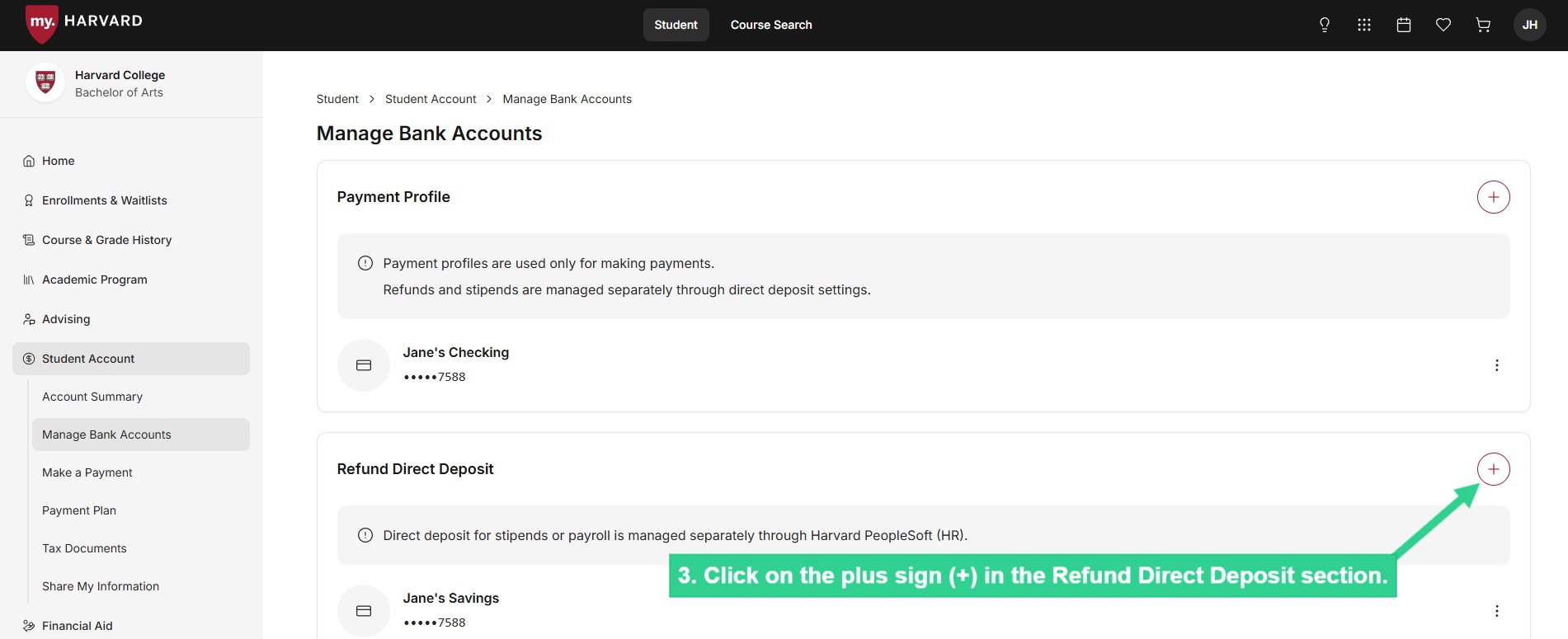
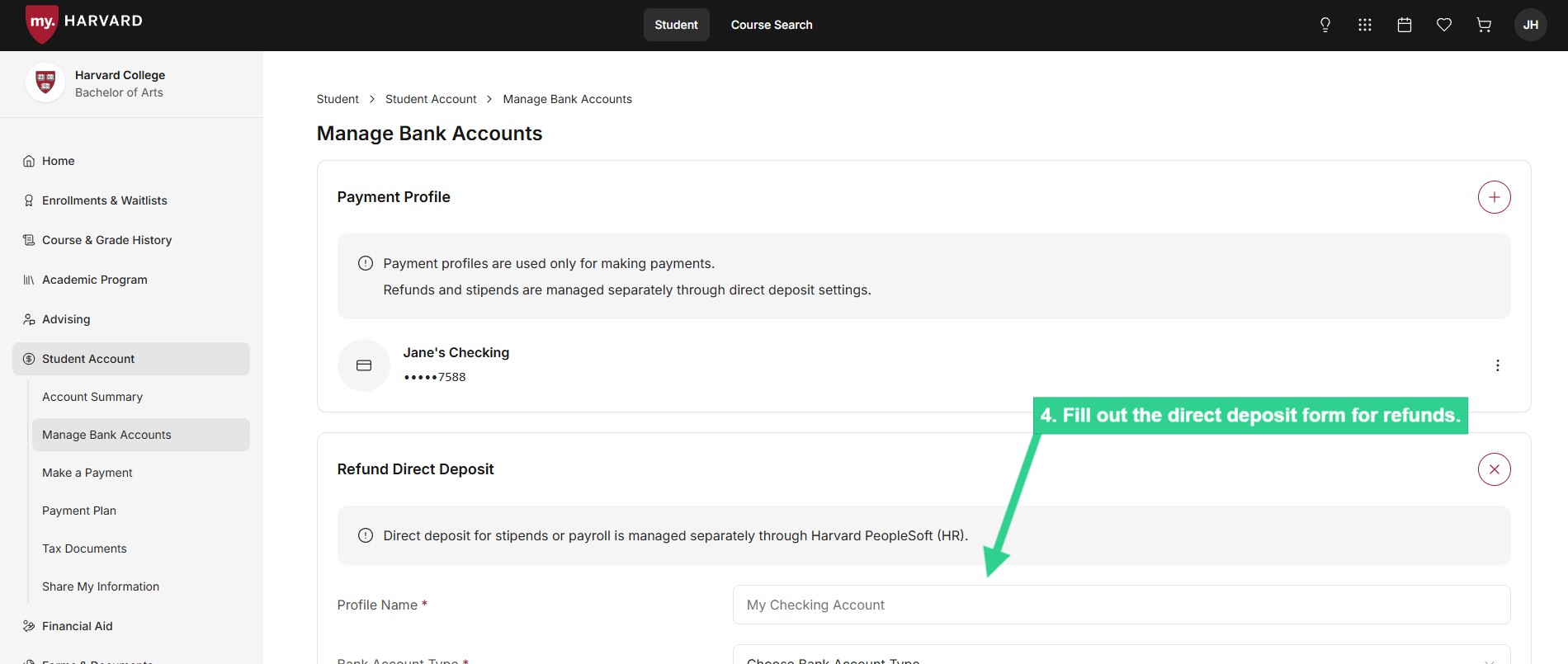
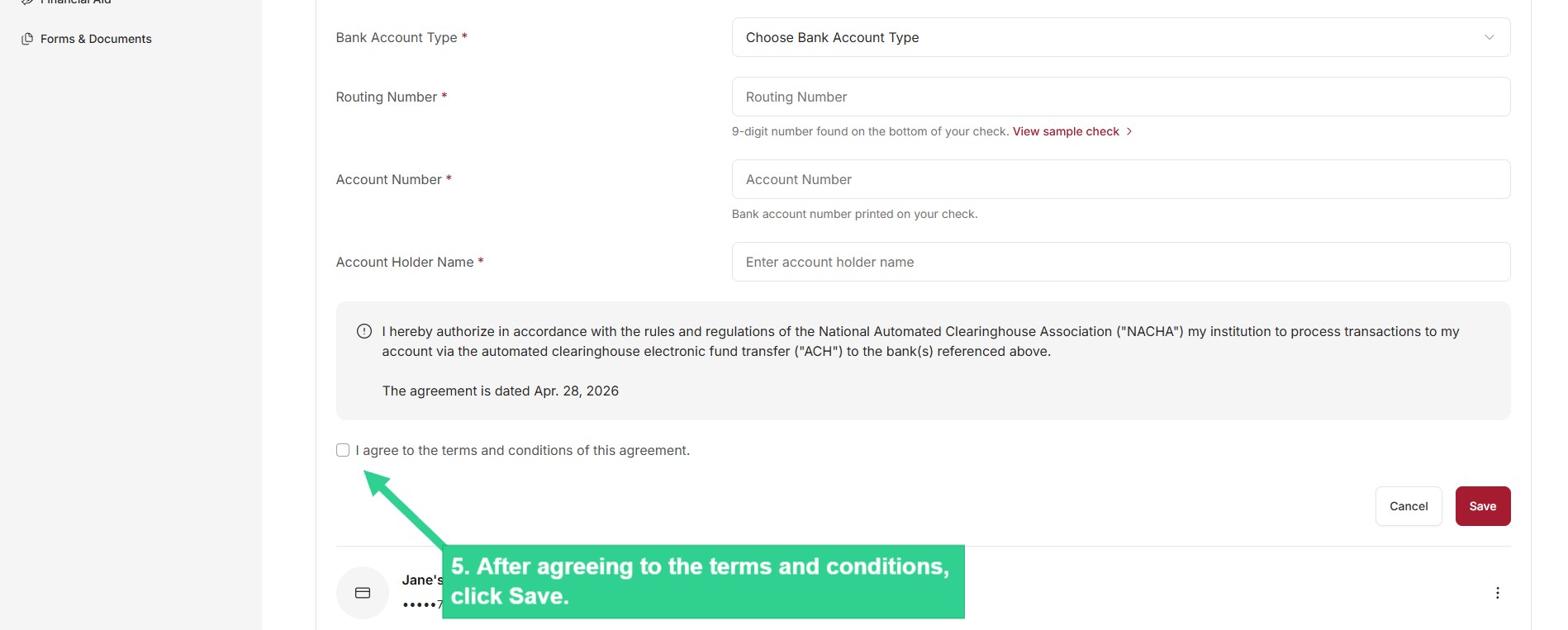
### **Enroll in Direct Deposit for Student Account Refunds**

Enter the banking information required to deposit student account refunds in your U.S. checking or savings account.

 ![Select Manage Bank Accounts from submenu](/sites/g/files/omnuum10921/files/2026-04/Student_enroll%20in%20direct%20deposit_1.jpg)


 ![Or select Manage Bank Accounts from Manage Student Account at bottom of page](/sites/g/files/omnuum10921/files/2026-04/Student_enroll%20in%20direct%20deposit_2.jpg)


 ![Click on plus sign in Refund Direct Deposit section](/sites/g/files/omnuum10921/files/2026-04/Student_enroll%20in%20direct%20deposit_3.jpg)


 ![Fill out direct deposit form for refunds](/sites/g/files/omnuum10921/files/2026-04/Student_enroll%20in%20direct%20deposit_4.jpg)


 ![After agreeing to terms and conditions, click Save](/sites/g/files/omnuum10921/files/2026-04/Student_enroll%20in%20direct%20deposit_5.jpg)


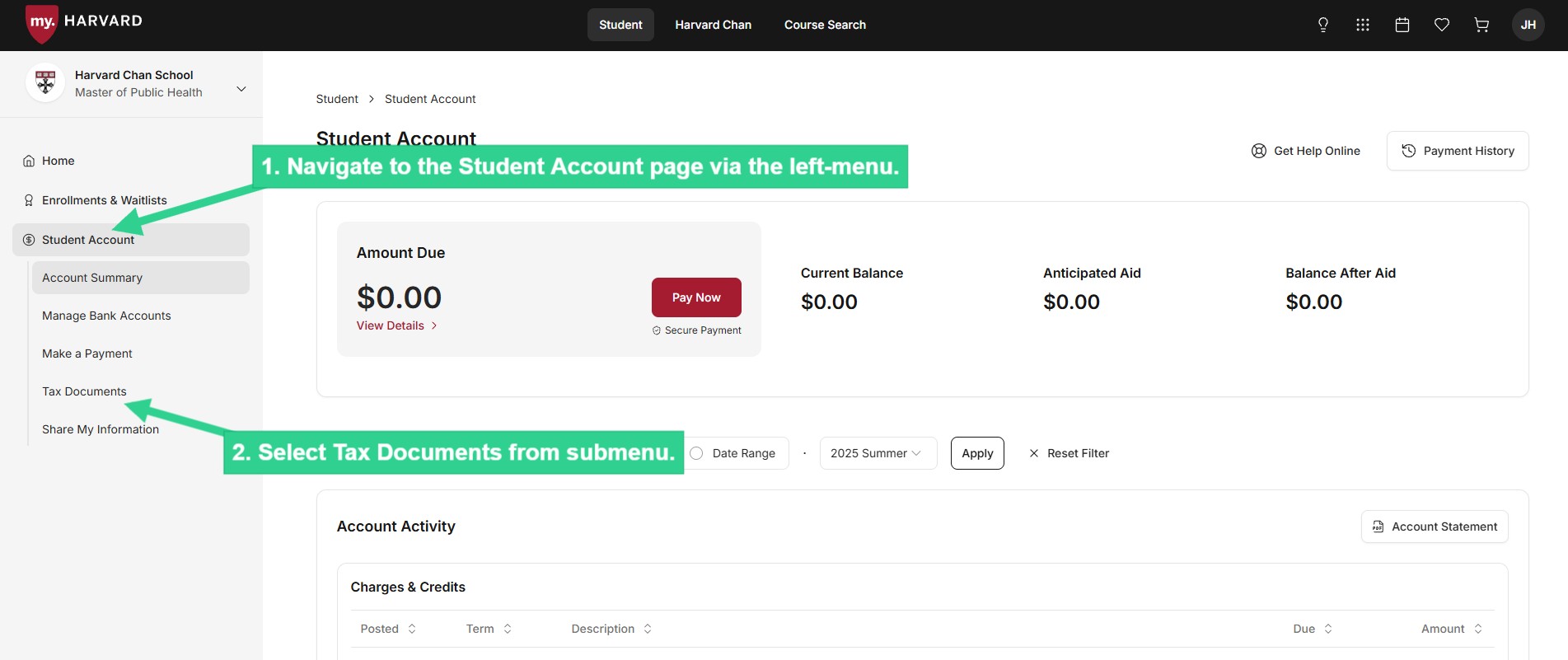
### **Enroll in Paperless 1098-T**

Grant consent to receive your 1098-T tax form electronically.

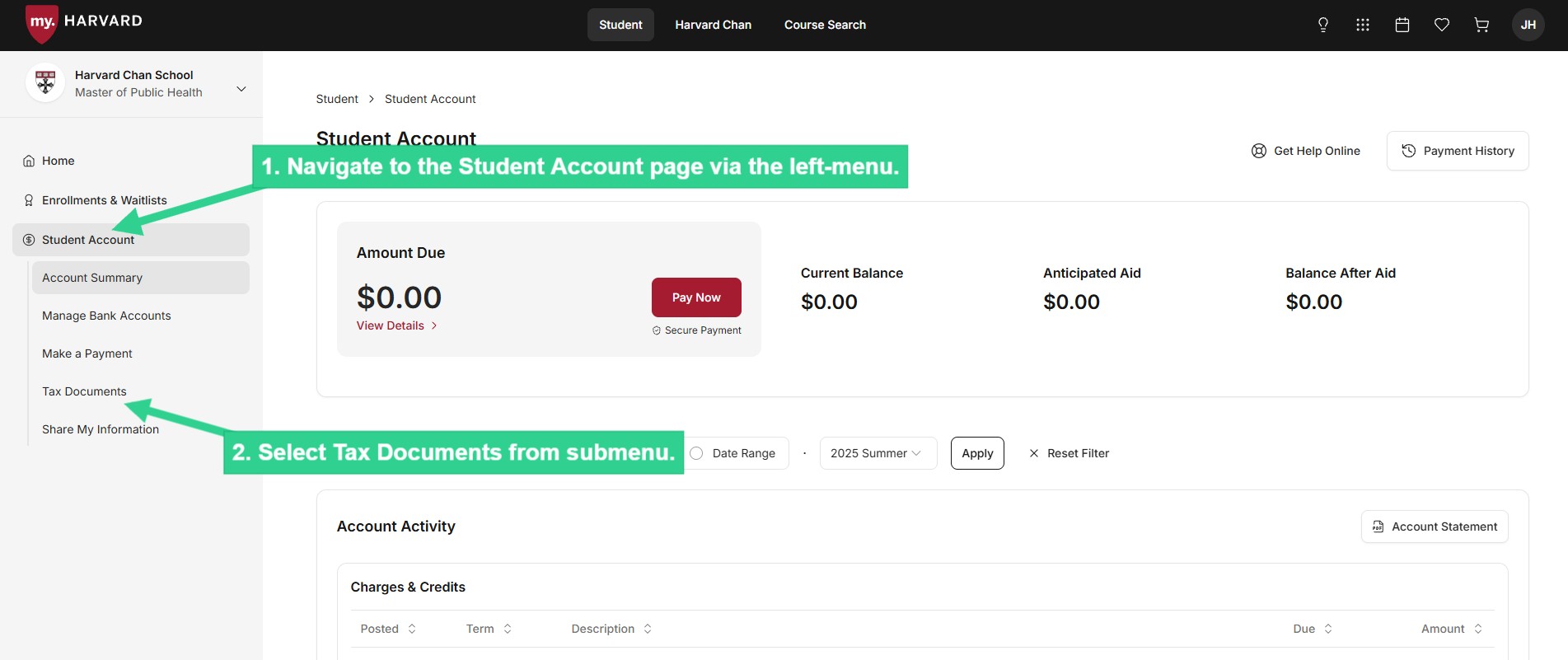
 ![Select Tax Documents from submenu](/sites/g/files/omnuum10921/files/2026-05/Student_enroll%20in%20paperless%201098-T_1.jpg)


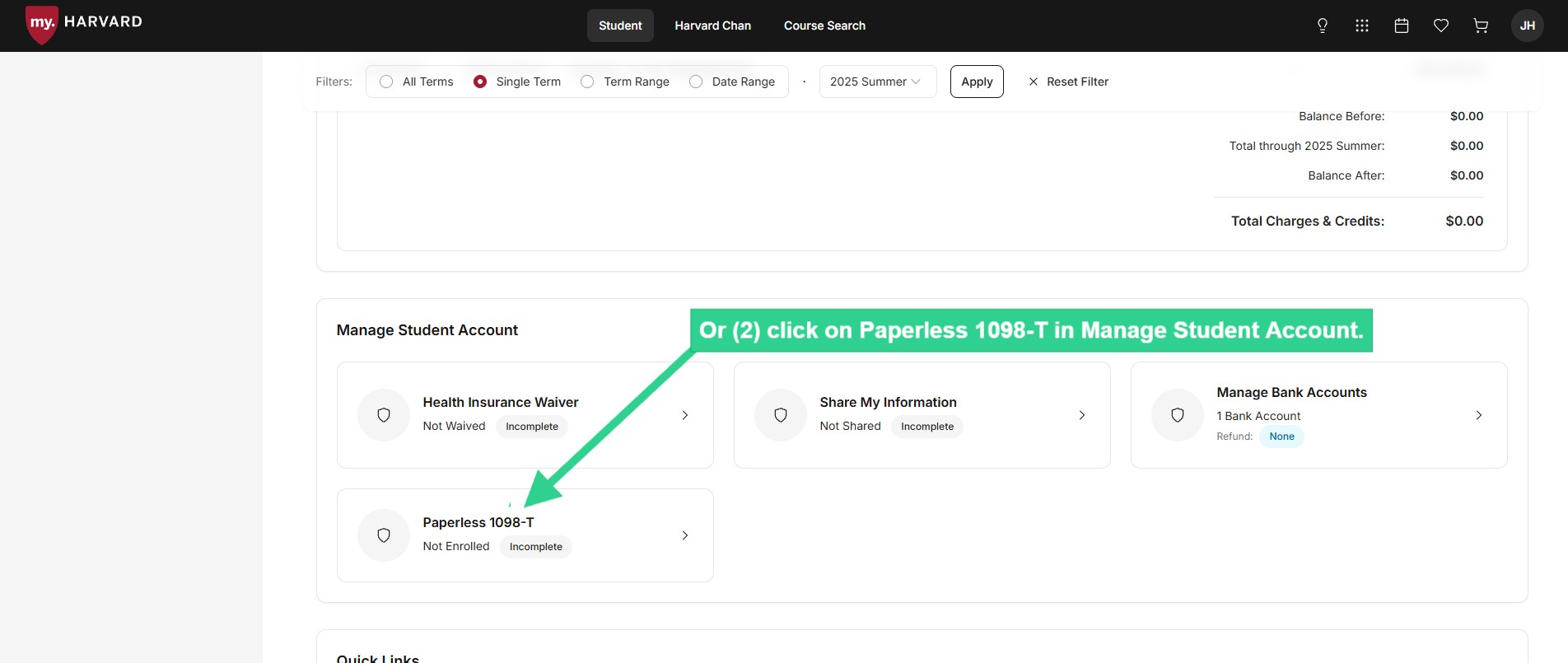
 ![Or click on Paperless 1098-T in Manage Student Account](/sites/g/files/omnuum10921/files/2026-05/Student_enroll%20in%20paperless%201098-T_2.jpg)


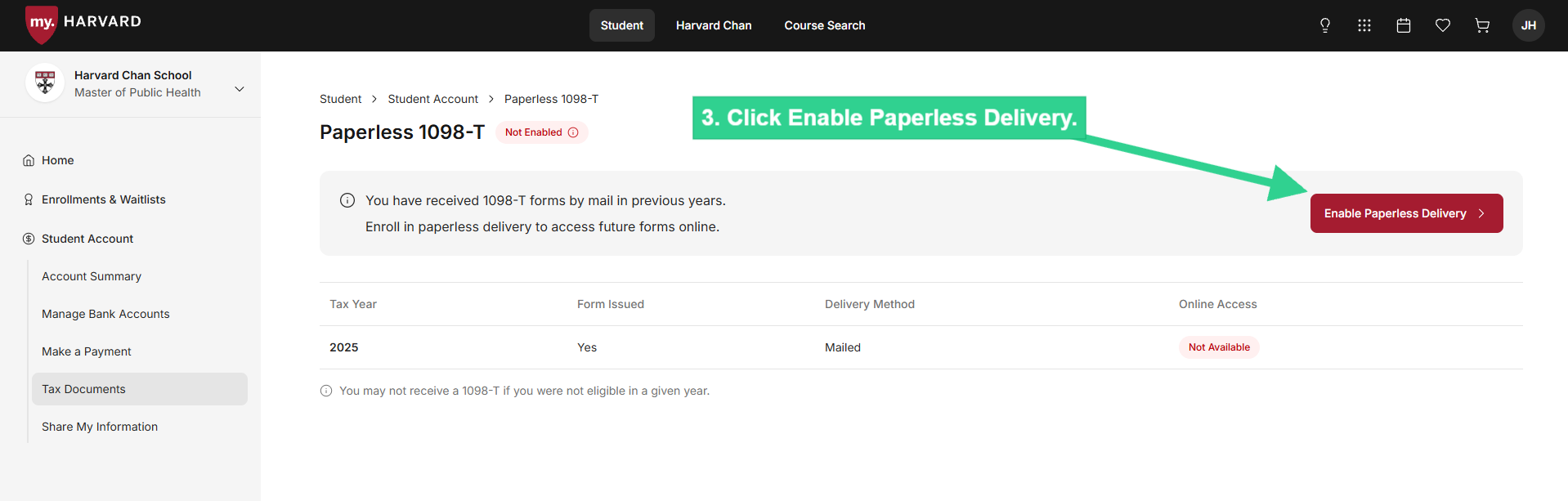
 ![Click Enable Paperless Delivery](/sites/g/files/omnuum10921/files/2026-05/Student_enroll%20in%20paperless%201098-T_3.jpg)


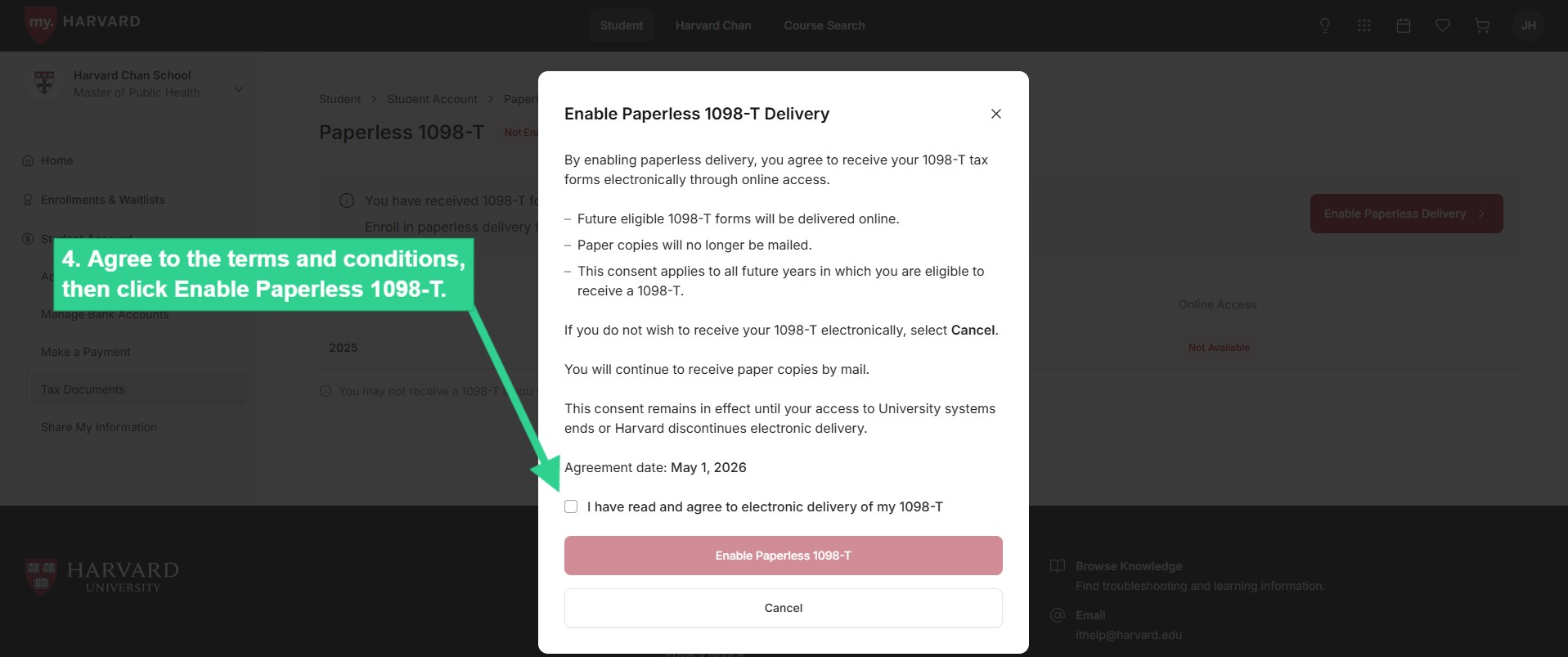
 ![Agree to terms and conditions, then click Enable Paperless 1098-T](/sites/g/files/omnuum10921/files/2026-05/Student_enroll%20in%20paperless%201098-T_4.jpg)


### **View 1098-T**

View a digital copy of your tax document, if 1) You're [eligible](/tax-reporting-documents#1098T-eligibility) to receive a 1098-T and 2) You've previously given consent to receive it electronically.

 ![Select Tax Documents from submenu](/sites/g/files/omnuum10921/files/2026-05/Student_view%201098-T.jpg)


### **Share Information with a Delegate**

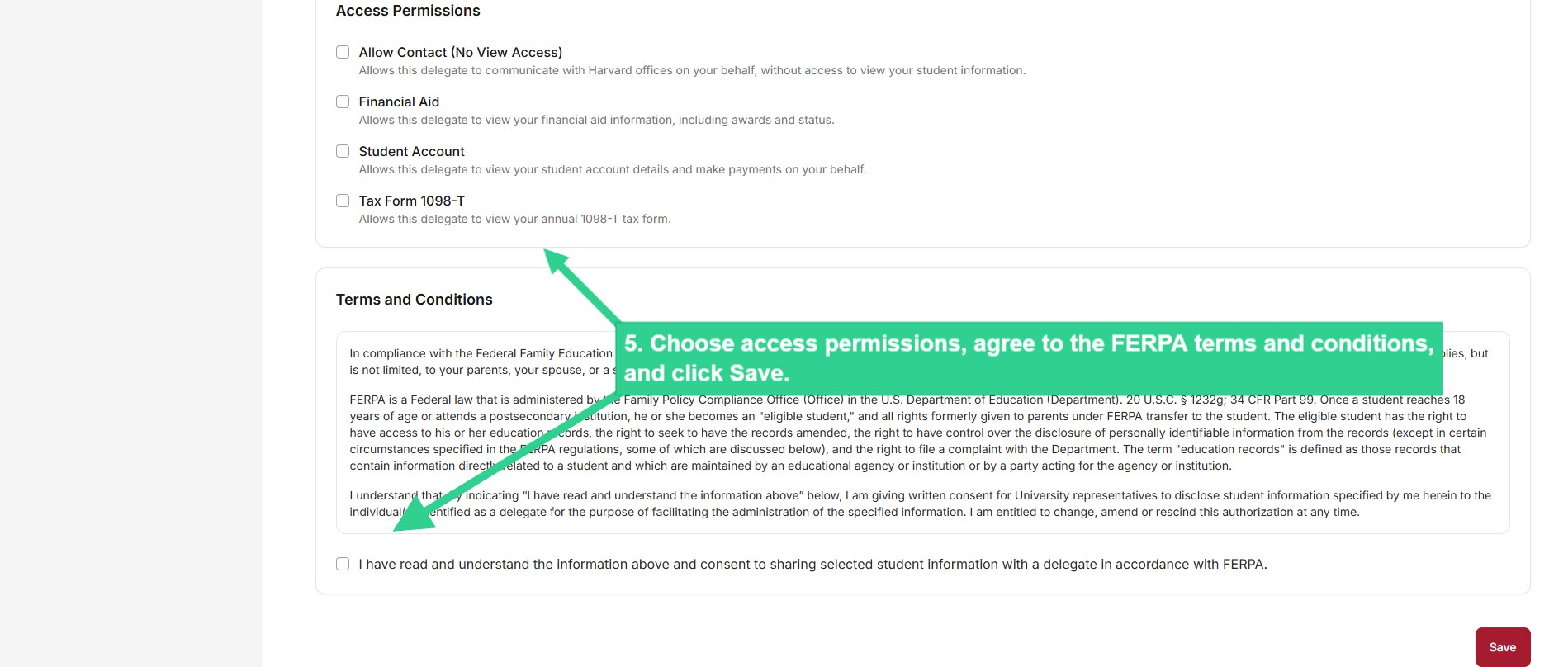
Sharing your information with a delegate allows them to view and make payments to your student account. You will need the email address and date of birth of each person you set up as a delegate.

While you have the option of updating preferred names and pronouns in my.harvard, your delegate(s) will not be able to view these changes. Only your legal name, as it appears on billing statements, is visible to delegates.

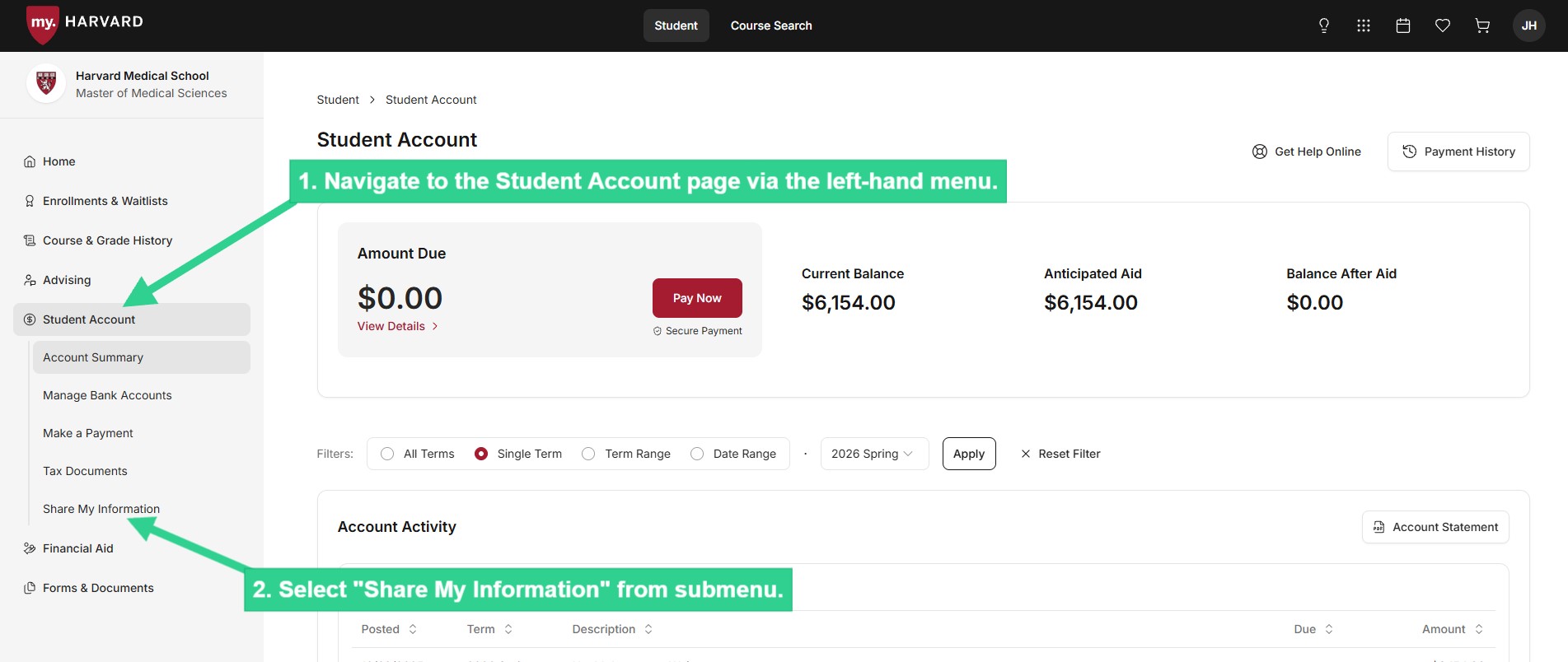
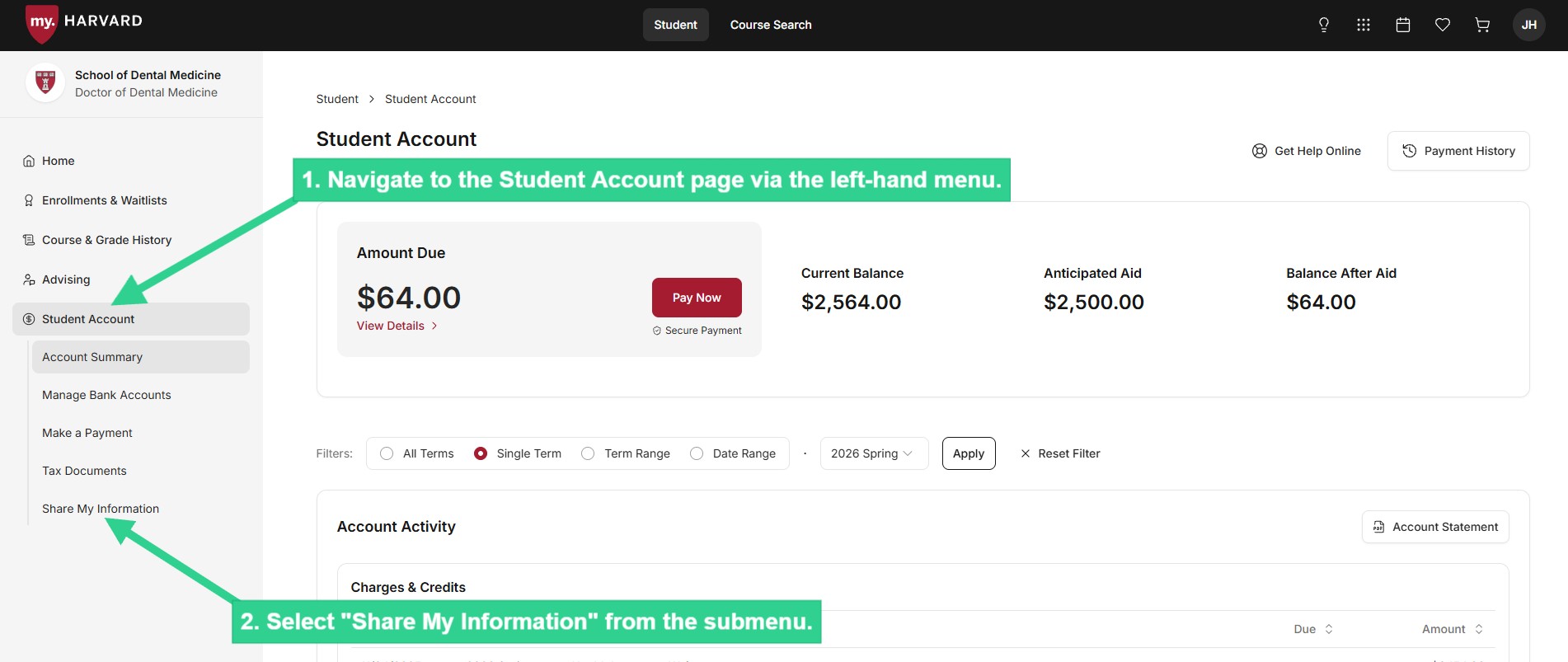
 ![Select Share My Information from submenu](/sites/g/files/omnuum10921/files/2026-05/Student_share%20my%20information_1.jpg)


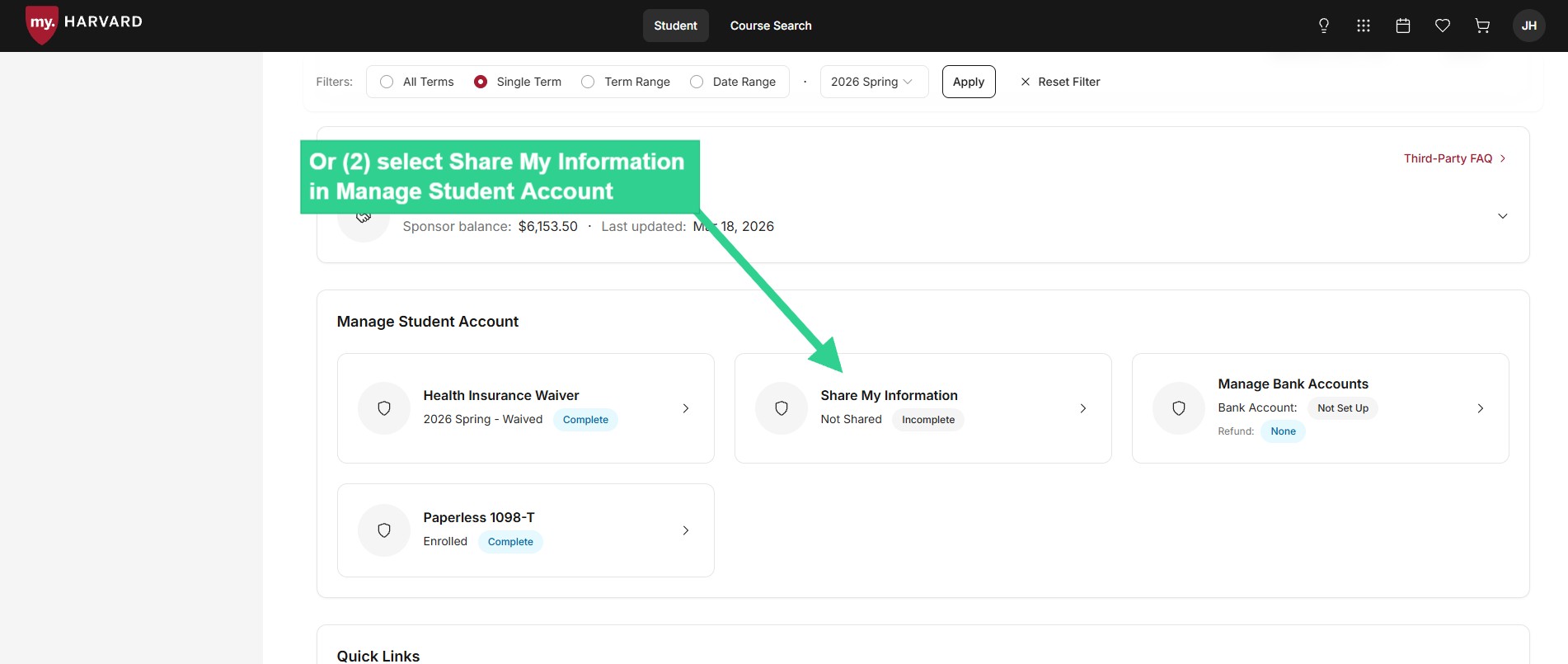
 ![Or select Share My Information in Manage Student Account](/sites/g/files/omnuum10921/files/2026-05/Student_share%20my%20information_2.jpg)


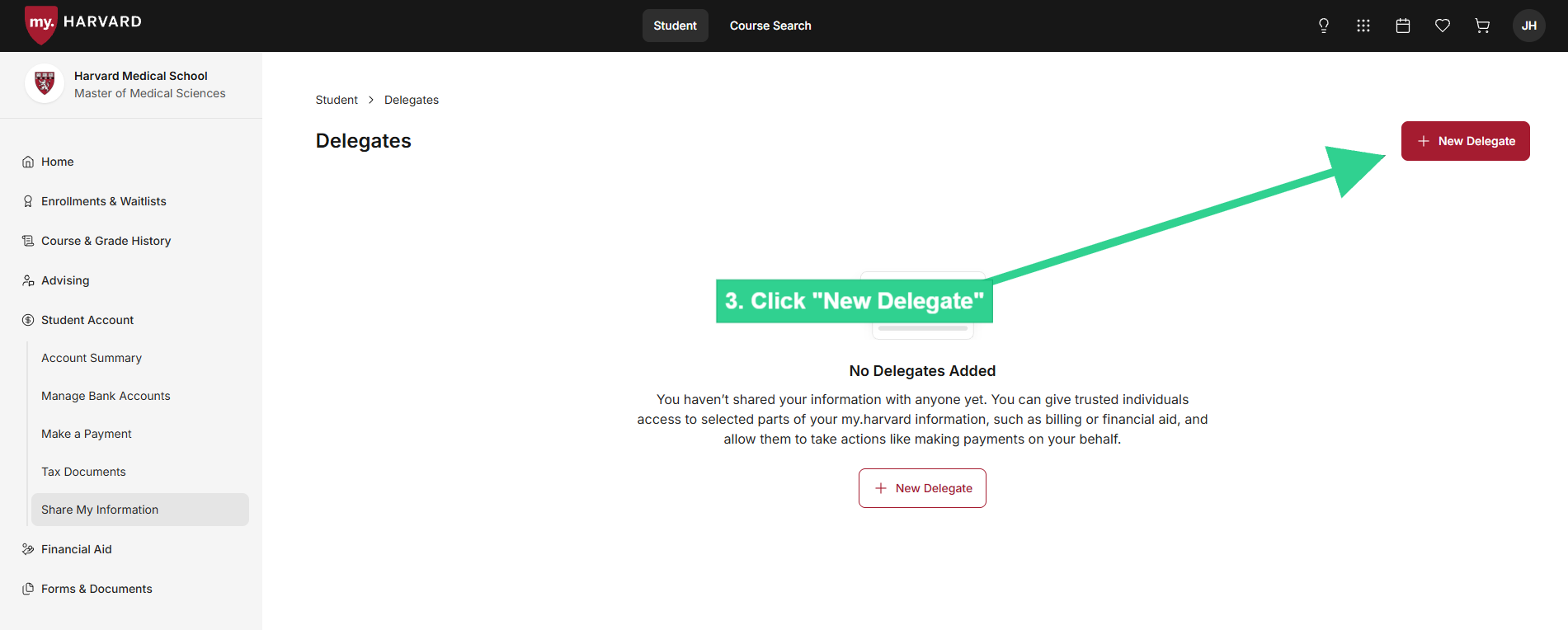
 ![Click "New Delegate"](/sites/g/files/omnuum10921/files/2026-05/Student_share%20my%20information_3.jpg)


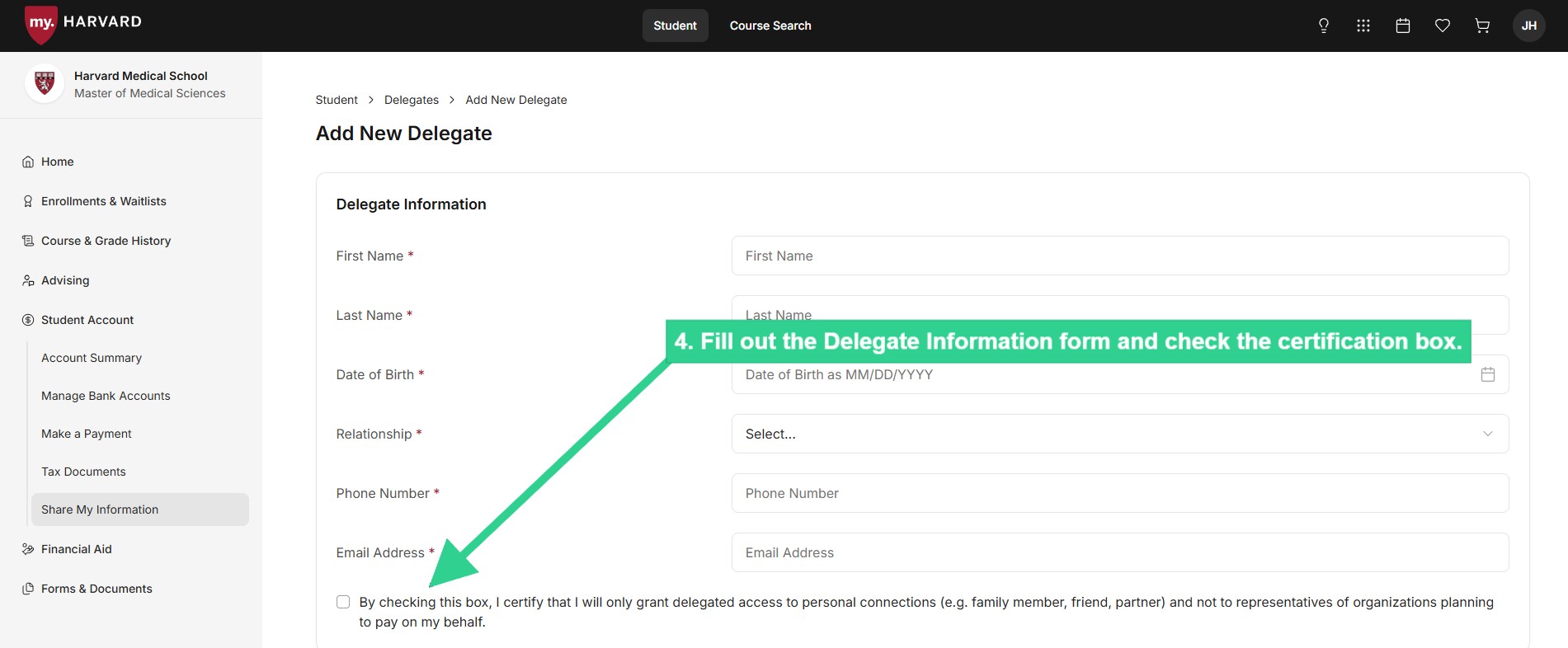
 ![Fill out Delegate Information form and check certification box](/sites/g/files/omnuum10921/files/2026-05/Student_share%20my%20information_4.jpg)


 ![Choose access permissions, agree to FERPA terms and conditions, and click Save](/sites/g/files/omnuum10921/files/2026-05/Student_share%20my%20information_5.jpg)


### <a>**Amend Delegate Access**</a>

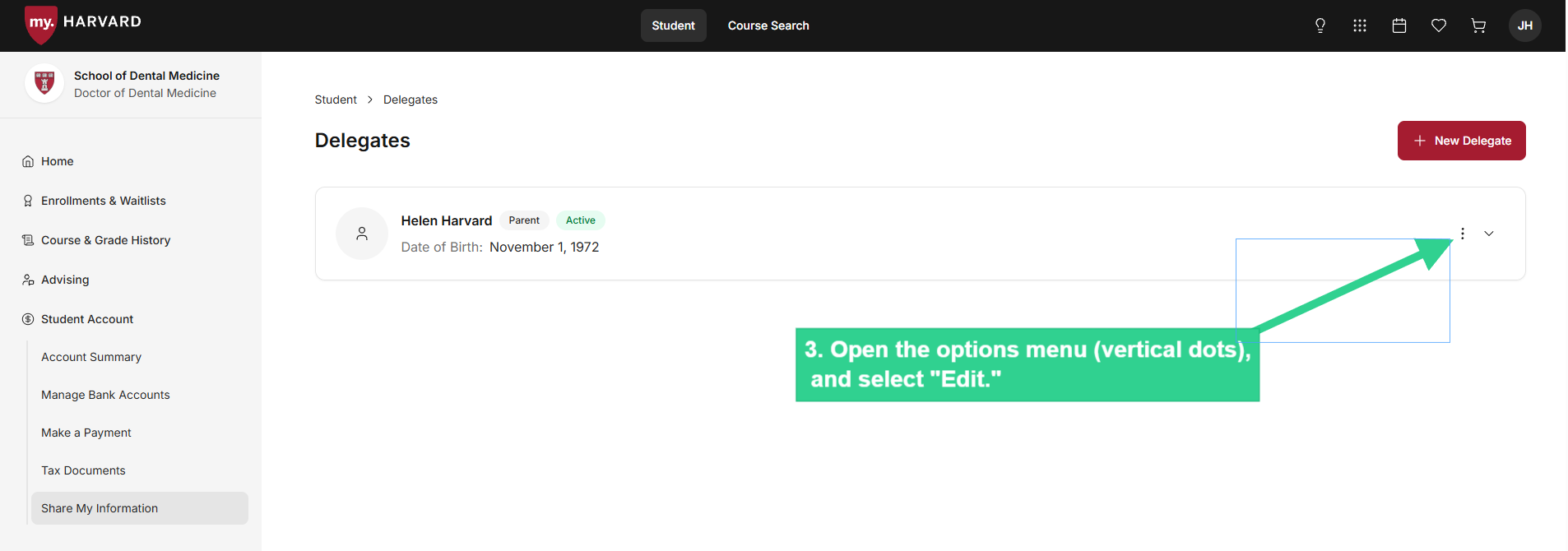
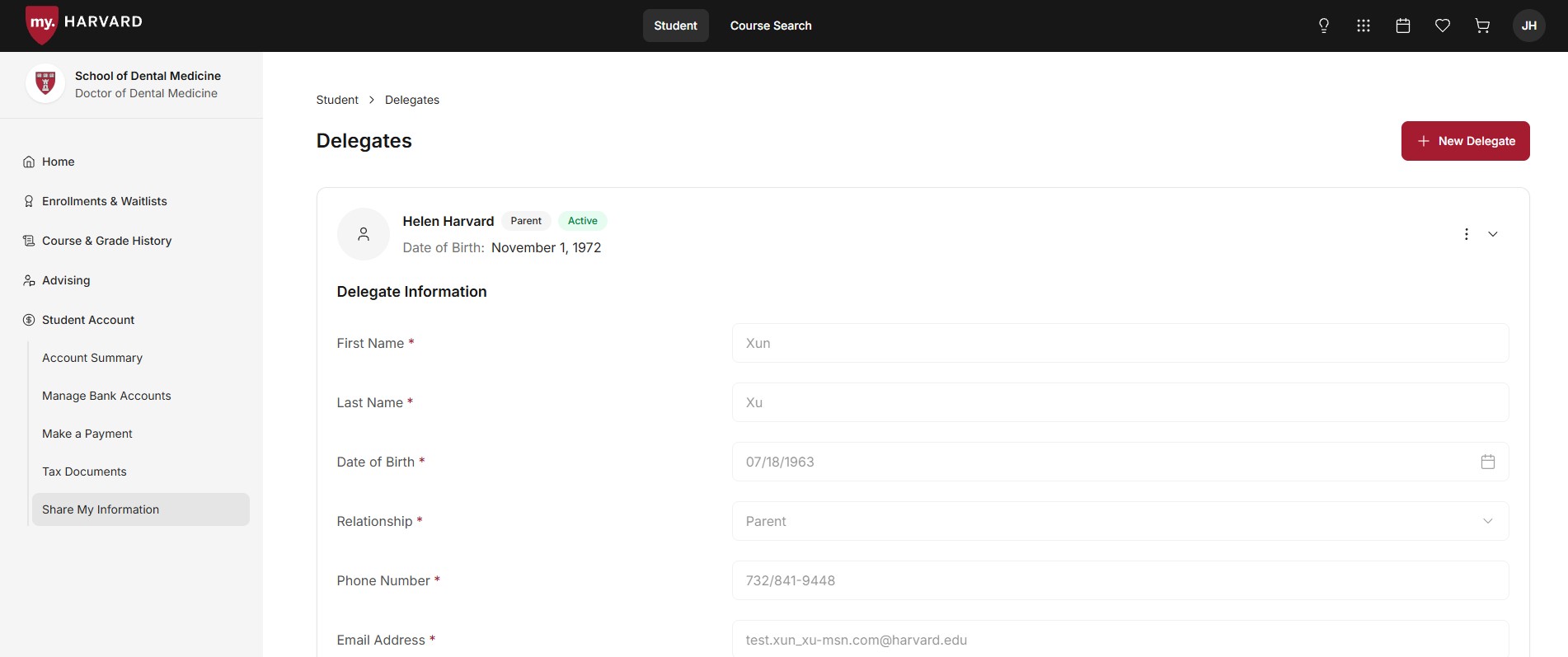
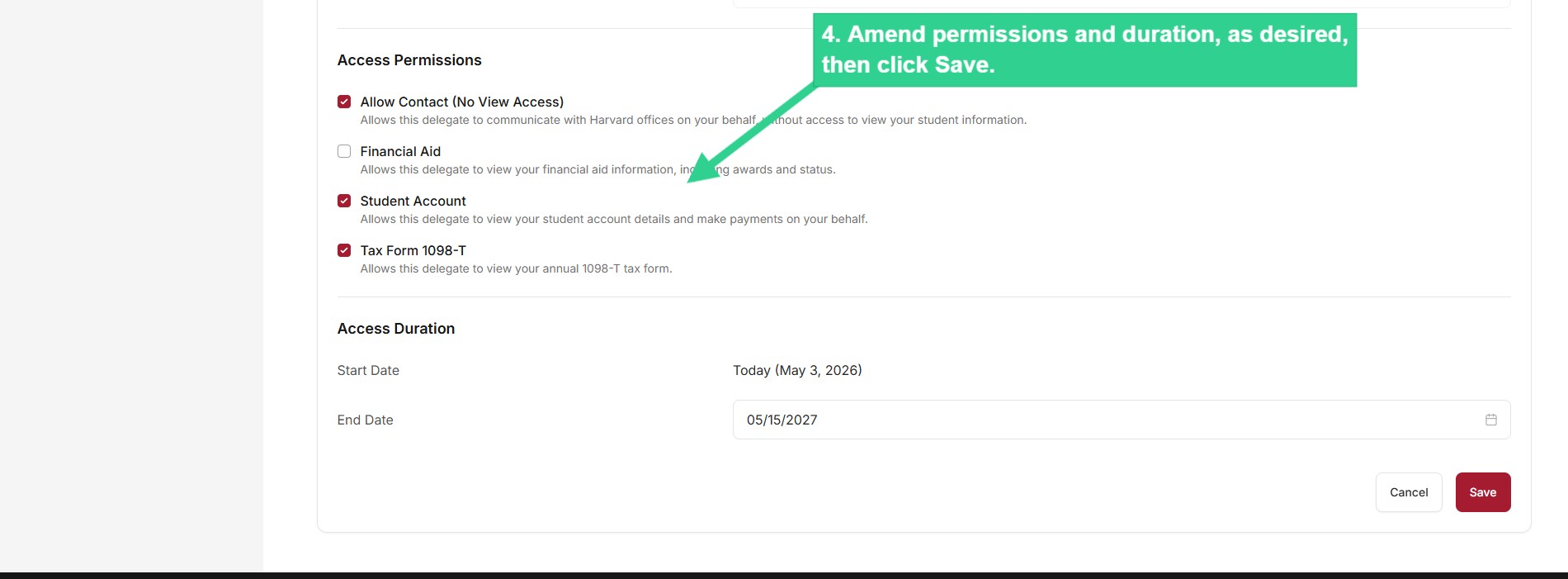
You can modify the access previously given to a delegate.

 ![Select Share My Information from submenu](/sites/g/files/omnuum10921/files/2026-05/Student_change%20delegate%20access_1.jpg)


 ![Open options menu (vertical dots), and select Edit](/sites/g/files/omnuum10921/files/2026-05/Student_change%20delegate%20access_2_1.jpg)


 ![Delegate Information form](/sites/g/files/omnuum10921/files/2026-05/Student_change%20delegate%20access_3.jpg)


 ![Amend permissions and duration, as desired, then click Save.](/sites/g/files/omnuum10921/files/2026-05/Student_change%20delegate%20access_4.jpg)


### **Remove a Delegate**

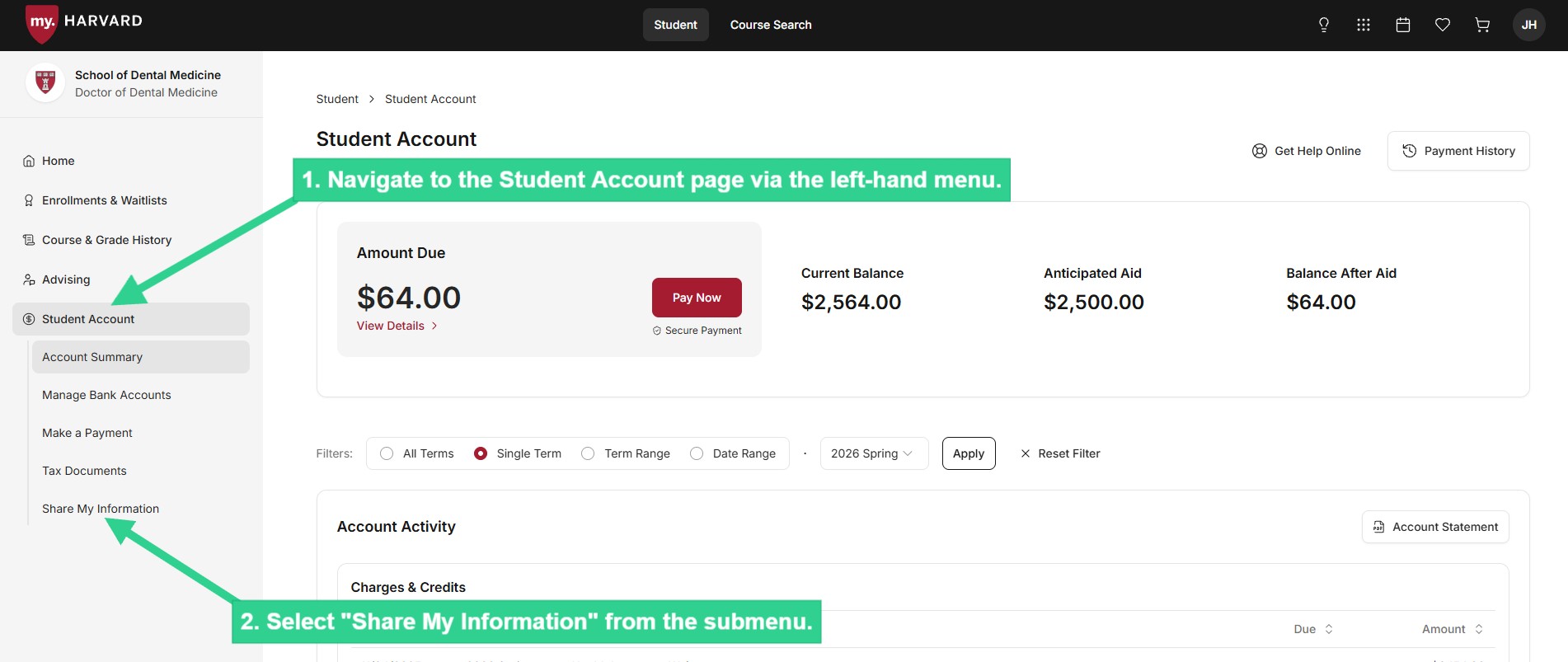
 ![Select Share My Information from submenu](/sites/g/files/omnuum10921/files/2026-05/Student_remove%20a%20delegate_1.jpg)


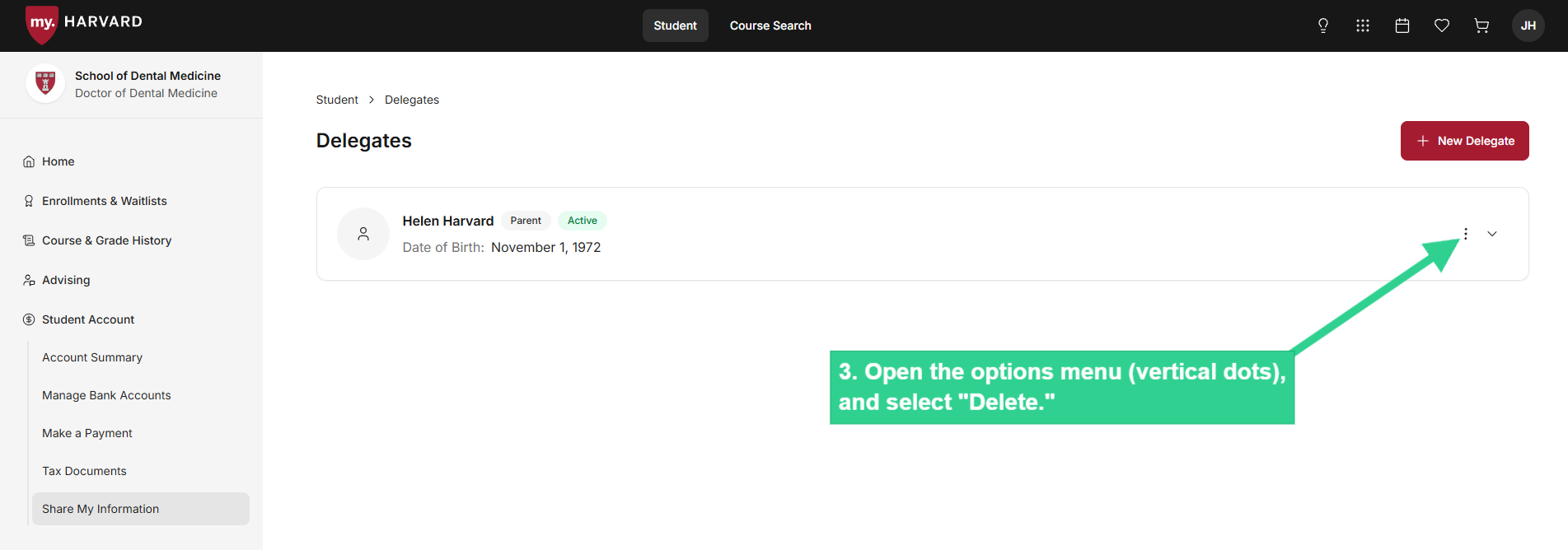
 ![Open options menu (vertical dots), and select Delete](/sites/g/files/omnuum10921/files/2026-05/Student_remove%20a%20delegate_2_0.jpg)


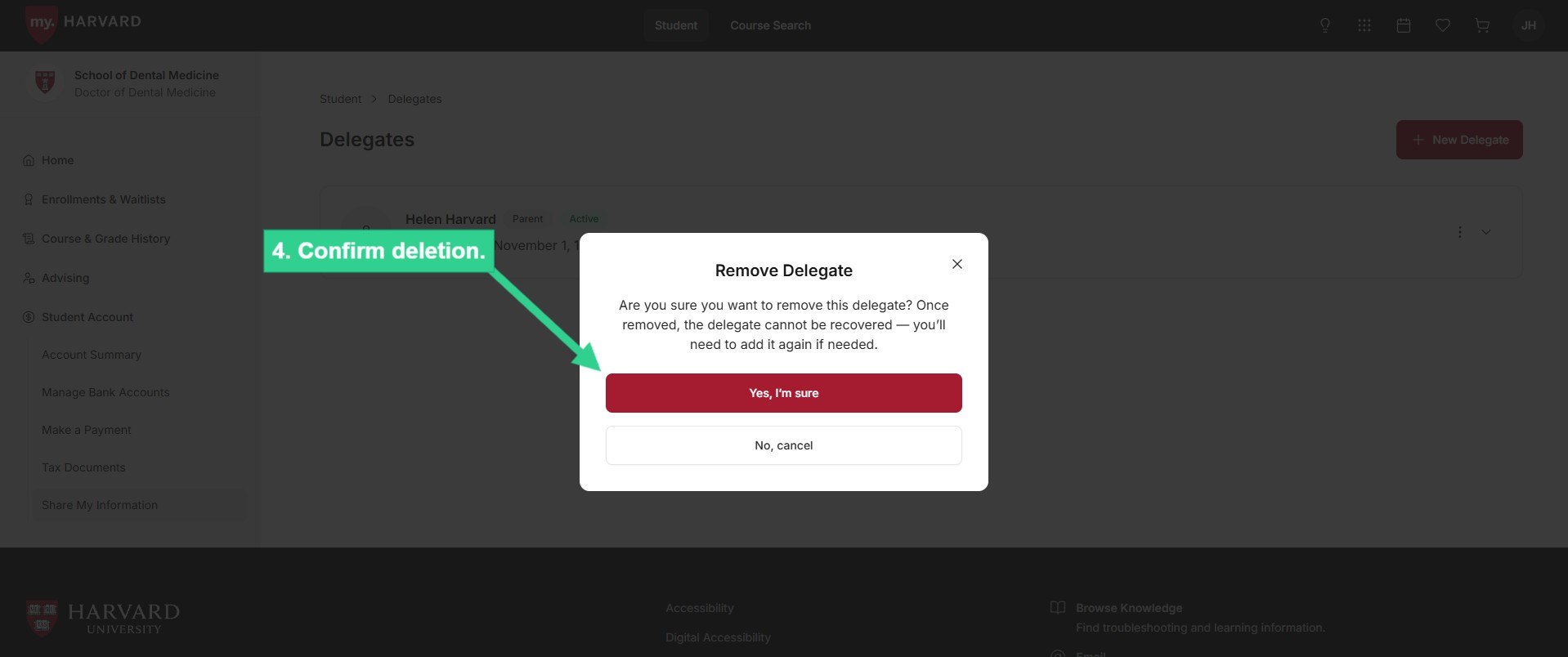
 ![Confirm deletion](/sites/g/files/omnuum10921/files/2026-05/Student_remove%20a%20delegate_3.jpg)


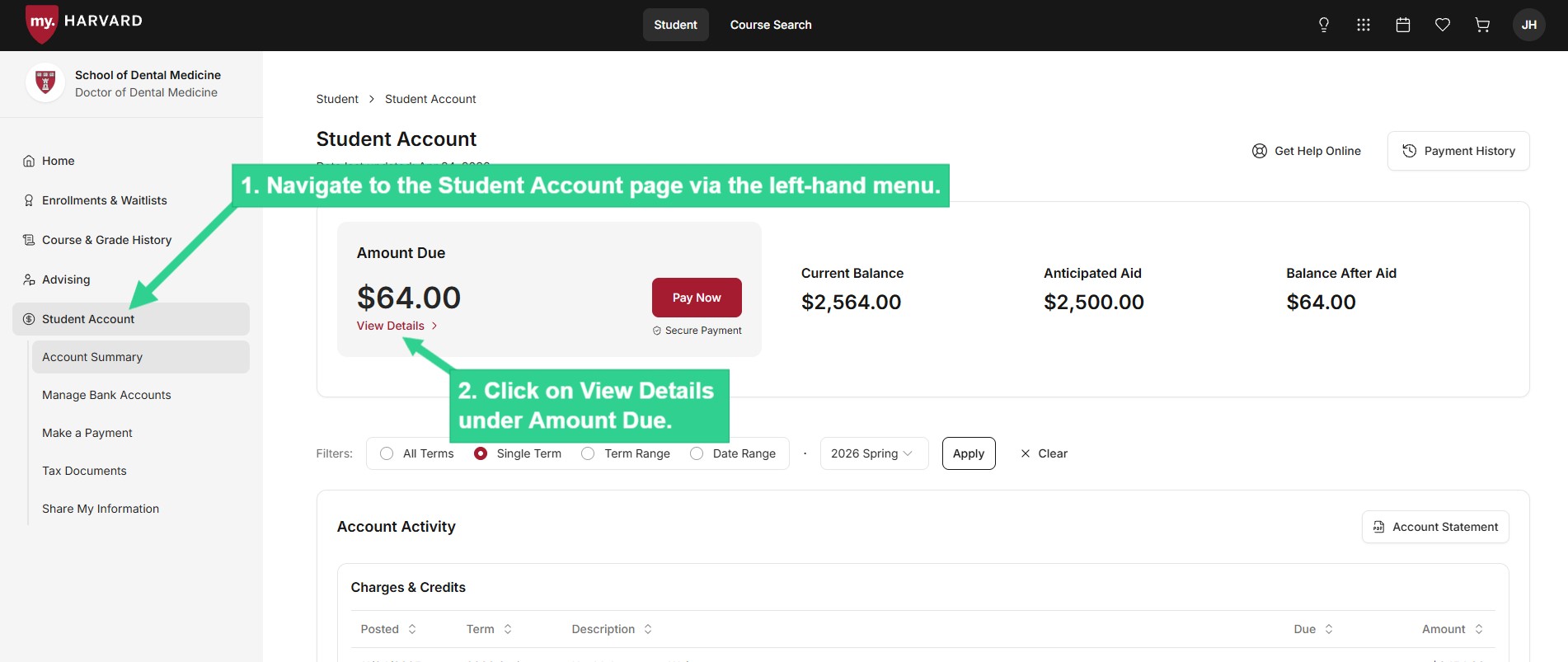
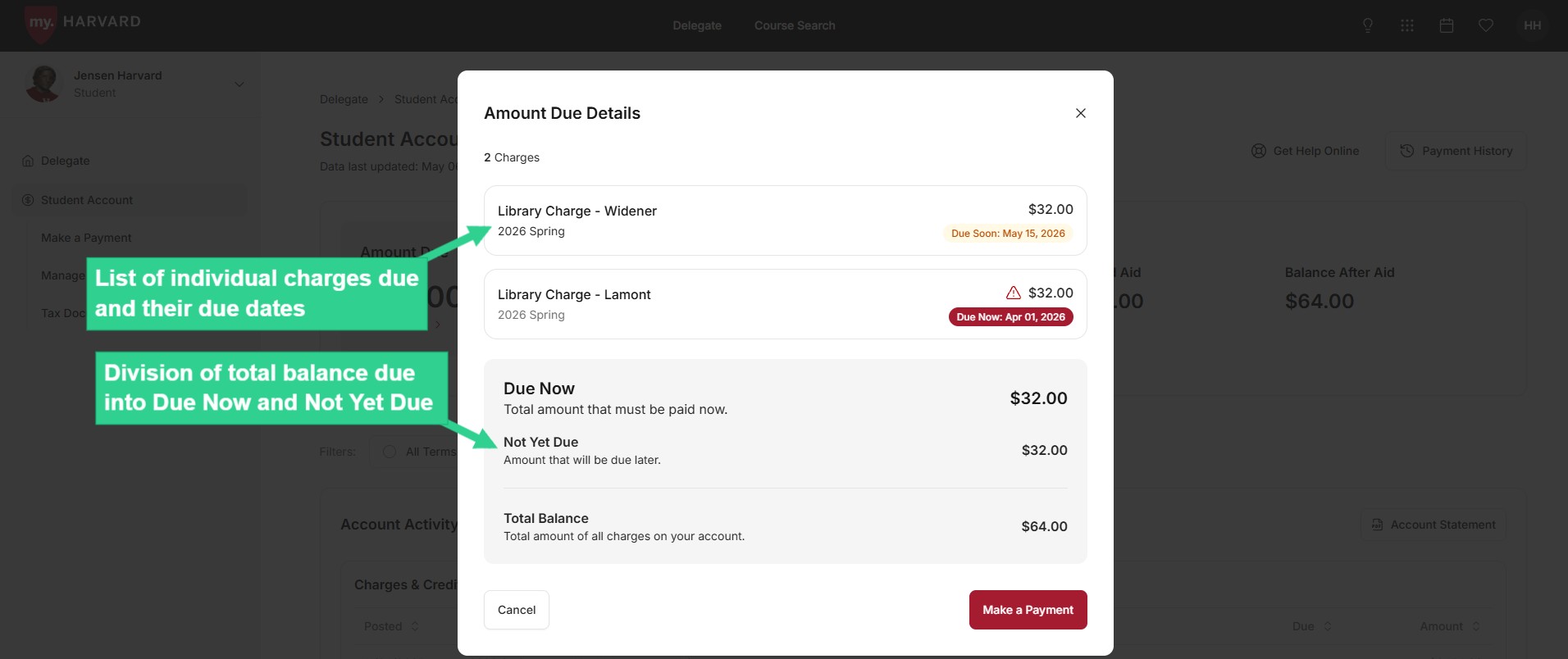
### **Review Your Amount Due and Due Date**

 ![Click on View Details under Amount Due](/sites/g/files/omnuum10921/files/2026-04/Student_review%20amount%20due_1.jpg)


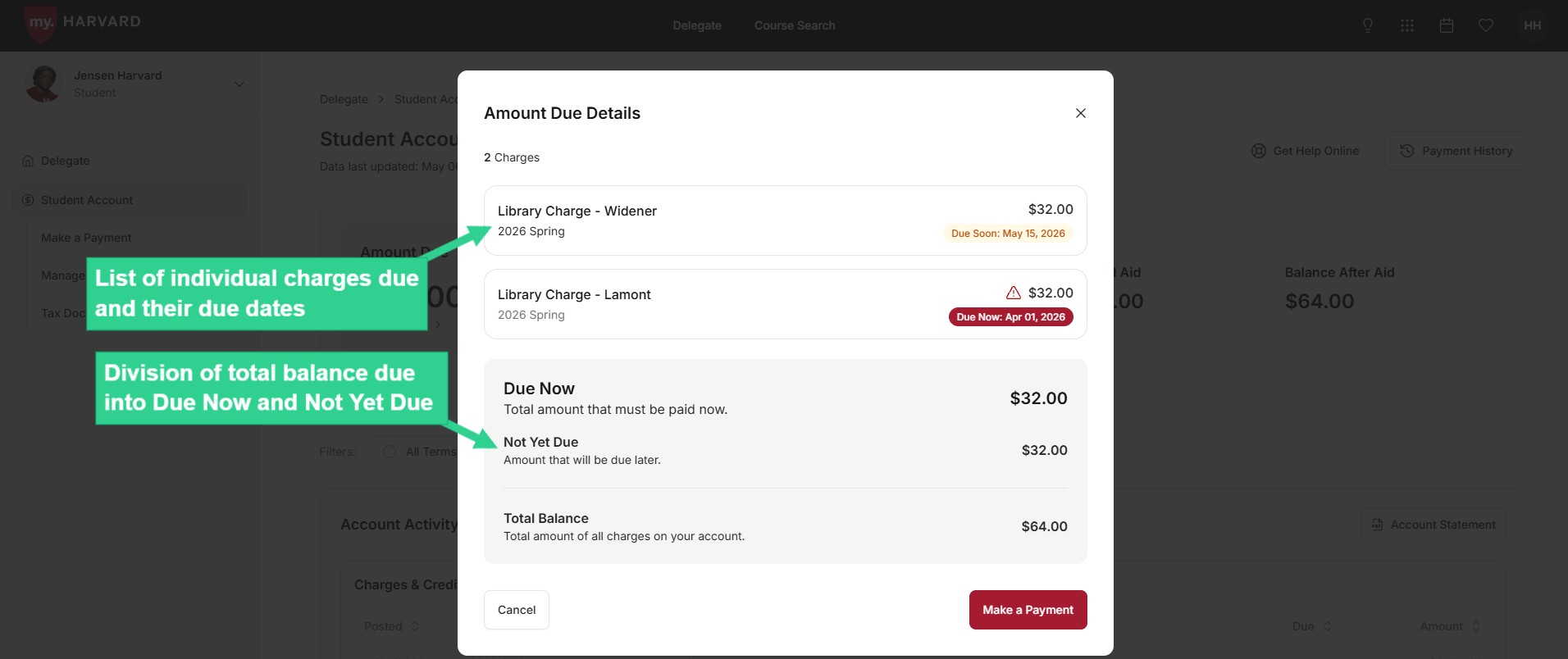
 ![List of individual charges due, and division of total balance due into Due Now and Not Yet Due](/sites/g/files/omnuum10921/files/2026-05/Student_review%20amount%20due_2.jpg)


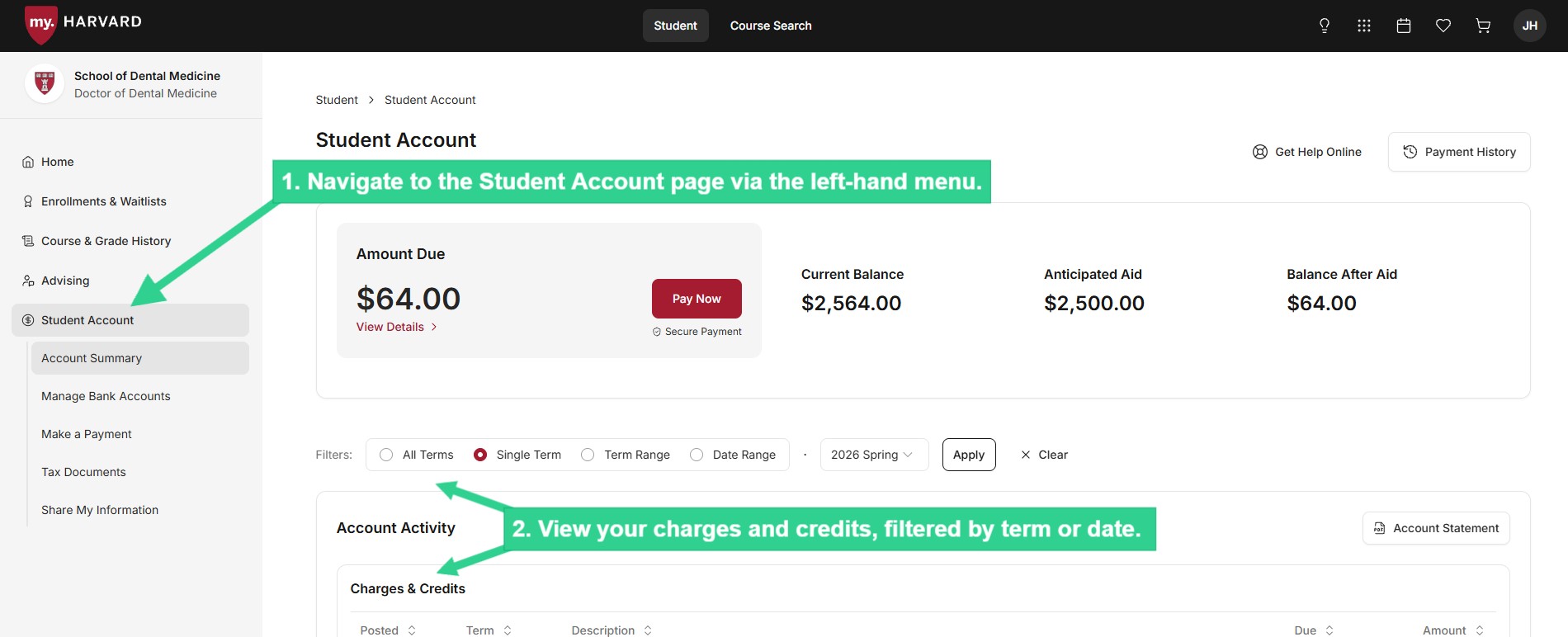
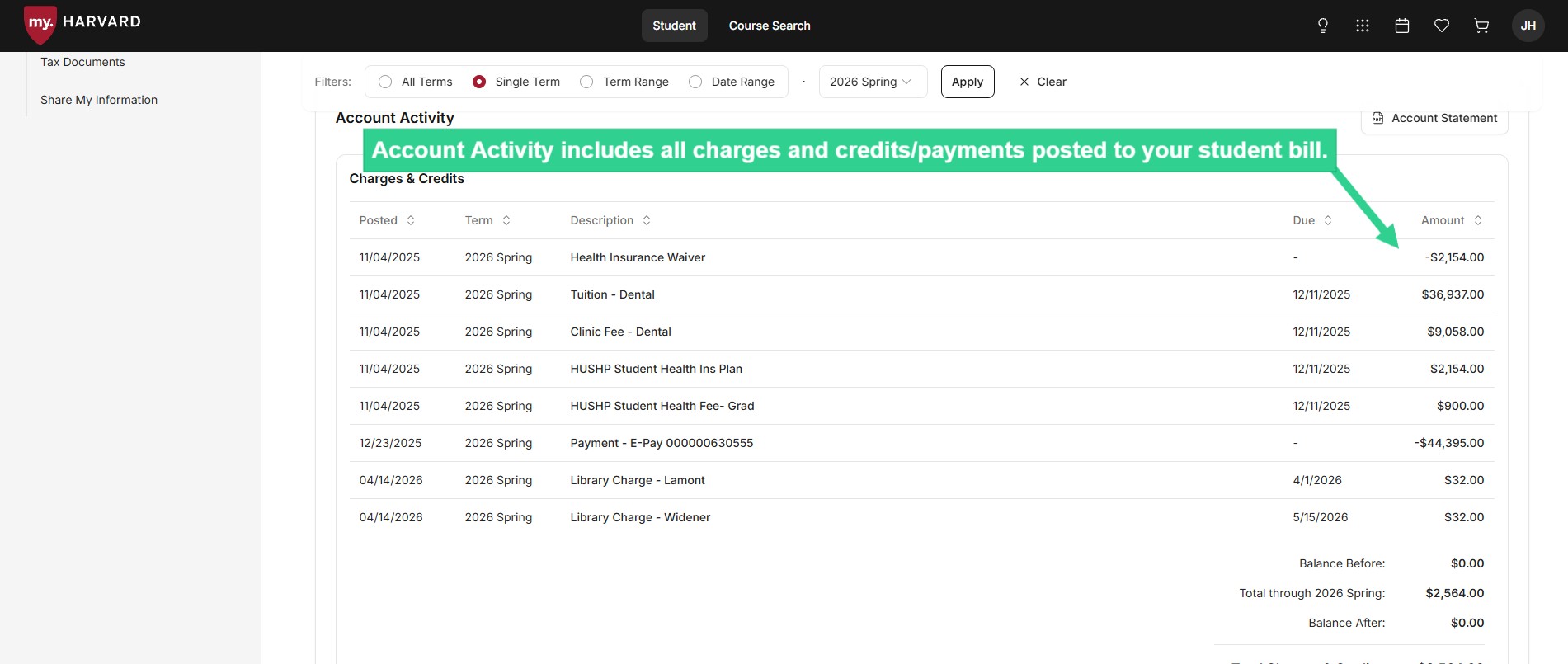
### **Review Your Account Activity**

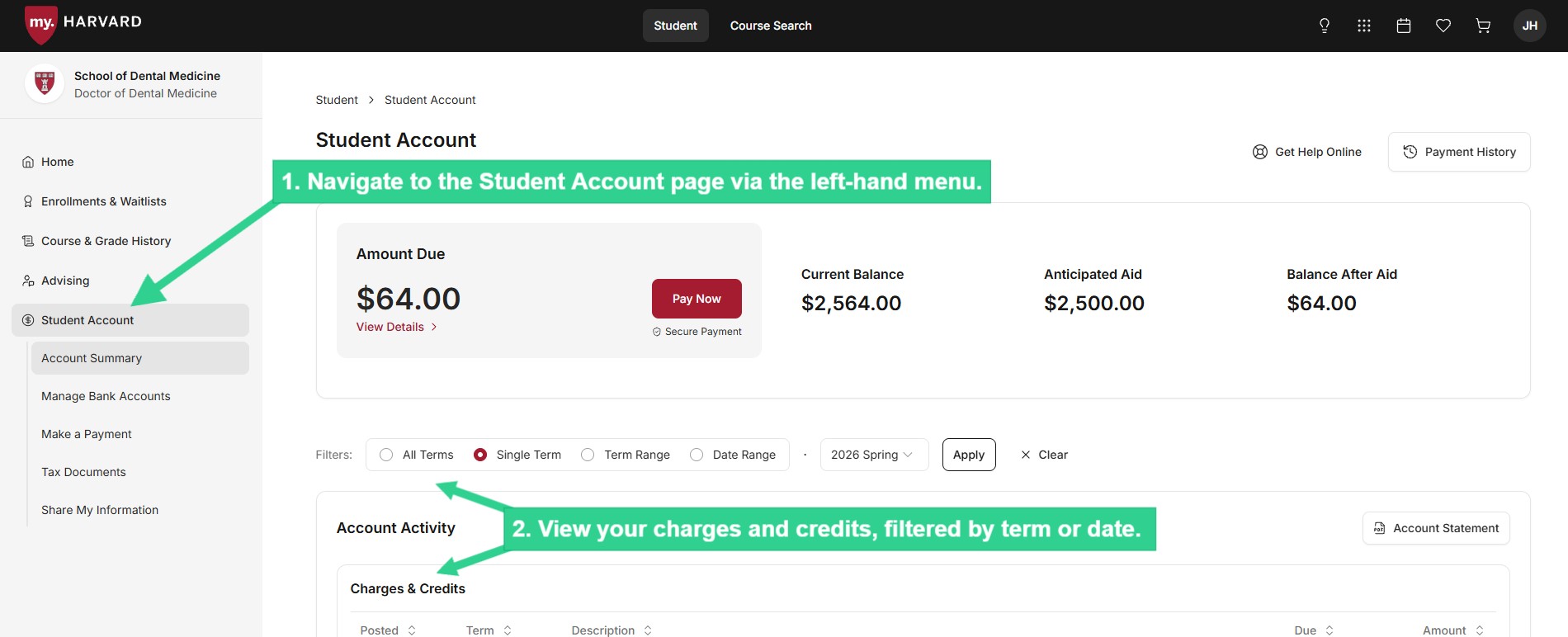
 ![View your charges and credits, filtered by term or date](/sites/g/files/omnuum10921/files/2026-04/Student_review%20account%20activity_1.jpg)


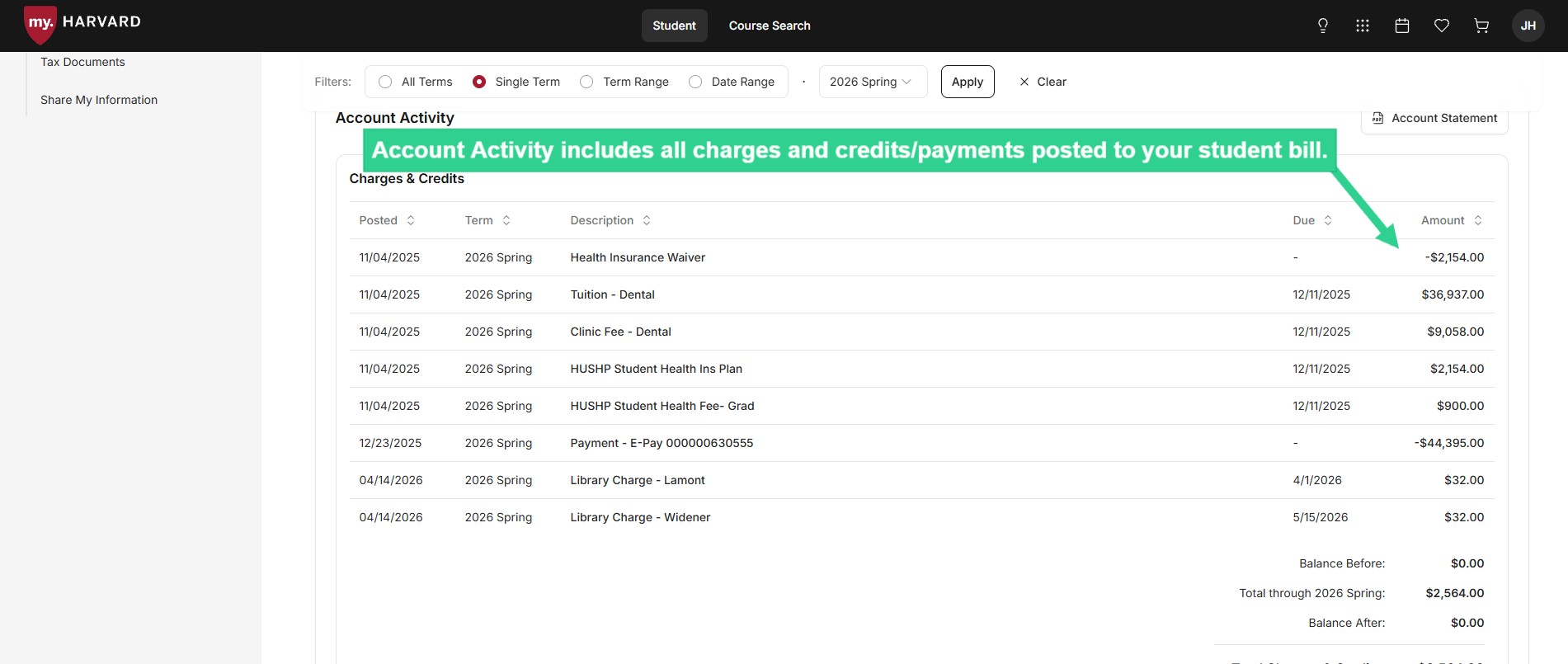
 ![Account Activity includes all charges and credits/payments posted to your student bill](/sites/g/files/omnuum10921/files/2026-04/Student_review%20account%20activity_2.jpg)


### <a>**Review Third-Party Sponsorship Details**</a>

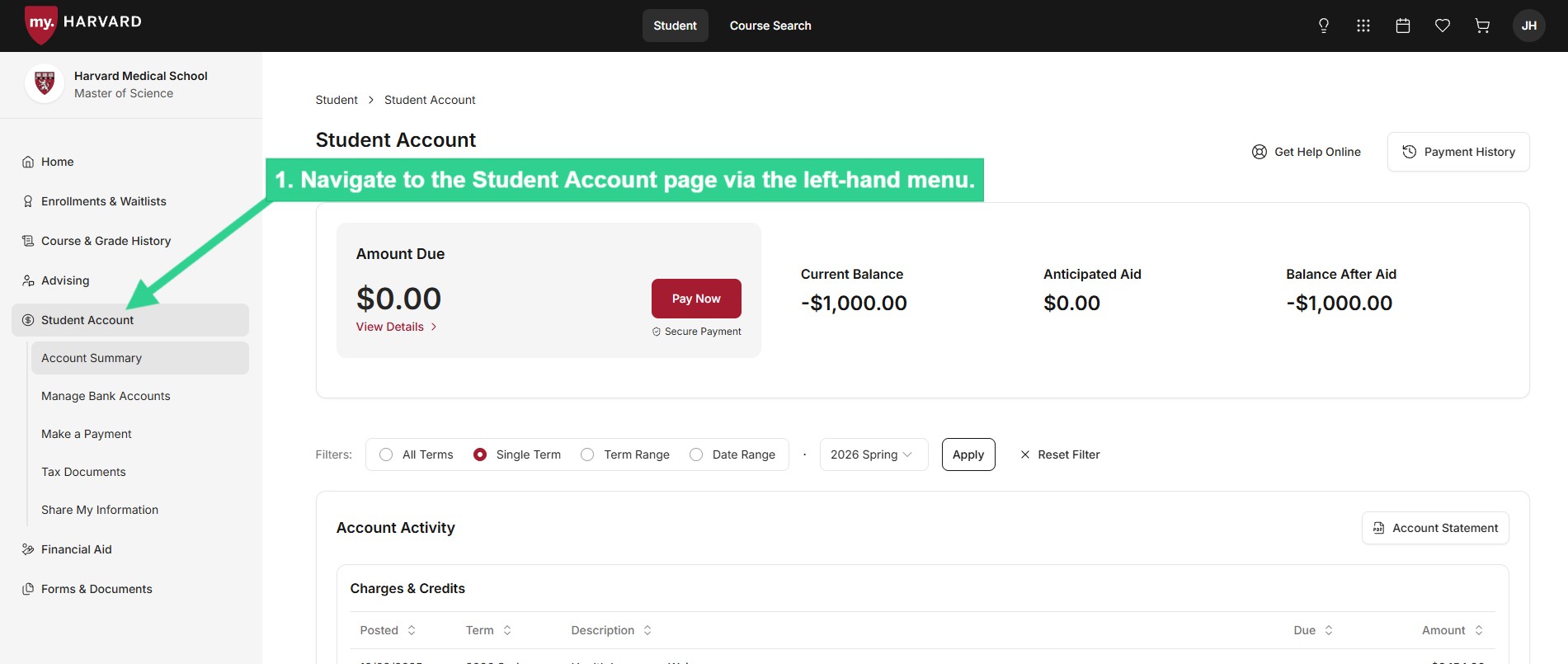
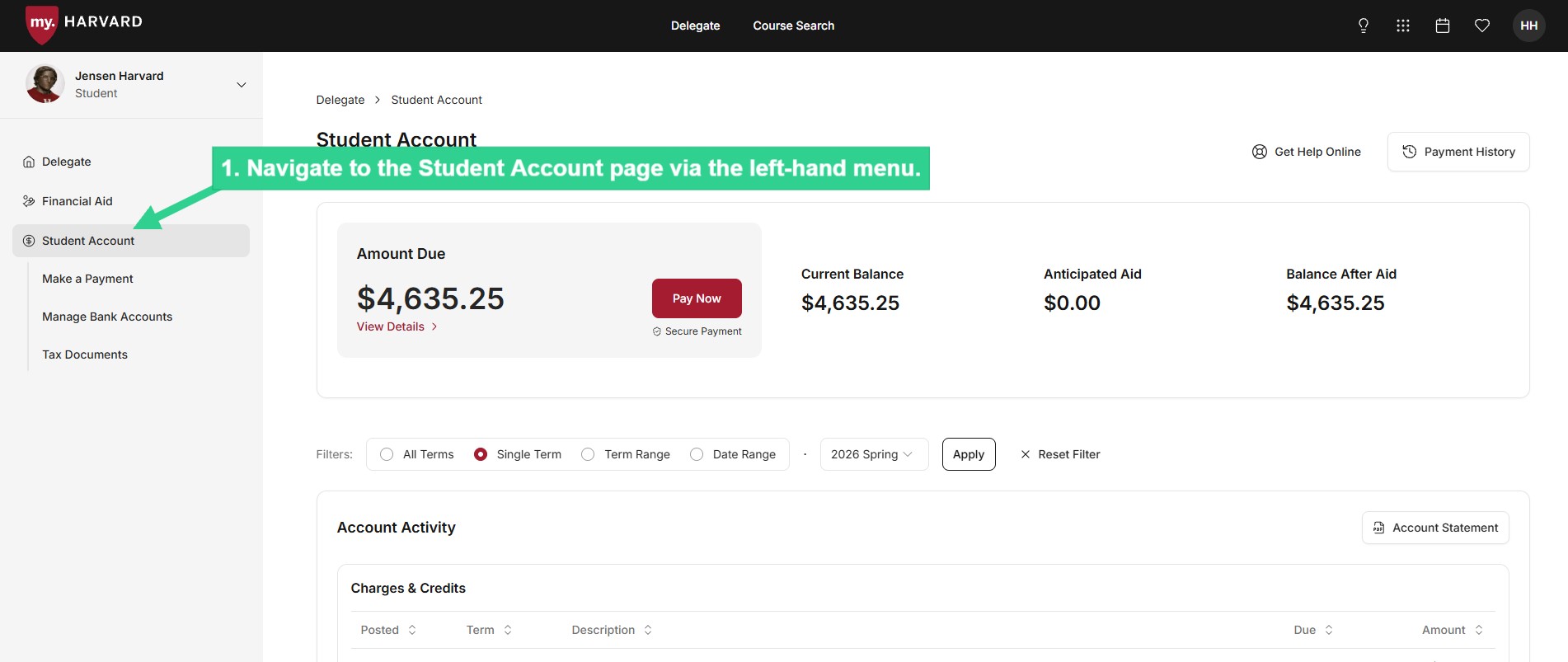
 ![Navigate to Student Account page via left-hand menu](/sites/g/files/omnuum10921/files/2026-04/Student_review%20third-party%20sponsorship%20details_1.jpg)


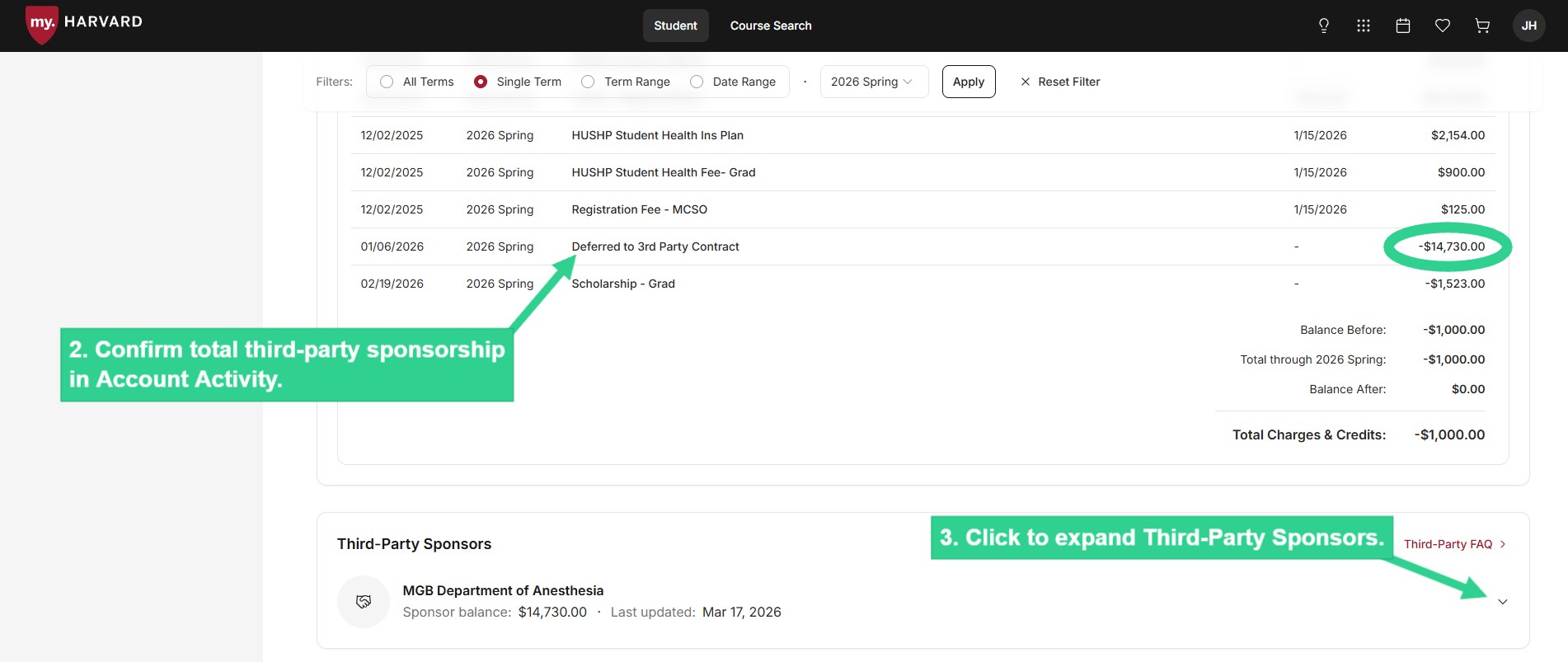
 ![Confirm total third-party sponsorship in Account Activity, then click to expand Third-Party Sponsors](/sites/g/files/omnuum10921/files/2026-04/Student_review%20third-party%20sponsorship%20details_2.jpg)


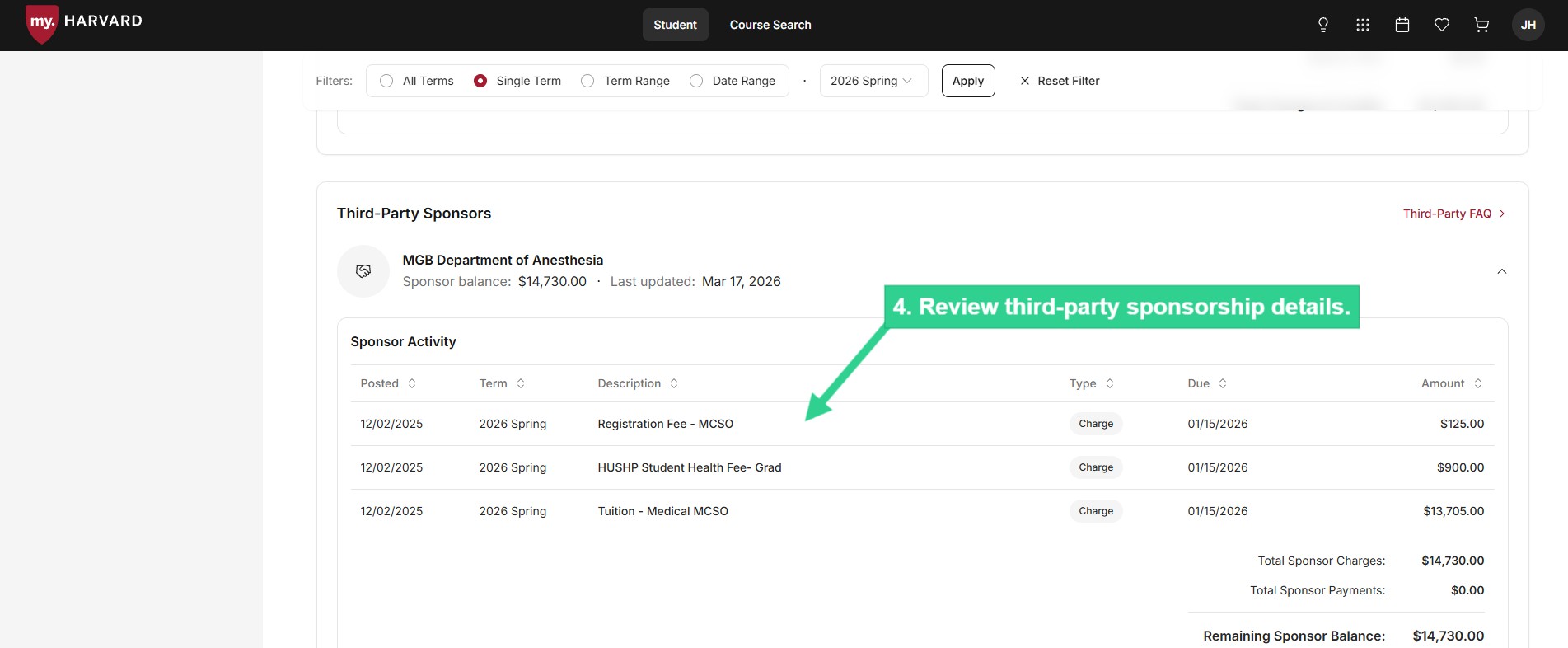
 ![Review third-party sponsorship details](/sites/g/files/omnuum10921/files/2026-04/Student_review%20third-party%20sponsorship%20details_3.jpg)


### **Download Your Account Statement**

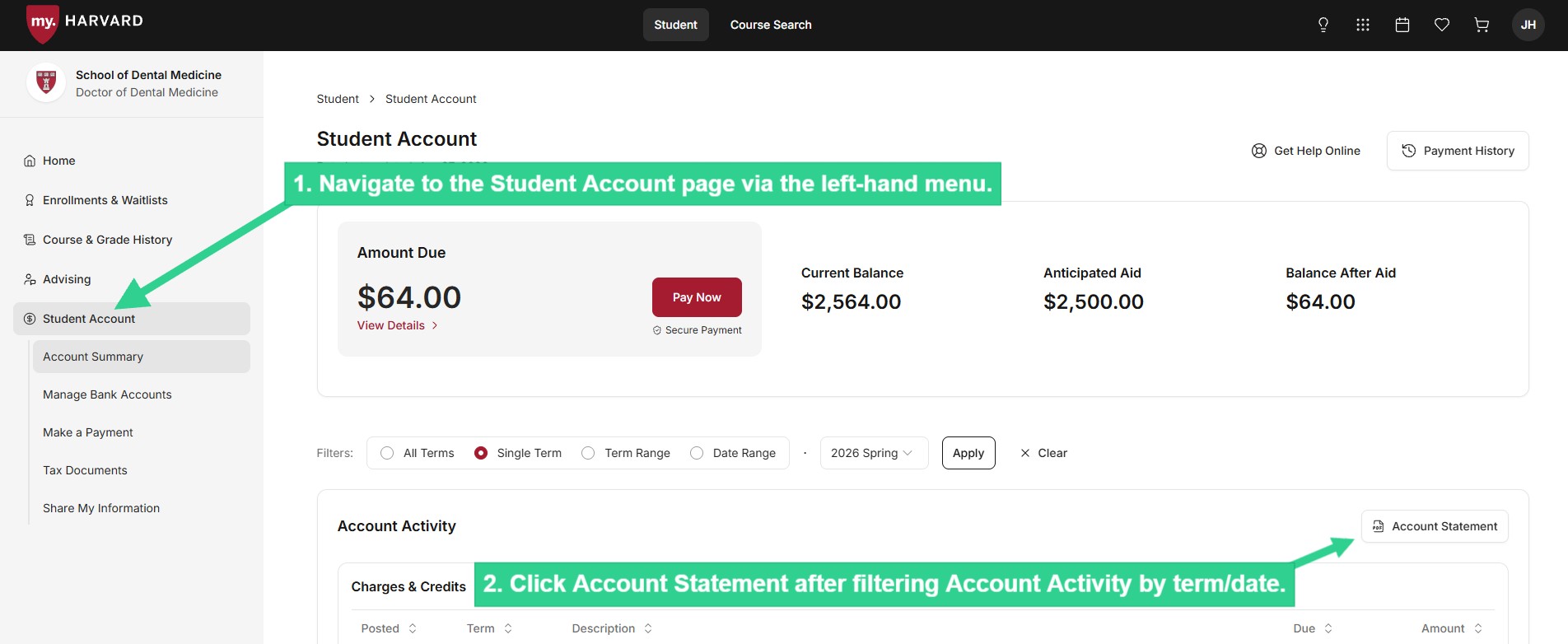
 ![Click on Account Statement after filtering Account Activity by term/date](/sites/g/files/omnuum10921/files/2026-04/Student_download%20account%20statement.jpg)


### <a>**View Your Communication History** </a>

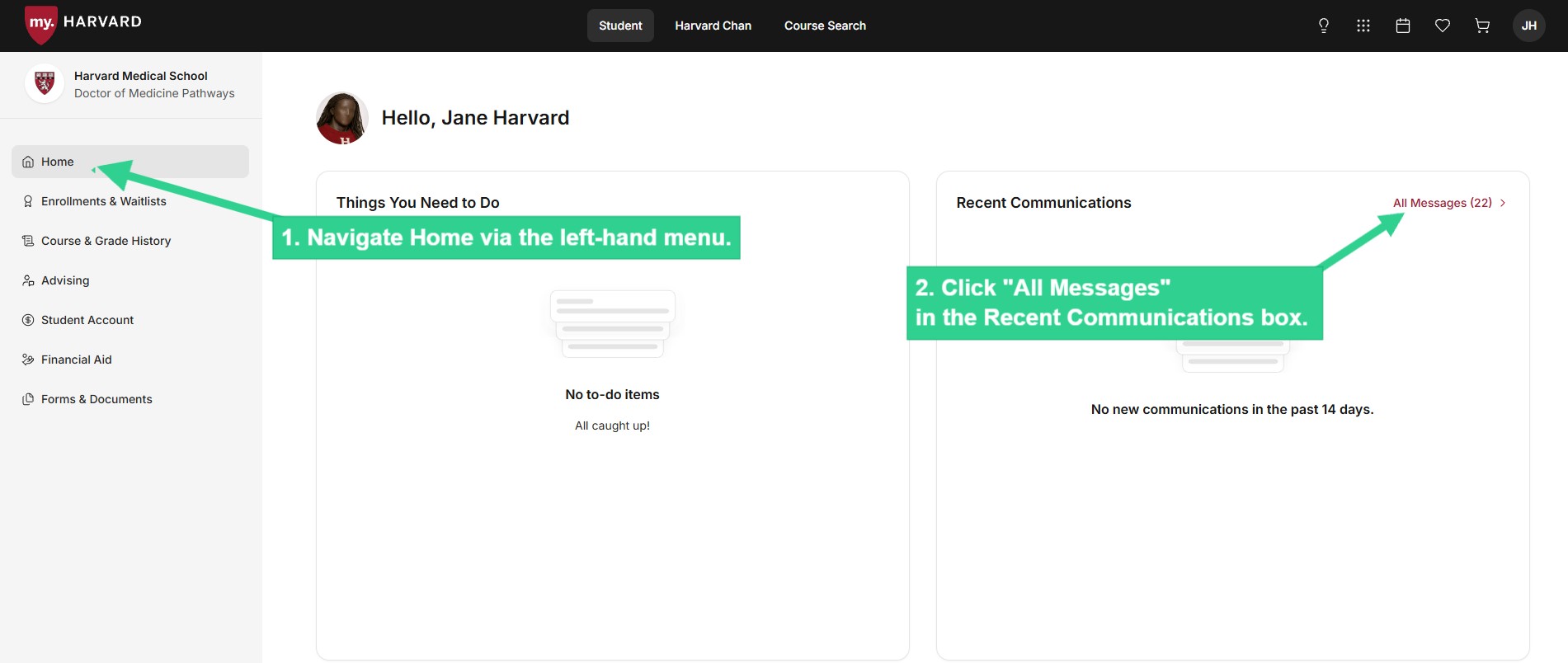
 ![Navigate Home via the left-hand menu, and click All Messages in Recent Communications](/sites/g/files/omnuum10921/files/2026-04/Student_communication%20history_1.jpg)


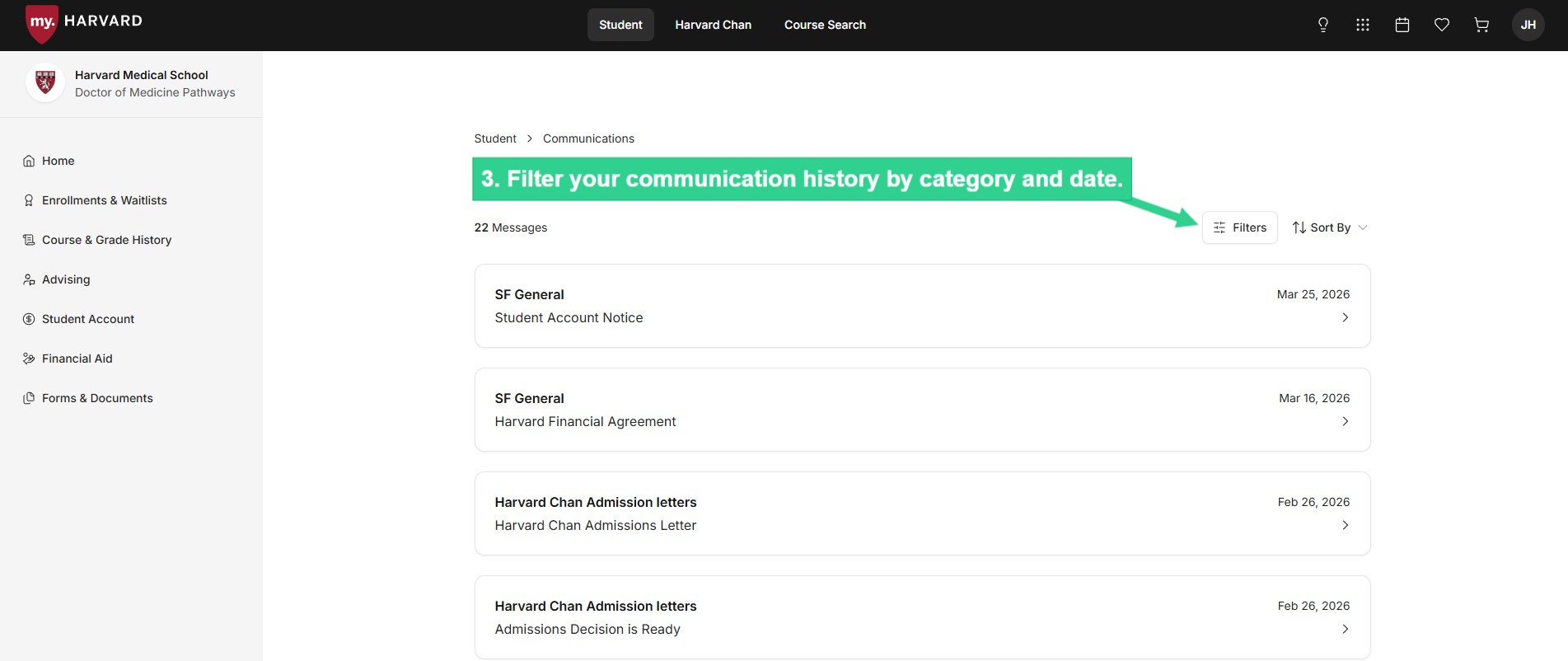
 ![Filter your communication history by category and date](/sites/g/files/omnuum10921/files/2026-04/Student_communication%20history_2.jpg)


### <a>**Submit SSN or ITIN at Any Time**</a>

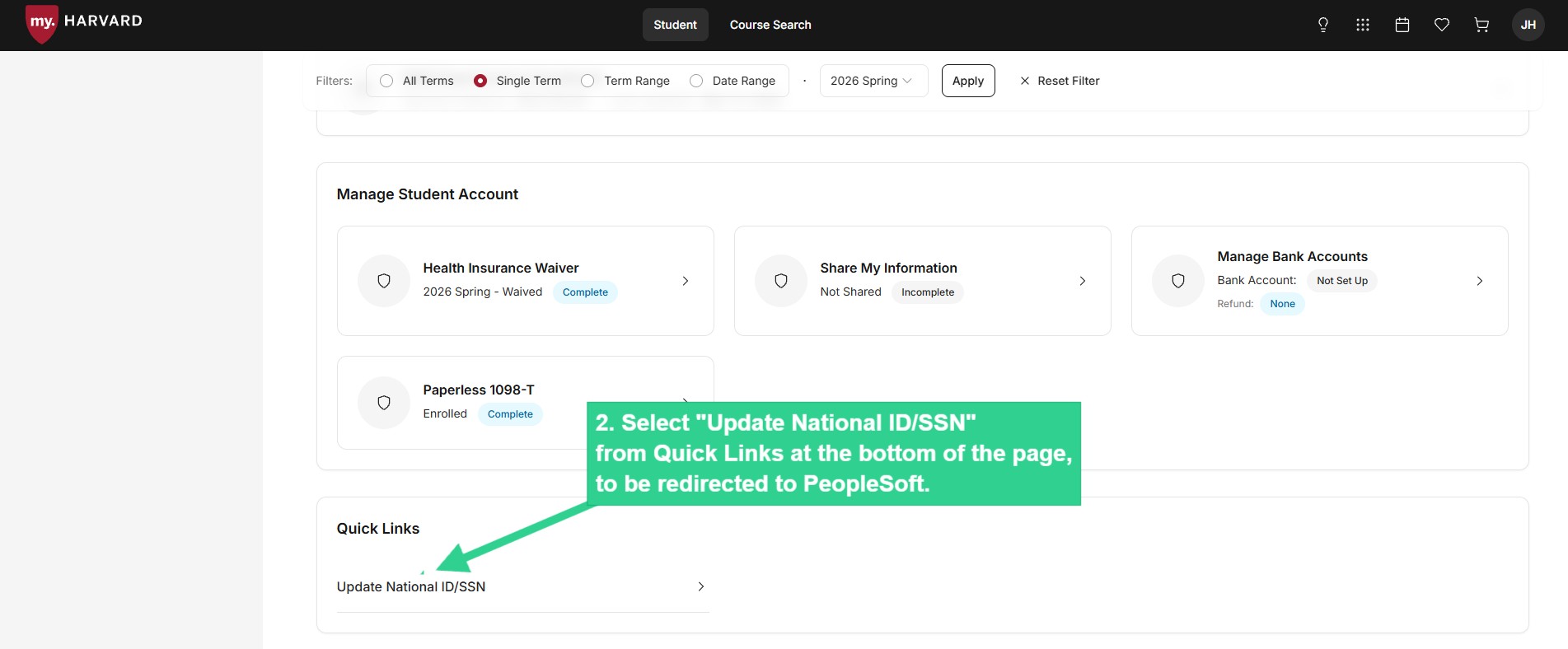
Harvard requests your National ID number (SSN or ITIN) to ensure compliance with federal tax and academic reporting guidelines. If you've been instructed to submit your number or would like to update it, you can do so at any time through our link to the PeopleSoft portal.

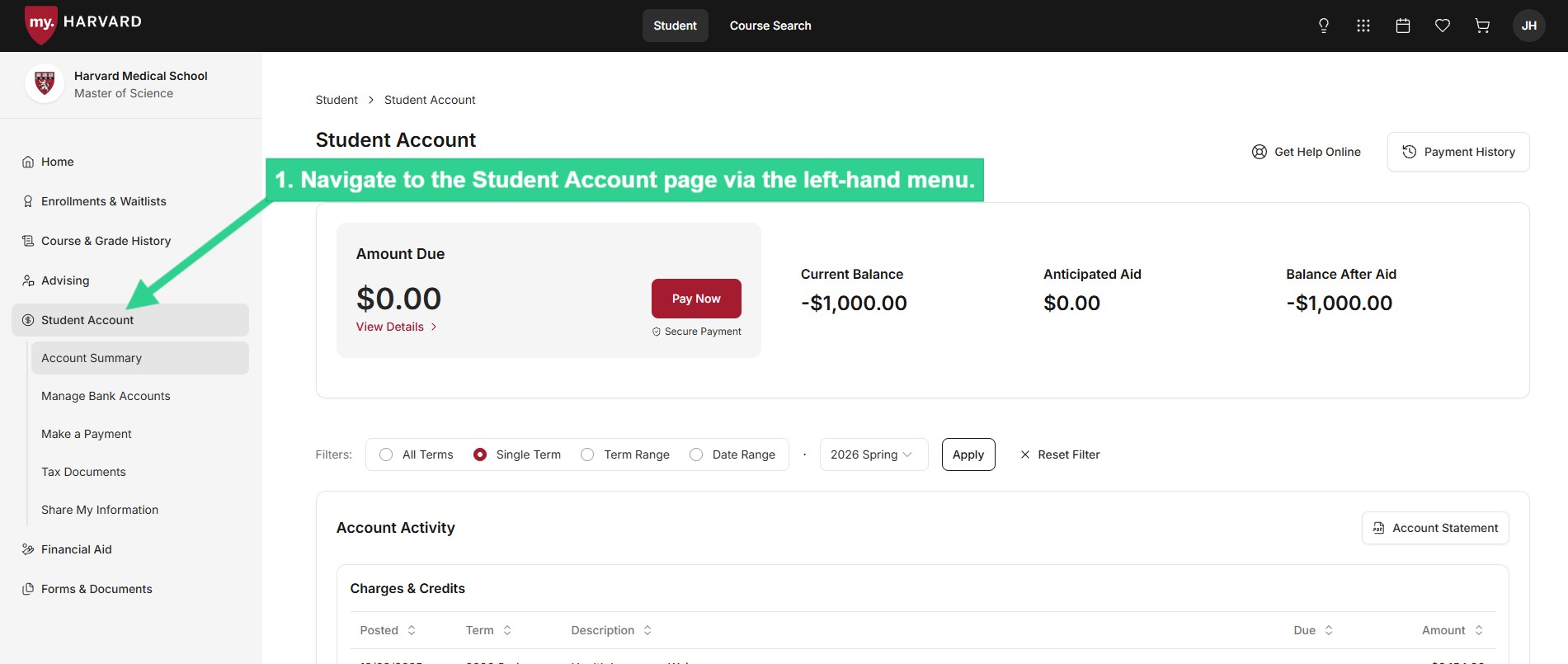
 ![Navigate to the Student Account page via left-hand menu](/sites/g/files/omnuum10921/files/2026-05/Student_submit%20SSN%20or%20ITIN_1.jpg)


 ![Select "Update National ID/SSN" from Quick Links at the bottom of the page, to be redirected to PeopleSoft](/sites/g/files/omnuum10921/files/2026-05/Student_submit%20SSN%20or%20ITIN_2_0.jpg)


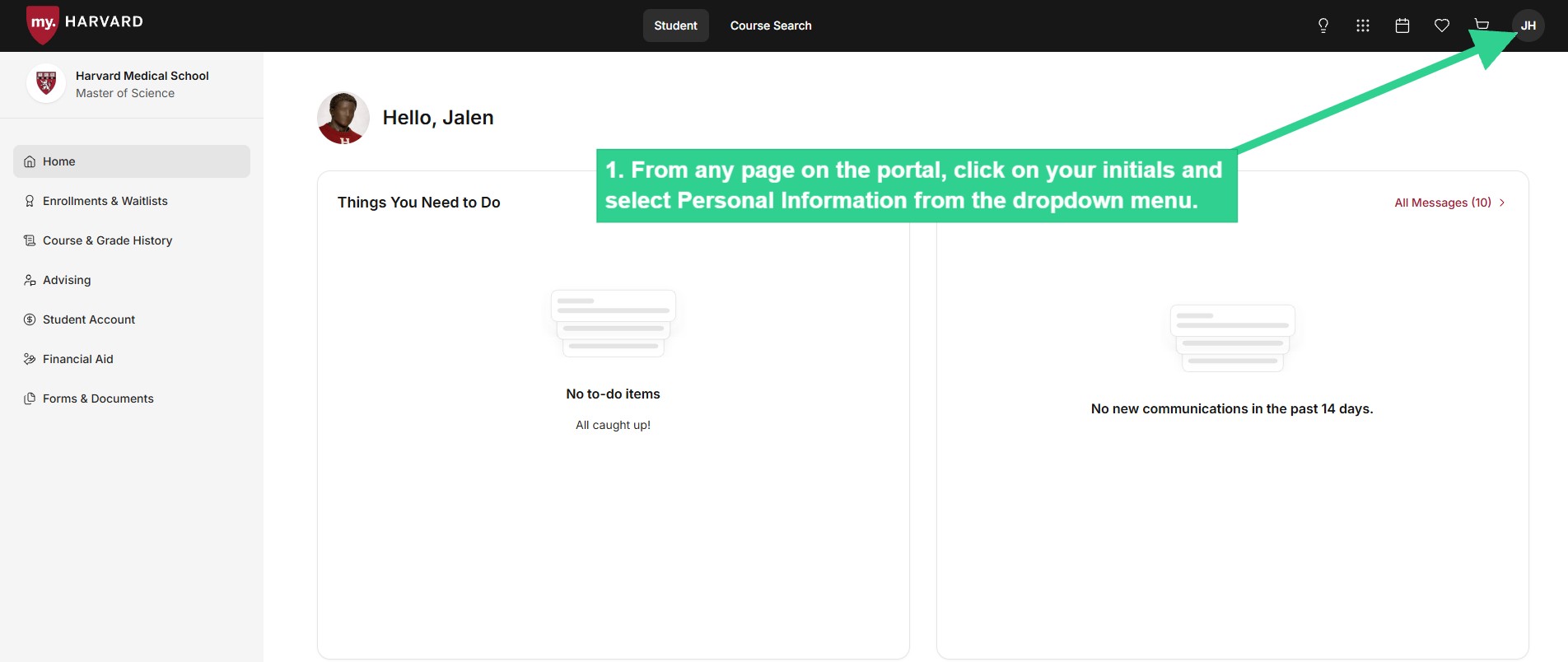
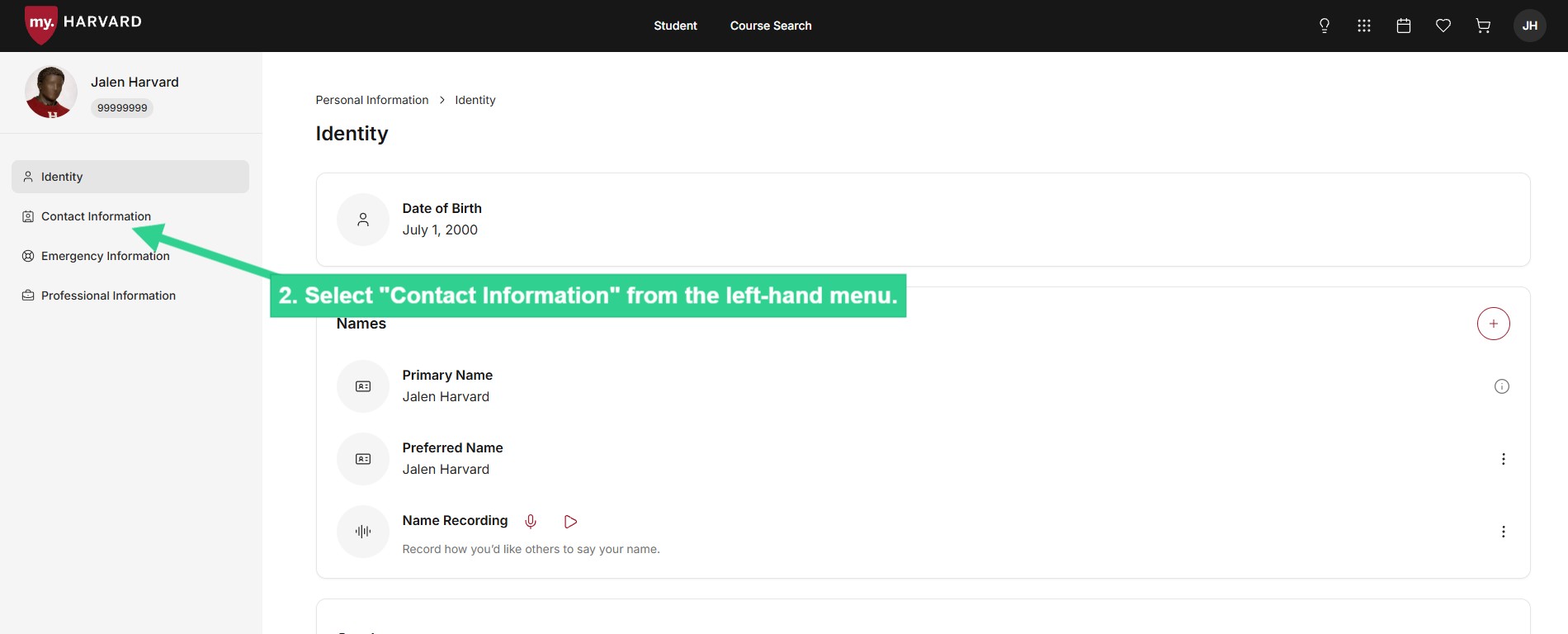
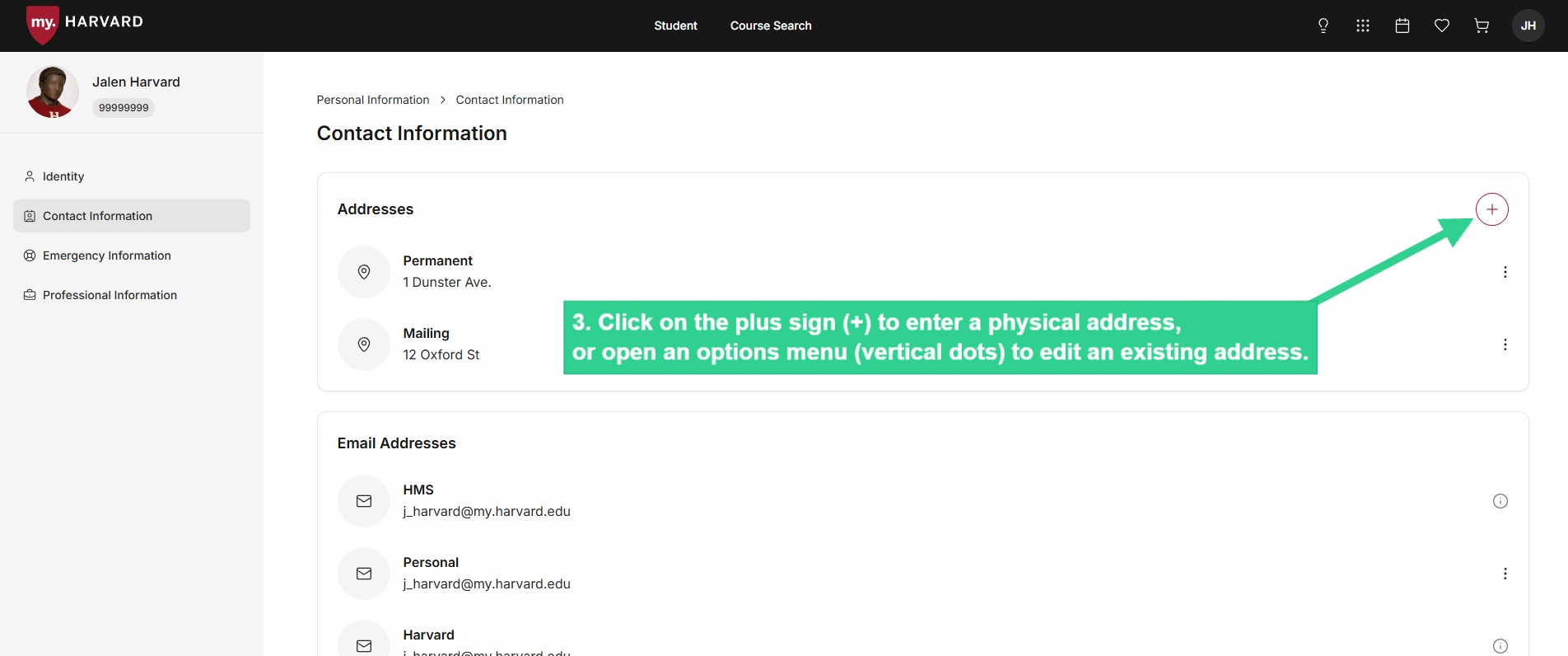
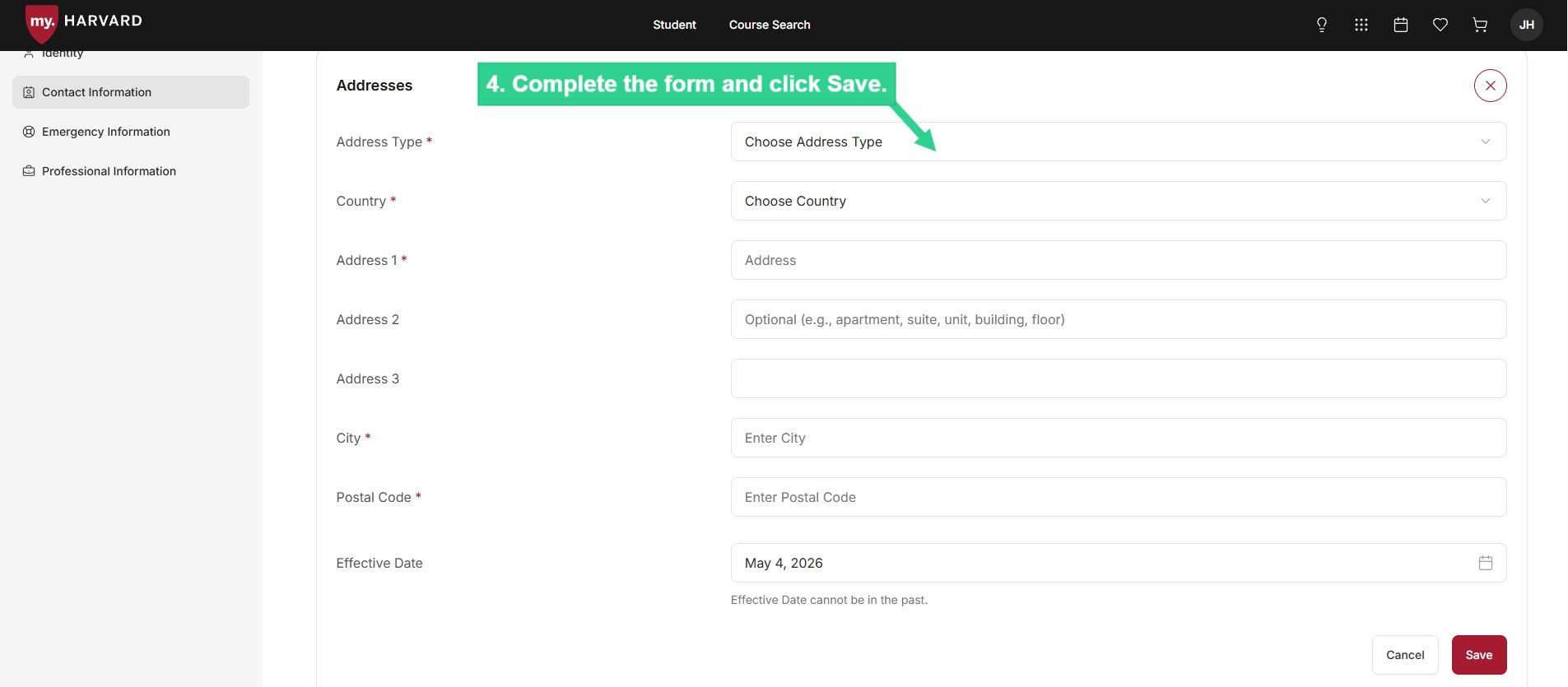
### **Create or Update a Physical Location Address** 

 ![From any page on the portal, click on your initials and select Personal Information from dropdown menu](/sites/g/files/omnuum10921/files/2026-05/Student_create%20or%20update%20physical%20location%20address_1.jpg)


 ![Select "Contact Information" from the left-hand menu](/sites/g/files/omnuum10921/files/2026-05/Student_create%20or%20update%20physical%20location%20address_2.jpg)


 ![Click on plus sign to enter a physical address, or open an options menu to edit an existing address](/sites/g/files/omnuum10921/files/2026-05/Student_create%20or%20update%20physical%20location%20address_3.jpg)


 ![Complete form and click Save](/sites/g/files/omnuum10921/files/2026-05/Student_create%20or%20update%20physical%20location%20address_4.jpg)


## **Delegate How-To**

### **Create a Payment Profile**

Creating a Payment Profile allows you to securely enter your U.S. checking or savings account information and save it to use whenever you need to make a payment. You can create separate payment profiles for separate bank accounts.

 ![Select "Manage Bank Accounts" from submenu](/sites/g/files/omnuum10921/files/2026-05/Delegate_create%20payment%20profile_1_0.jpg)


 ![Or select Manage Bank Accounts from Manage Student Account at bottom of page](/sites/g/files/omnuum10921/files/2026-05/Delegate_create%20payment%20profile_2.jpg)


 ![Click the plus sign in payment profile section](/sites/g/files/omnuum10921/files/2026-05/Delegate_create%20payment%20profile_3.jpg)


 ![Fill out the Payment Profile form (only U.S. checking or savings accounts allowed)* and click Save](/sites/g/files/omnuum10921/files/2026-05/Delegate_create%20payment%20profile_4.jpg)


\*Unfortunately, no brokerage, investment, or money market accounts can be used. If you are not sure whether your account can be debited via ACH, please contact your financial institution before making the payment.

### **Make a Payment**

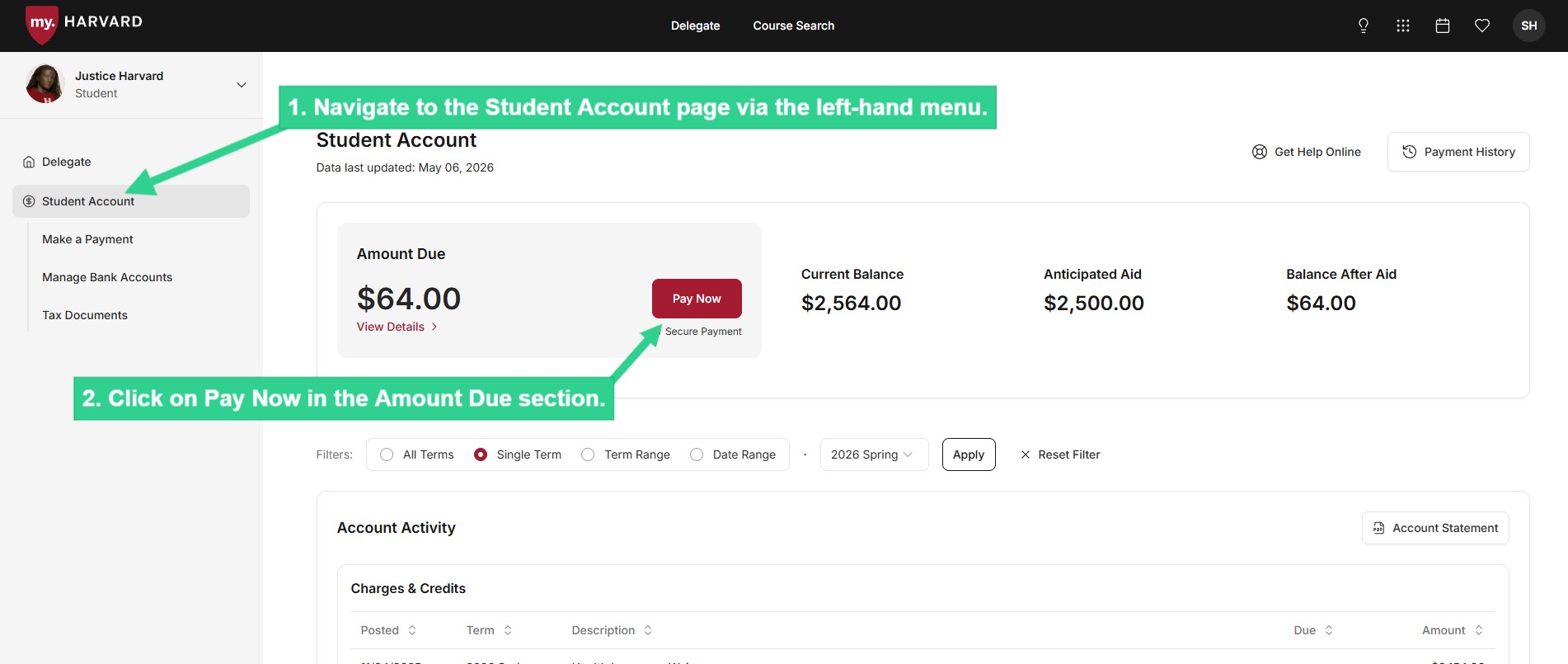
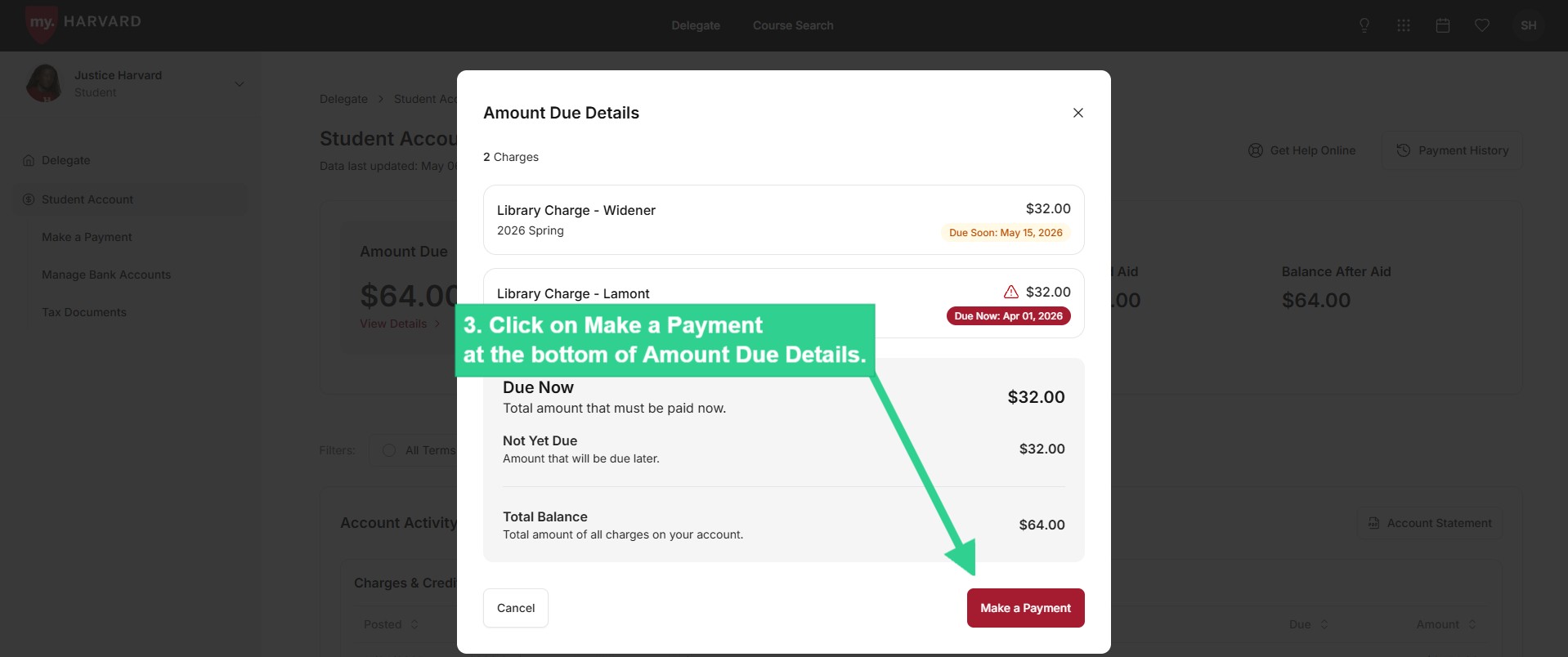
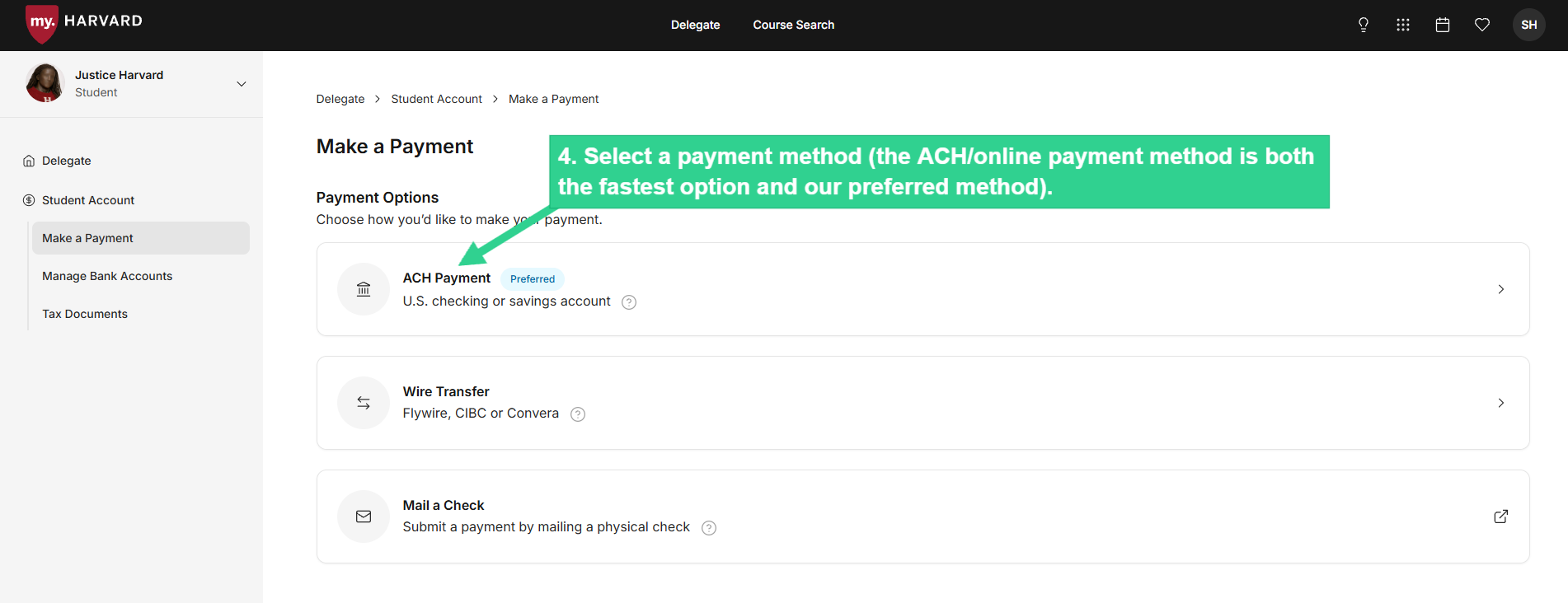
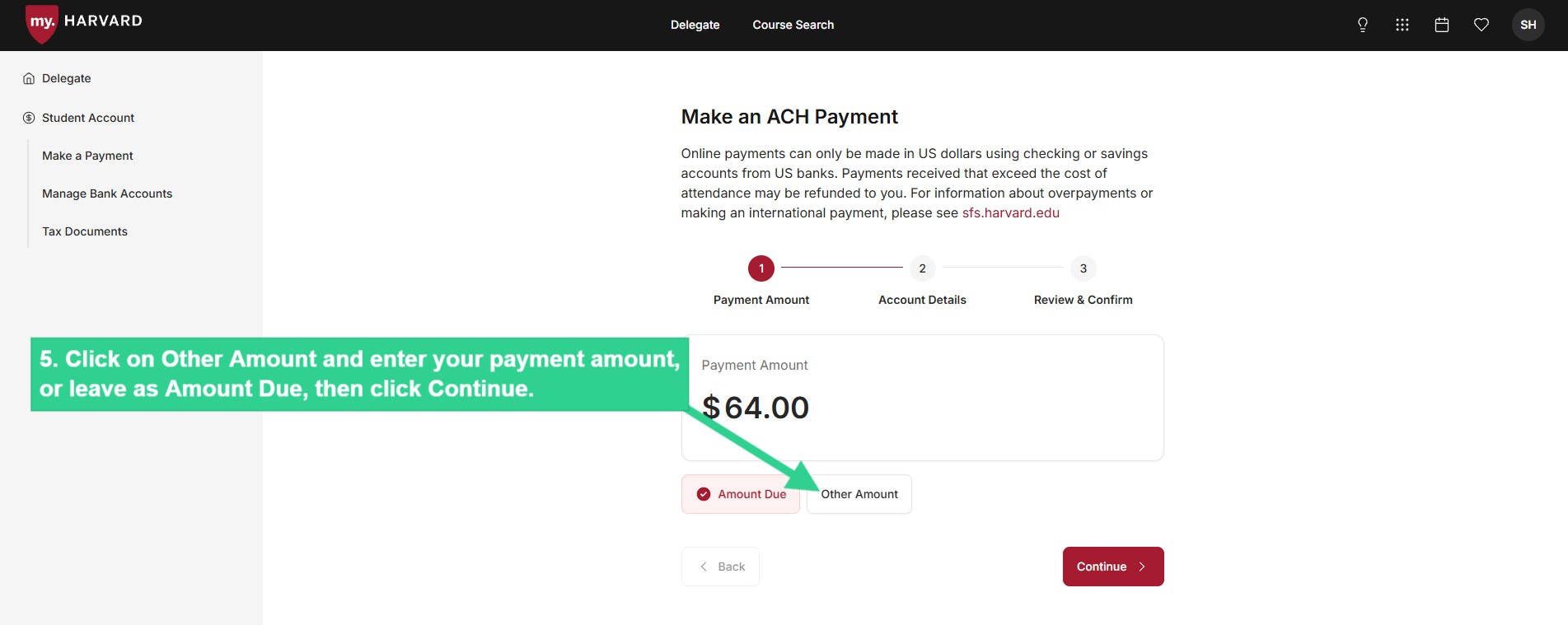
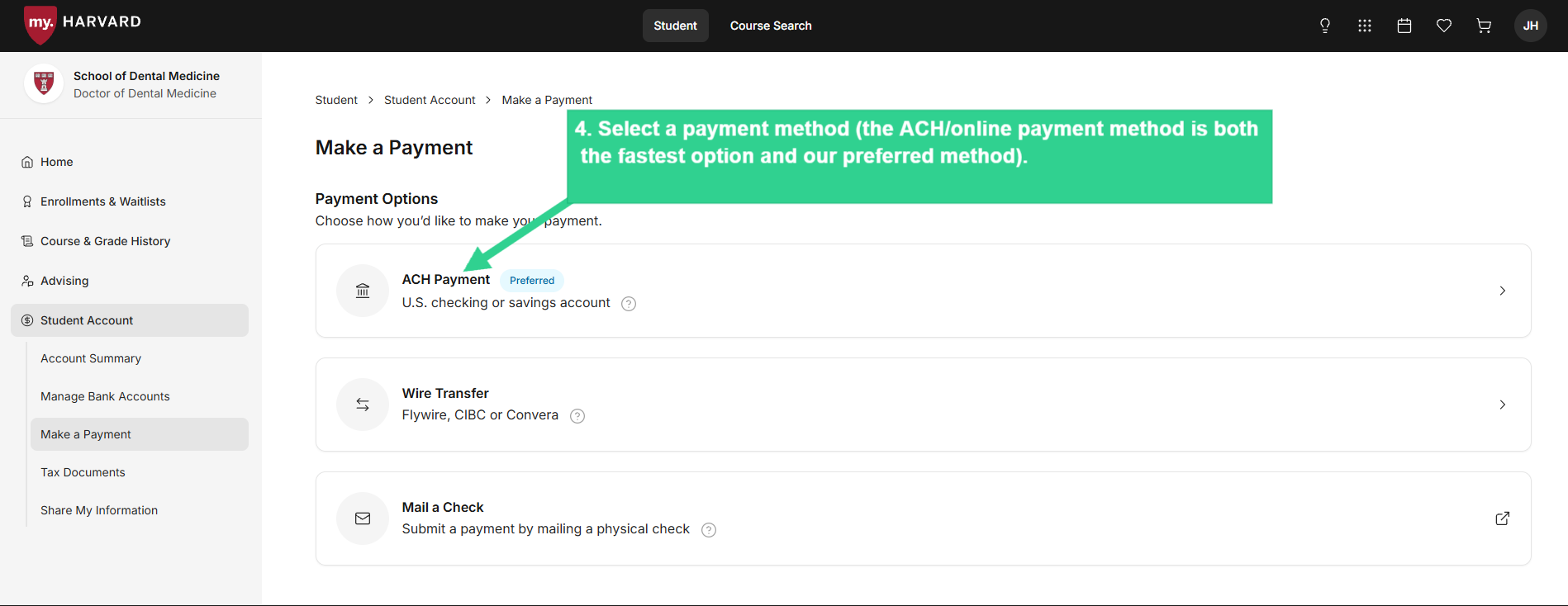
Process an electronic transfer of funds (ACH) from your U.S. checking or savings account to immediately cover charges due on your student's account. You can also initiate a wire transfer through a third party or mail a check, although these options will take longer.
 ![Click on Pay Now in Amount Due section](/sites/g/files/omnuum10921/files/2026-05/Delegate_make%20a%20payment_1.jpg)


 ![Click on Make a Payment at the bottom of Amount Due Details](/sites/g/files/omnuum10921/files/2026-05/Delegate_make%20a%20payment_2.jpg)


 ![Select a payment method (the ACH/online payment method is both the fastest option and our preferred method).](/sites/g/files/omnuum10921/files/2026-05/Delegate_make%20a%20payment_3.jpg)


 ![Click on Other Amount and enter your payment amount, or leave as Amount Due, then click Continue](/sites/g/files/omnuum10921/files/2026-05/Delegate_make%20a%20payment_4.jpg)


 ![Select a saved payment profile or enter details for a new account, then click Continue](/sites/g/files/omnuum10921/files/2026-05/Delegate_make%20a%20payment_5.jpg)


 ![Confirm payment details and agreement then submit payment](/sites/g/files/omnuum10921/files/2026-05/Delegate_make%20a%20payment_6.jpg)


\*Unfortunately, no brokerage, investment, or money market accounts can be used. If you are not sure whether your account can be debited via ACH, please contact your financial institution before making the payment.

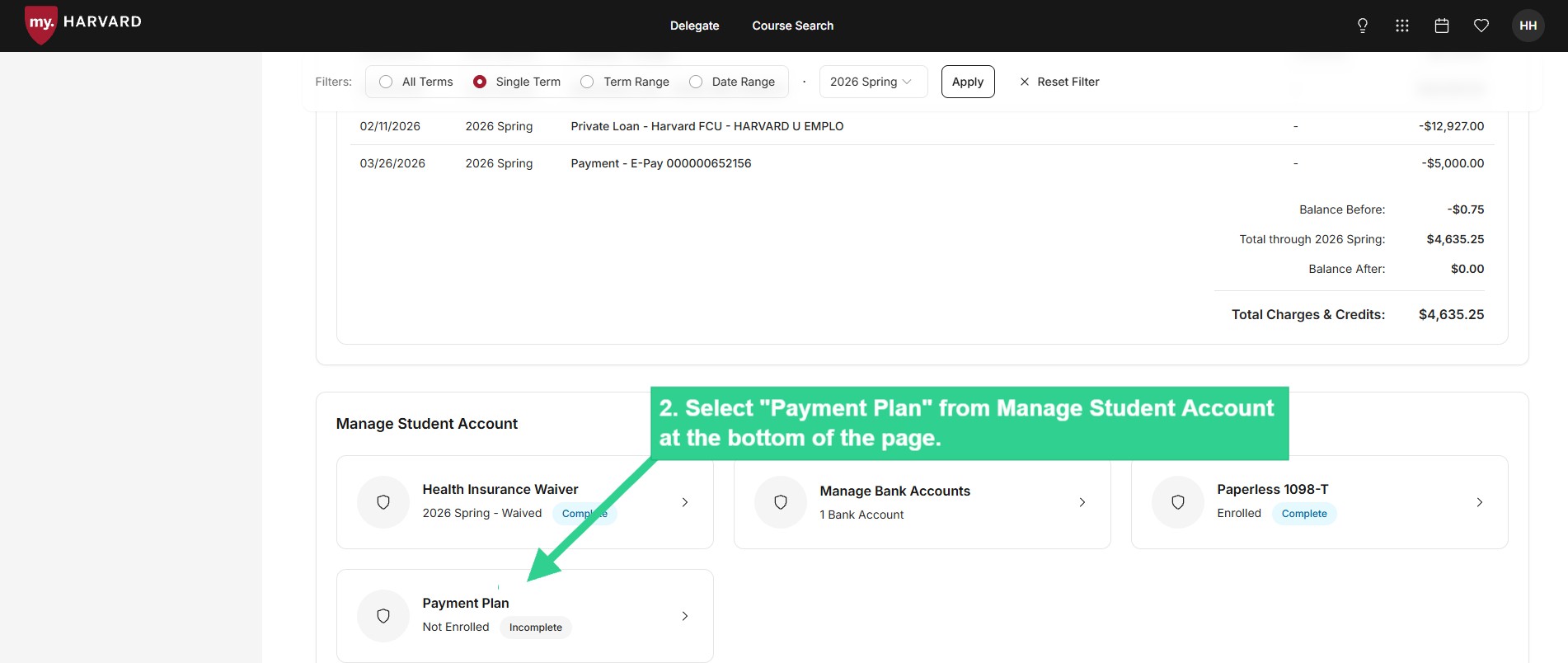
### **Enroll in Monthly Payment Plan**

Details about terms and eligibility for the Monthly Payment Plan are available [here](/monthly-payment-plan).
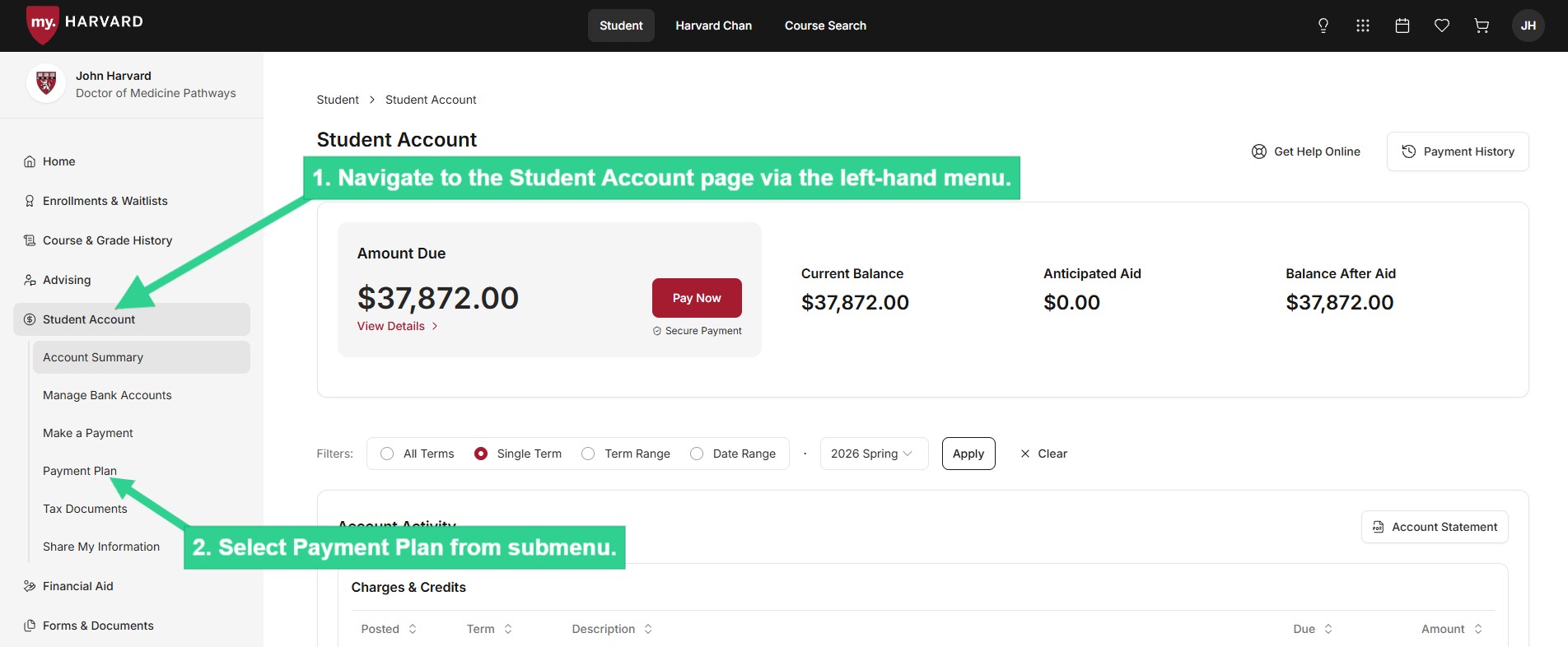
 ![Navigate to Student Account page via left-hand menu](/sites/g/files/omnuum10921/files/2026-05/Delegate_enroll%20in%20MPP_1.jpg)


 ![Select Payment Plan from Manage Student Account at bottom of page](/sites/g/files/omnuum10921/files/2026-05/Delegate_enroll%20in%20MPP_2.jpg)


### **Review Amount Due and Due Date**
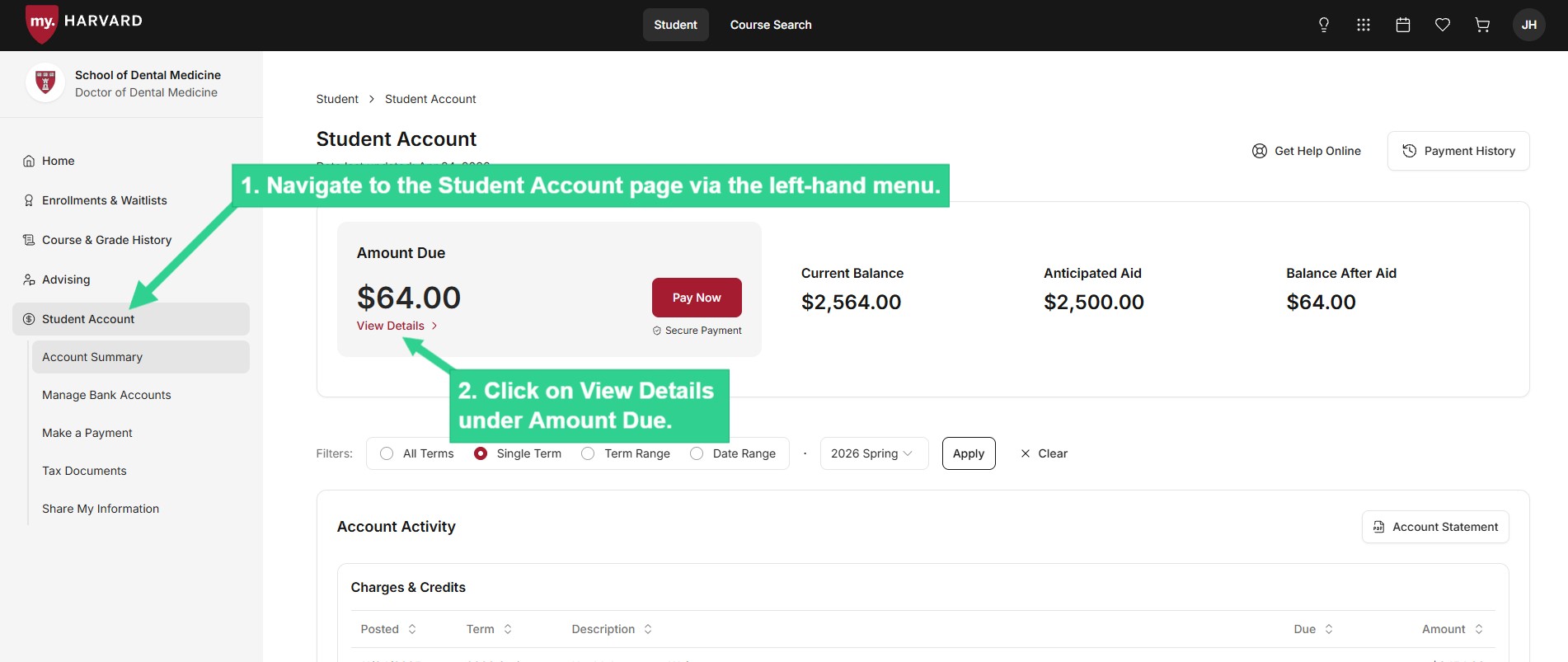
 ![Click on View Details under Amount Due](/sites/g/files/omnuum10921/files/2026-05/Student_review%20amount%20due_1.jpg)


 ![List of individual charges due, and division of total balance due into Due Now and Not Yet Due](/sites/g/files/omnuum10921/files/2026-05/Student_review%20amount%20due_2_0.jpg)


### **Review Account Activity**

 ![View your charges and credits, filtered by term or date](/sites/g/files/omnuum10921/files/2026-05/Student_review%20account%20activity_1.jpg)


 ![Account Activity includes all charges and credits/payments posted to your student bill](/sites/g/files/omnuum10921/files/2026-05/Student_review%20account%20activity_2.jpg)


### **Download Account Statement**

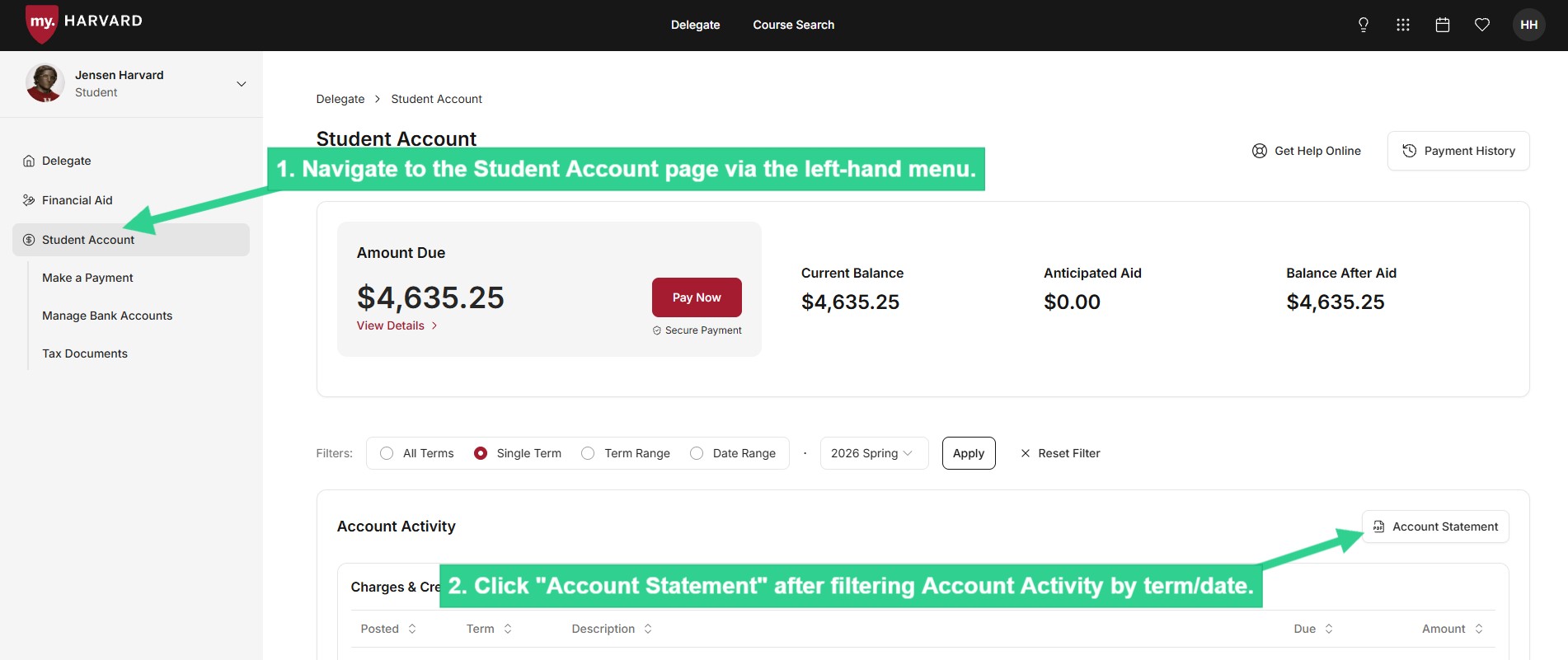
 ![Click "Account Statement" after filtering Account Activity by term/date](/sites/g/files/omnuum10921/files/2026-05/Delegate_download%20account%20statement.jpg)


### **View 1098-T**

View a digital copy of the tax document, if 1) Your student is [eligible](https://sfs.harvard.edu/tax-reporting-documents#1098T-eligibility) to receive a 1098-T, 2) They've previously given consent to receive it electronically, and 3) Your delegate access specifically includes permission, [as requested by your student](#EditDelegateAccess), to view the 1098-T.
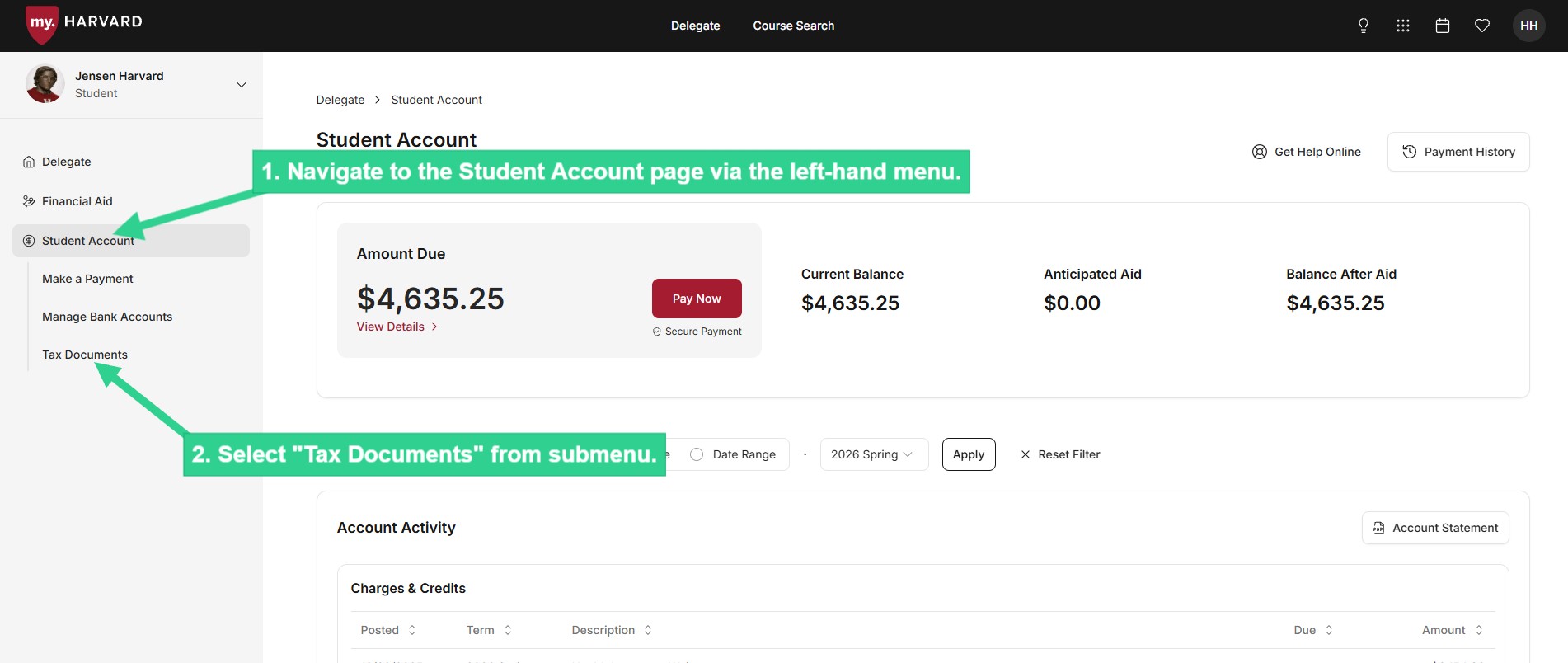
 ![Select Tax Documents from submenu](/sites/g/files/omnuum10921/files/2026-05/Delegate_view%201098-T.jpg)