We now offer in-person service by appointment only.
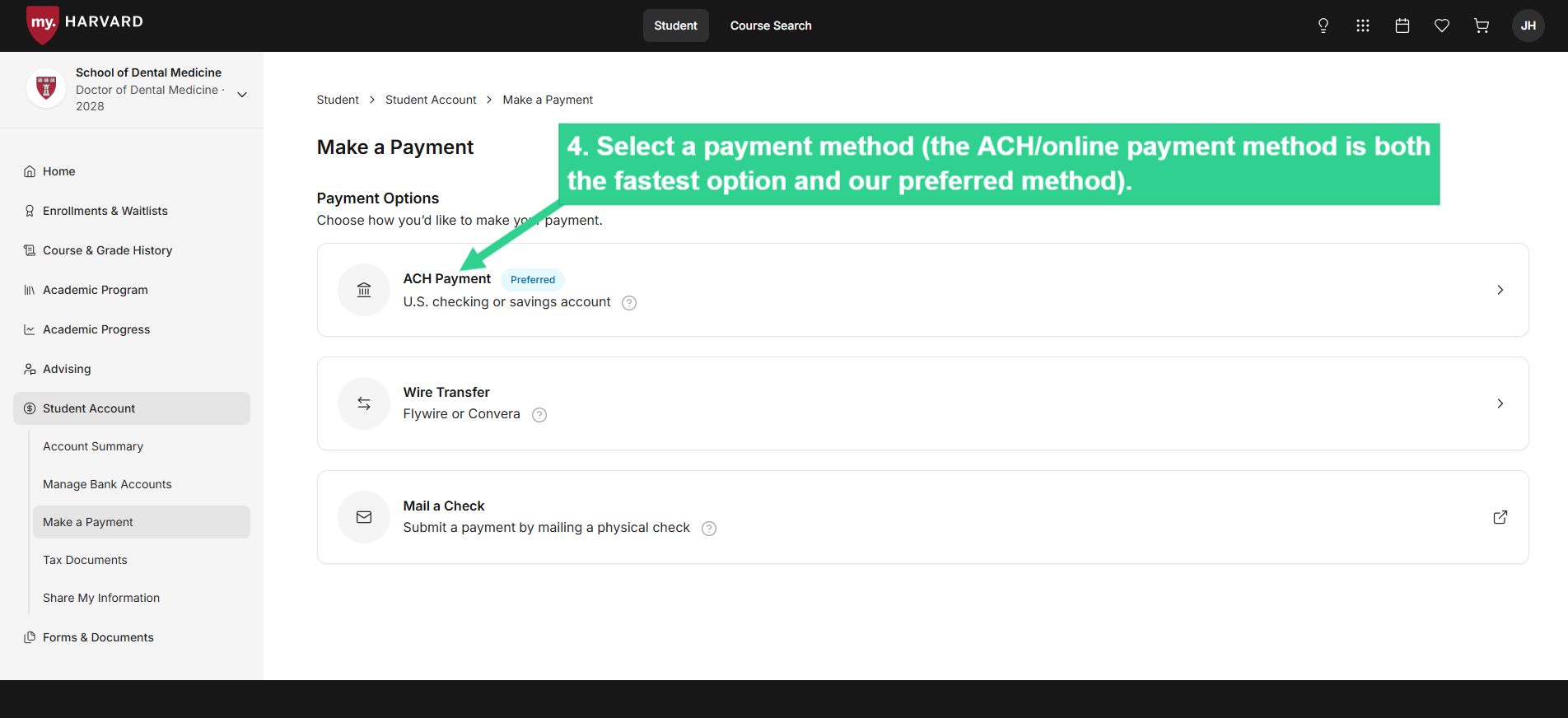
Check payments and forms should continue to be mailed to our office or dropped in the SFS drop box located in the Smith Campus Center Arcade.
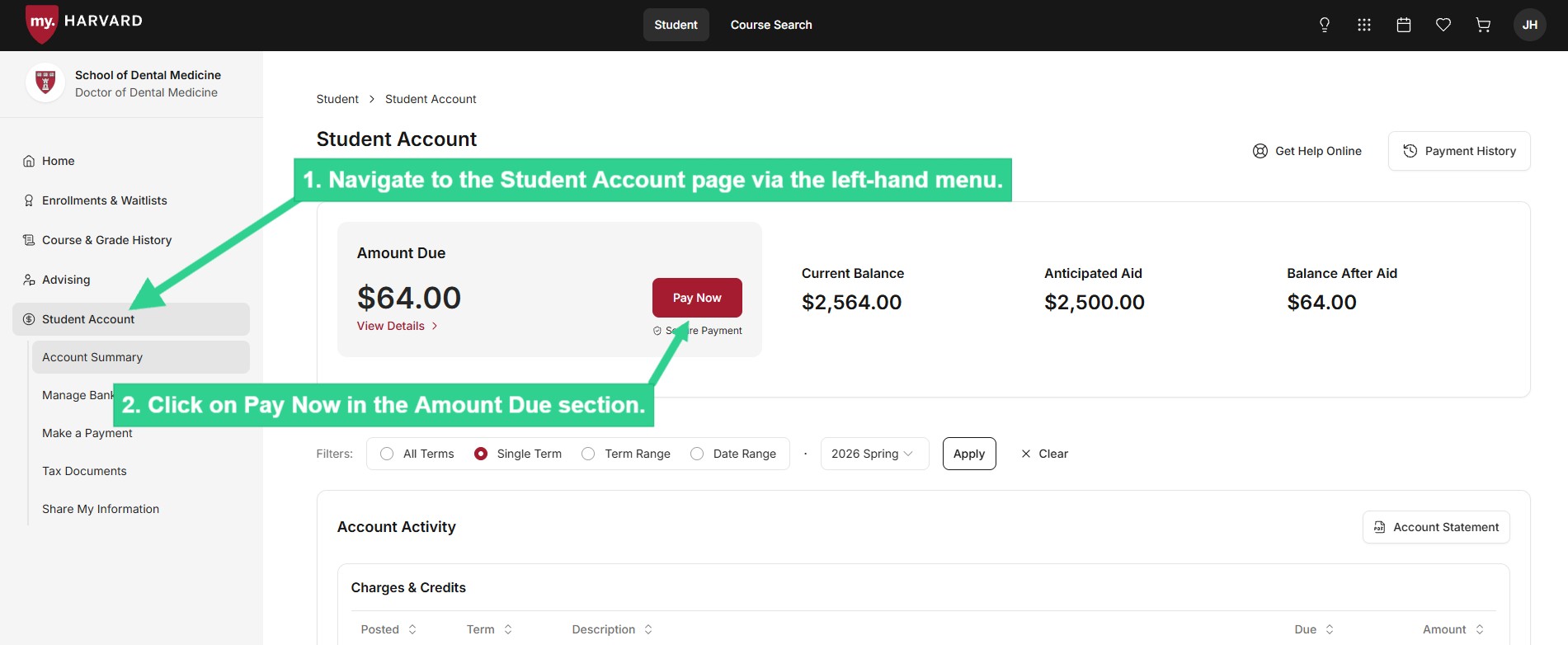
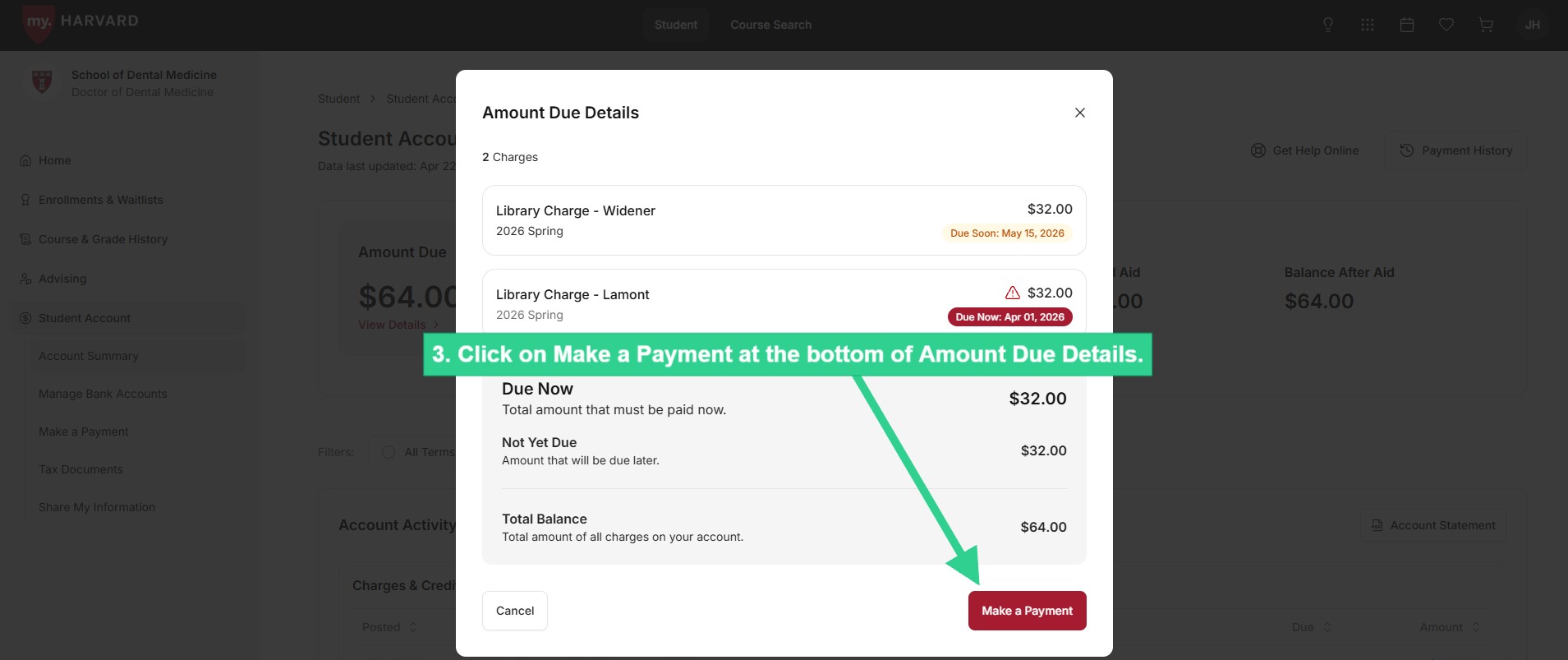
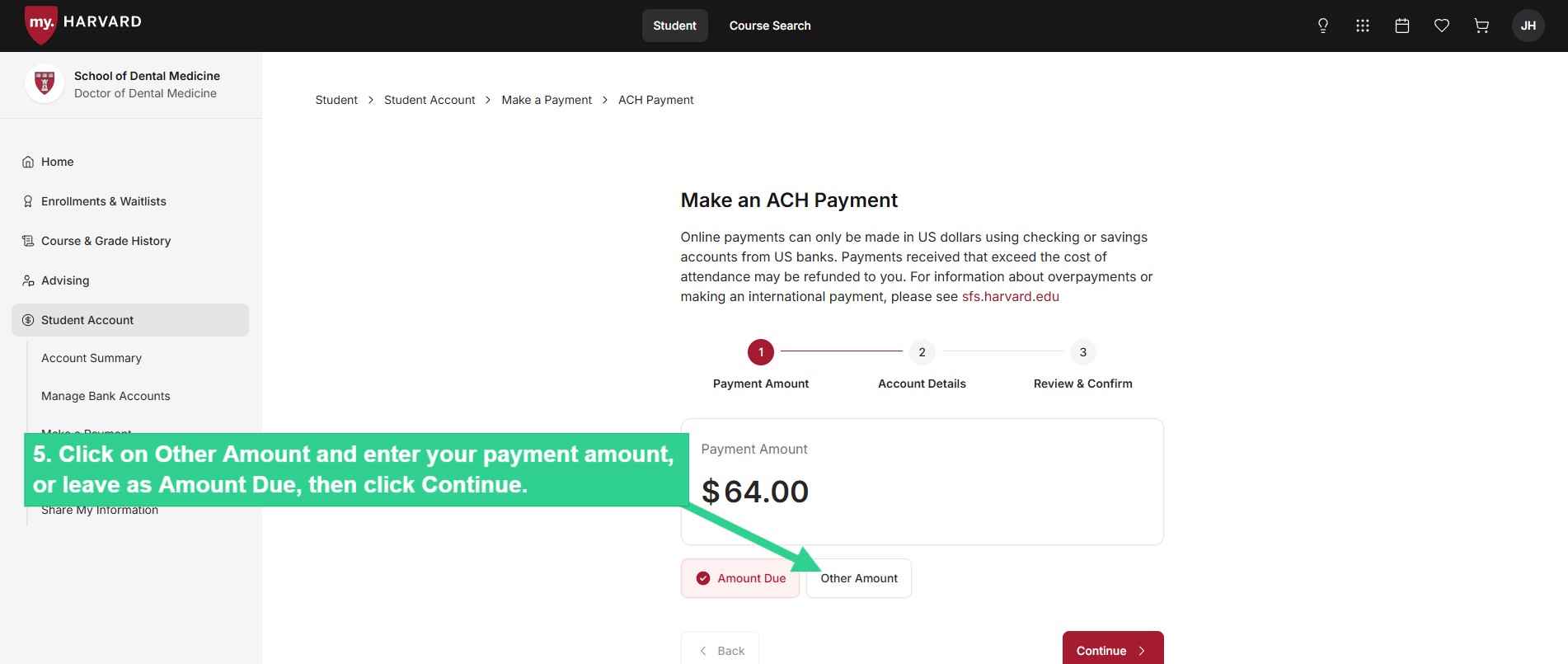
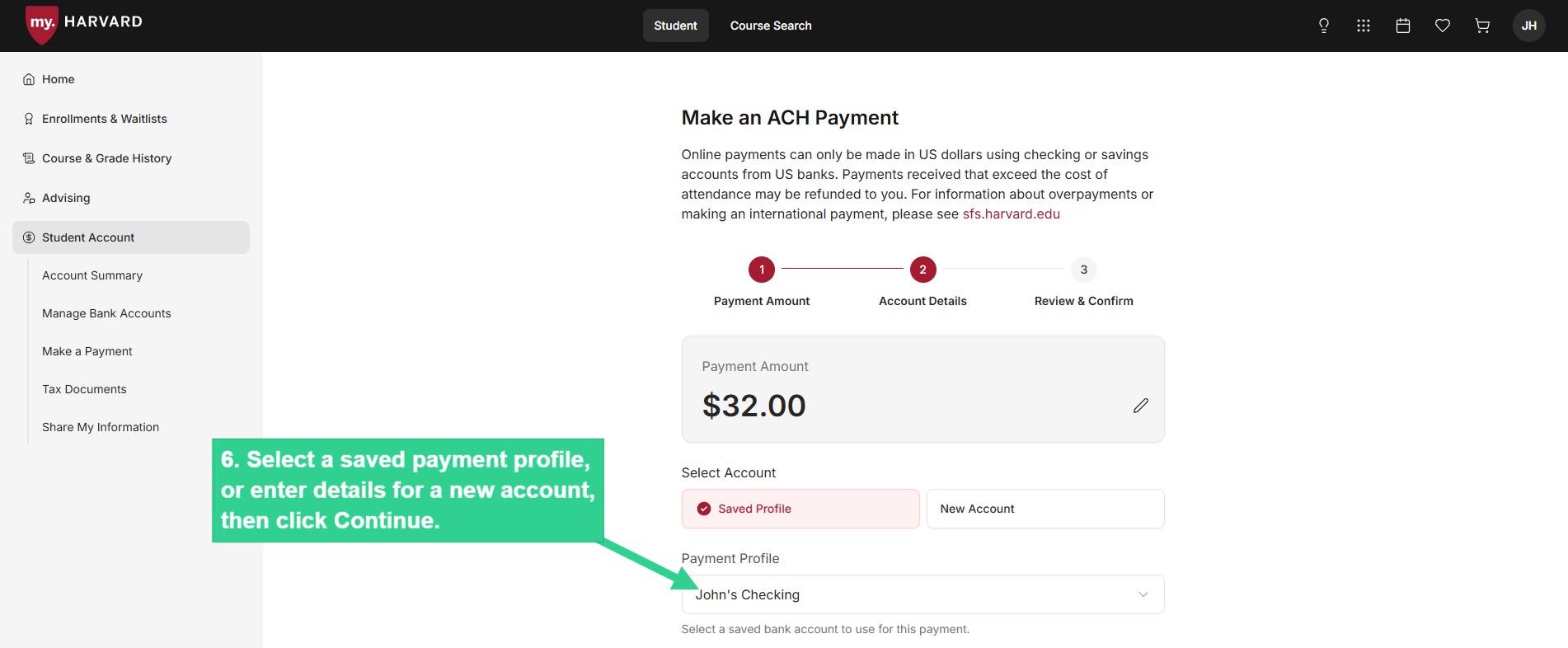
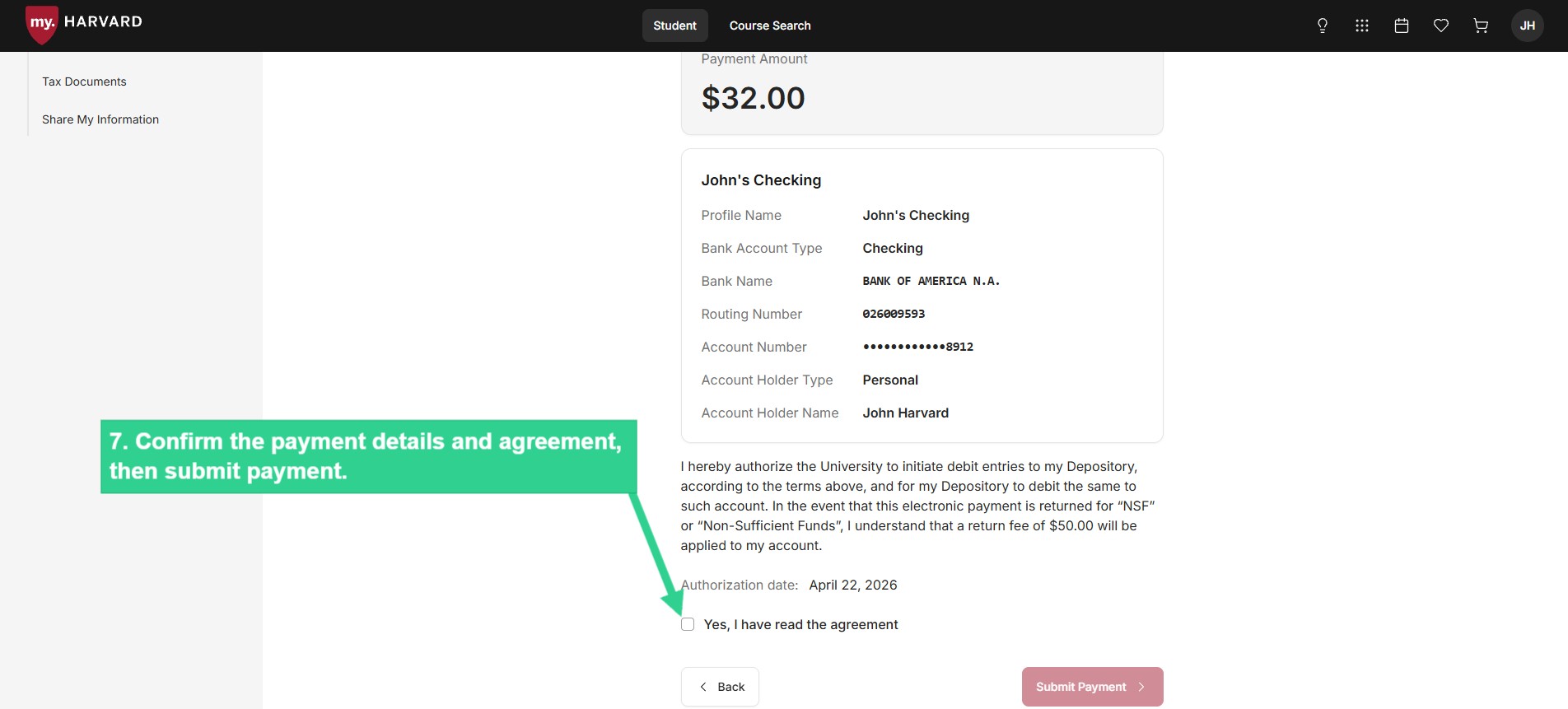
As always, we encourage all students and delegates to make an e-payment whenever possible.