
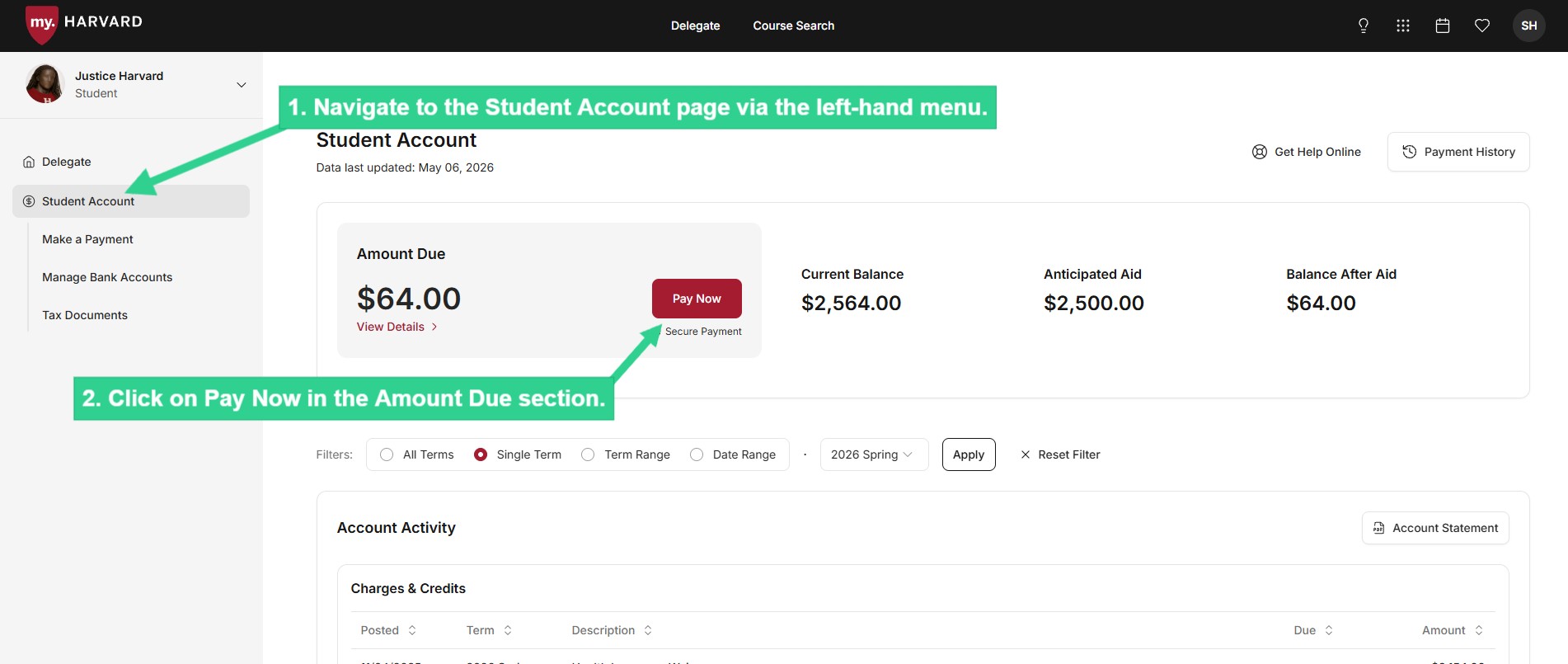
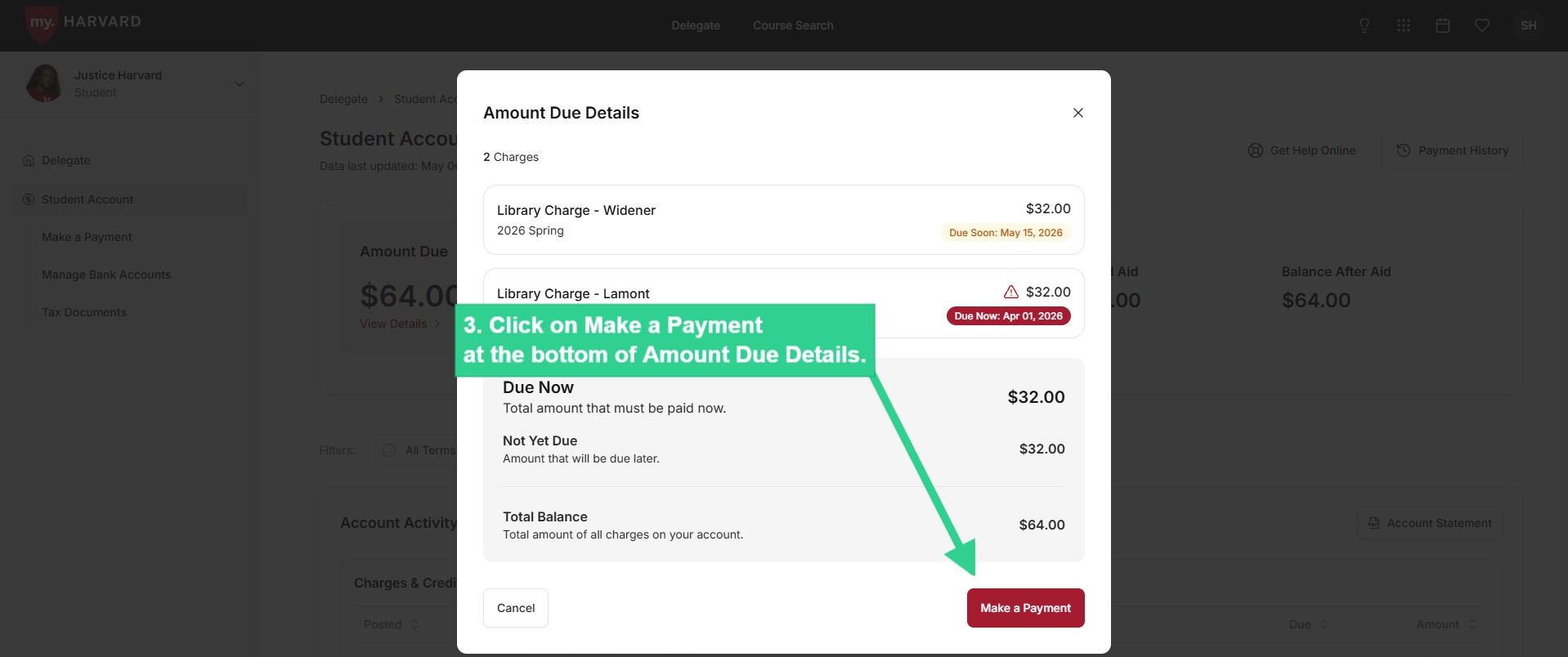
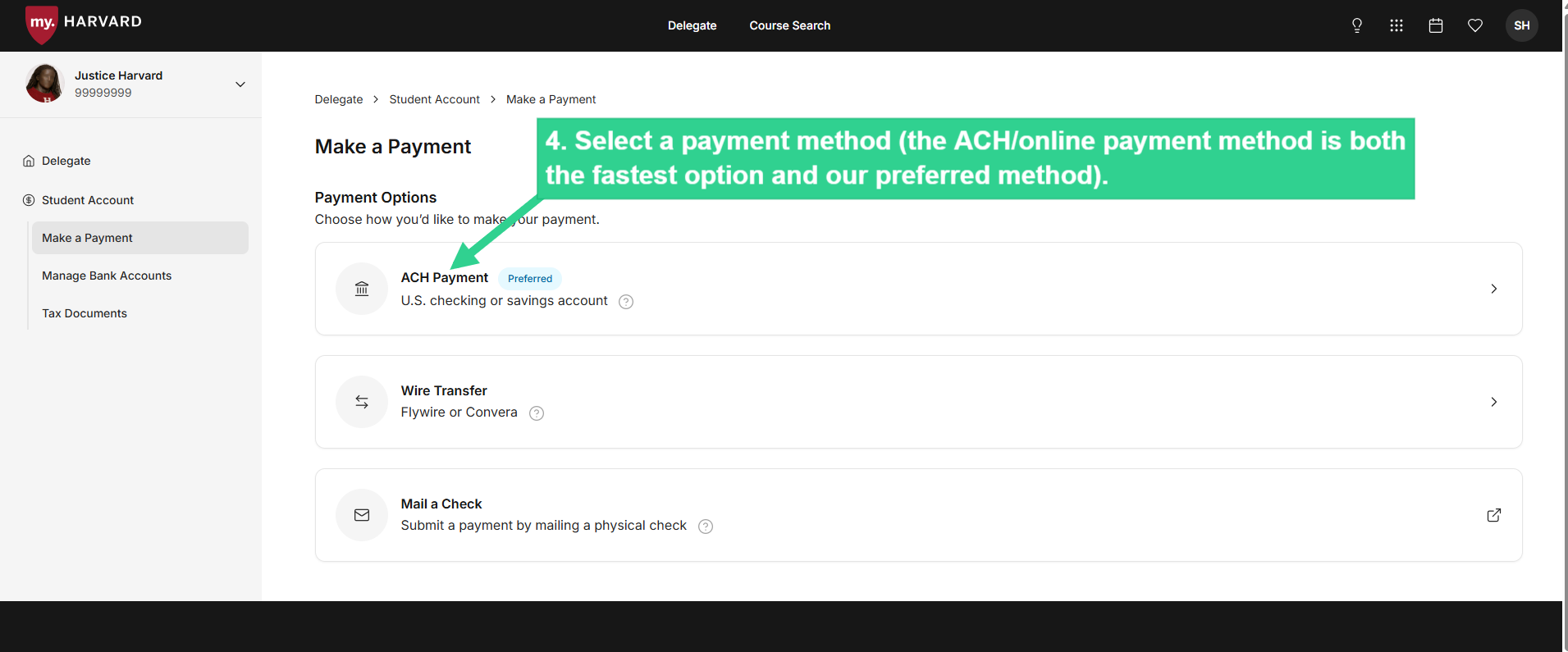
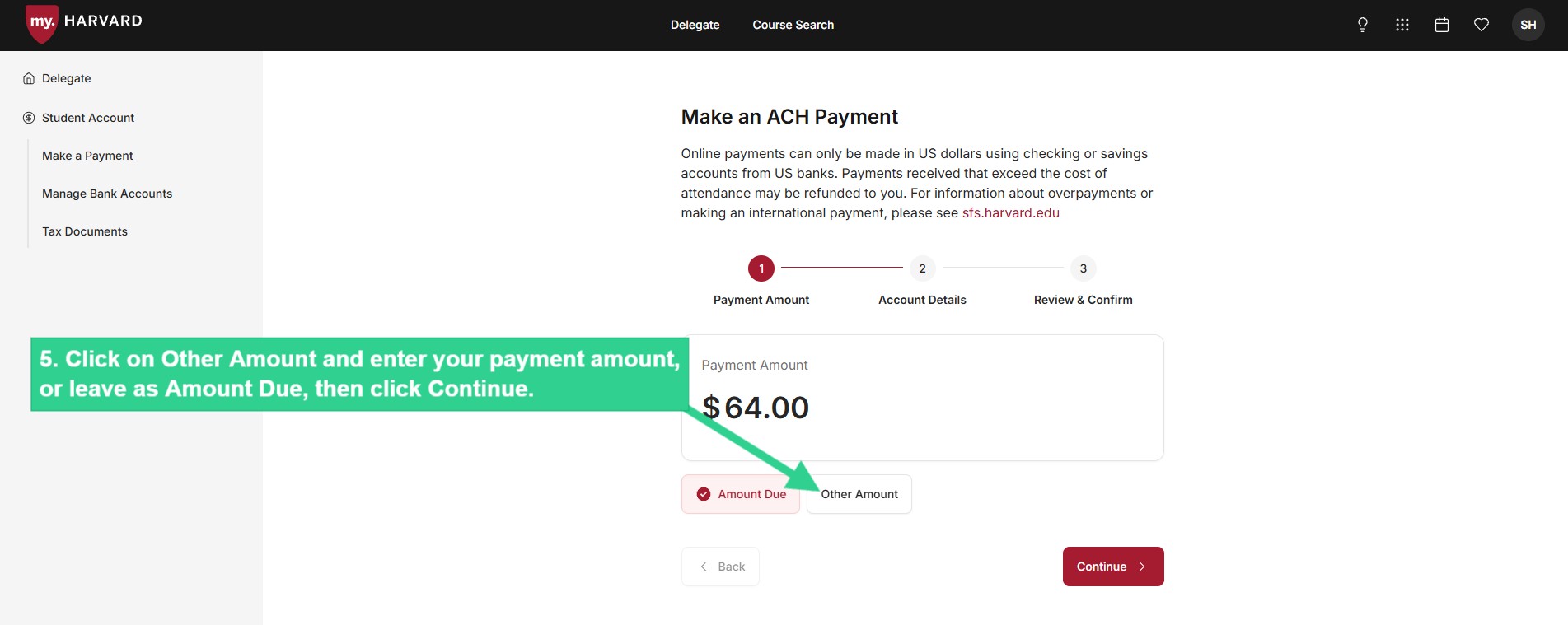
Make a Payment
*Unfortunately, no brokerage, investment, or money market accounts can be used.
If you are not sure whether your account can be debited via ACH,
please contact your financial institution before making the payment.
*Unfortunately, no brokerage, investment, or money market accounts can be used.
If you are not sure whether your account can be debited via ACH,
please contact your financial institution before making the payment.