
Account Overview
The student account is a record of all tuition charges and fees associated with a student’s education at Harvard, as well as the payments and credits made towards those charges. The Student Accounts Office posts financial transactions to each student’s account as they are received. Students and delegates can log in to view the status of their account at any time.
You are expected to take responsibility for your student account. This includes:
- Reviewing your account to make sure that all charges and credits are correct
- Contacting Student Accounts if there are any errors
- Setting up Delegates to grant account access to your parents or other payers
Paying your charges by the due dates indicated
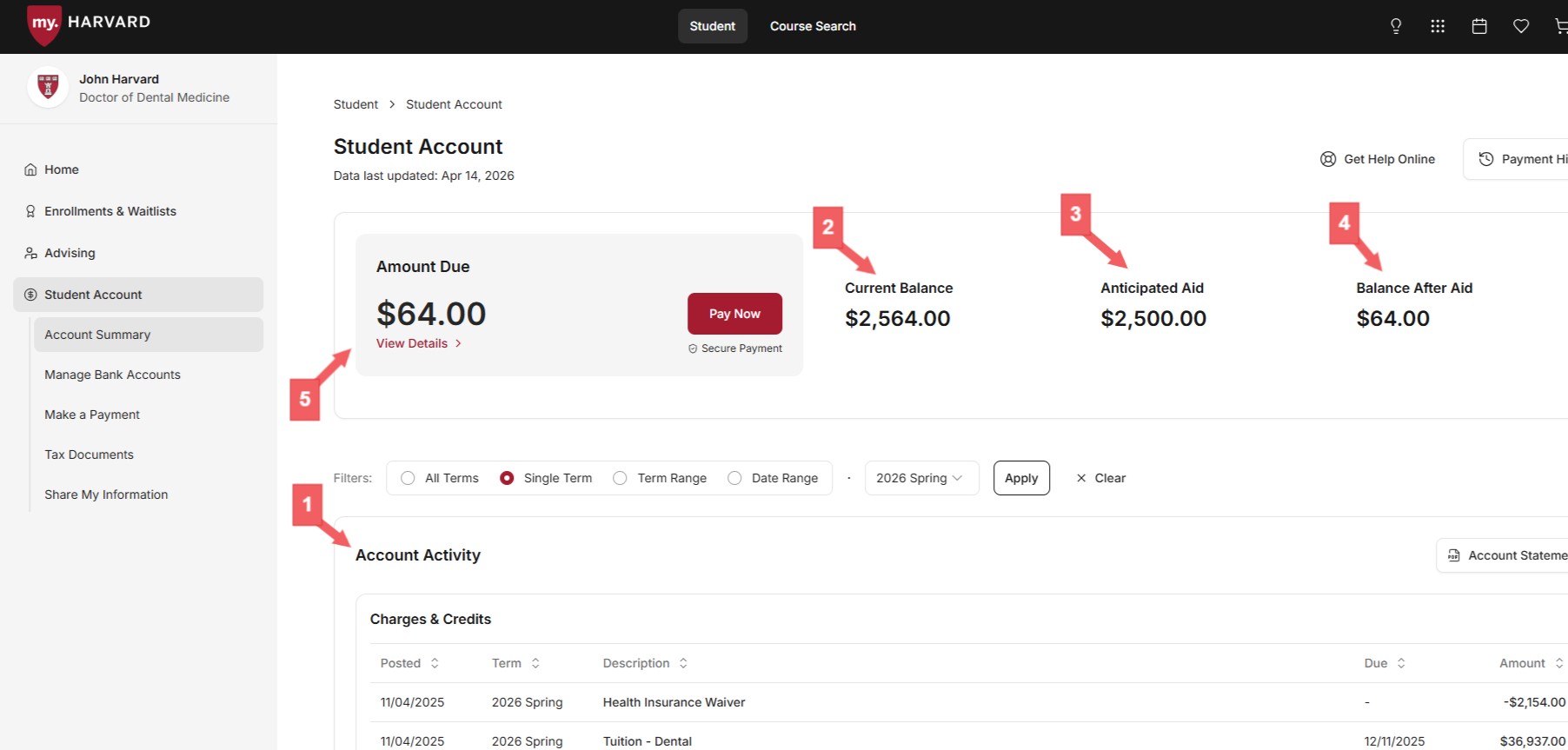
The student account, accessed via the corresponding tab in the left-hand menu, mainly consists of the five numbered fields below: 1) Account Activity 2) Current Balance 3) Anticipated Aid 4) Balance After Aid and 5) Amount Due. Understanding these fields allows for a clearer reading of the student bill.
(See Delegate view below)
- Account Activity: A detailed listing of all transactions (charges and credits), the total of which corresponds to the Current Balance (2). It defaults to the current term, but can also be filtered by term/date range. An official invoice can be printed/downloaded by clicking on "Account Statement" in the top-right of the Account Activity box.
- Current Balance: The total of all charges and credits in Account Activity.
- Anticipated Aid: The total reported financial aid that has not yet been disbursed. A breakdown of anticipated aid lies just below the Account Activity section.
- Balance After Aid: The Current Balance (2) less Anticipated Aid (3).
Amount Due: Amount Due, which equals Balance After Aid (4), reflects the total of unpaid charges not currently covered by financial aid, and is updated in real-time to reflect new charges, payments, and aid. Clicking on "View Details" reveals the individual charges (and due dates), and for further clarity, categorizes them as "Due Now" and "Not Yet Due."
Delegate Account View
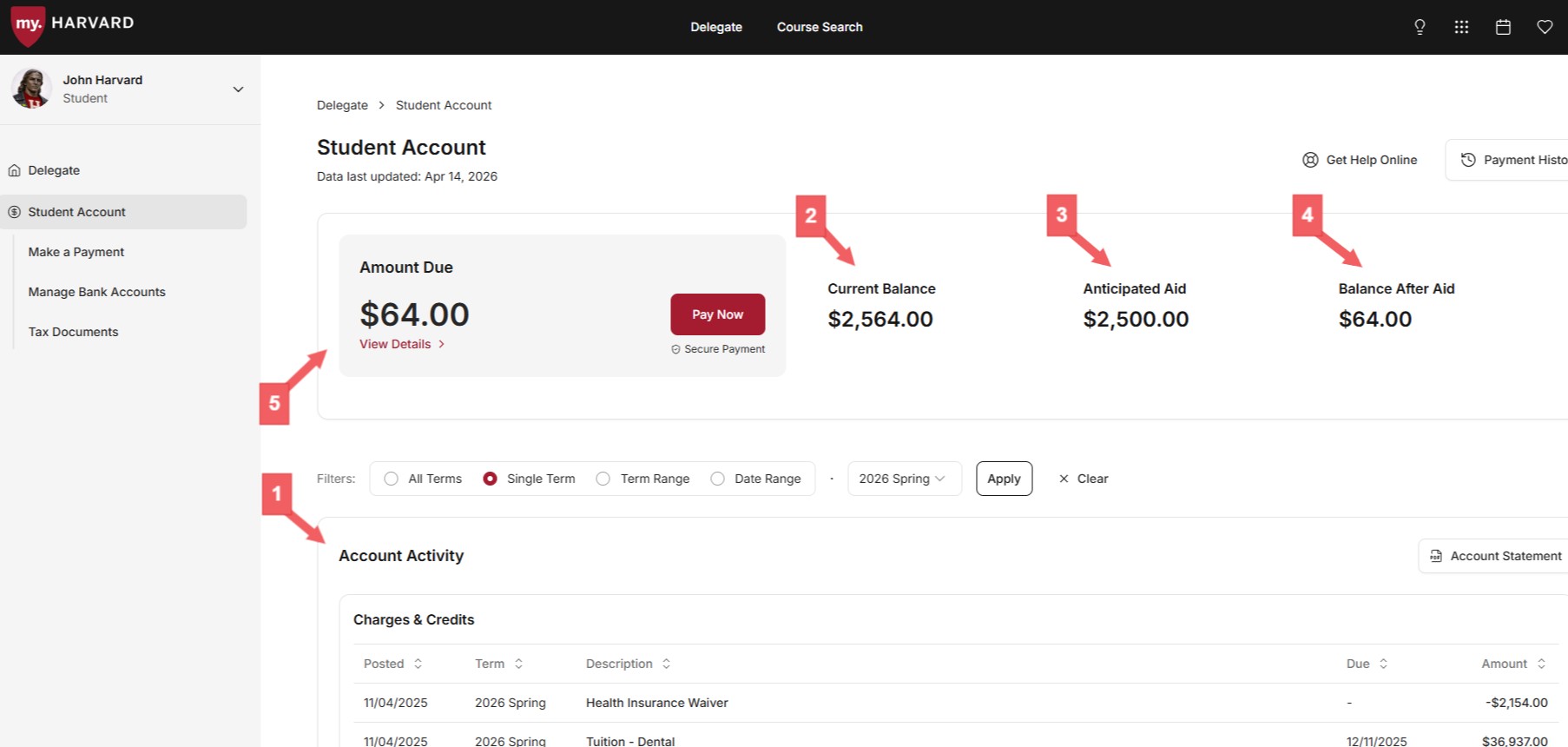
The delegate account view looks and operates almost exactly the same as the student account view (Delegates see the photo and name of their student in the top-left corner of the page). While a student has the option of updating preferred names and pronouns in my.harvard, their delegate(s) will not be able to view these changes. Only the student's legal name, as it appears on billing statements, is visible to delegates.